Davis's Drug Guide
Zaktualizowano
Aktualna wersja
2.8.38
Sprzedawca

Przestań martwić się nadmiernymi opłatami podczas korzystania z Davis's Drug Guide na telefonie komórkowym, uwolnij się od małego ekranu i ciesz się korzystaniem z aplikacji na znacznie większym wyświetlaczu. Od teraz korzystaj z aplikacji na pełnym ekranie za pomocą klawiatury i myszy. MEmu oferuje wszystkie zaskakujące funkcje, których się spodziewałeś: szybką instalację i łatwą konfigurację, intuicyjne sterowanie, koniec z ograniczeniami baterii, danych mobilnych i niepokojących połączeń. Zupełnie nowy MEmu 9 to najlepszy wybór do używania Davis's Drug Guide na twoim komputerze. Zakodowany przez naszą absorpcję, menedżer wielu instancji umożliwia otwarcie 2 lub więcej kont w tym samym czasie. A co najważniejsze, nasz ekskluzywny emulator może uwolnić pełny potencjał twojego komputera, sprawić, że wszystko będzie płynne i przyjemne.
Pokaż więcej
Ciesz się wspaniałym doświadczeniem podczas grania w Davis's Drug Guide na komputerze z aplikacją MEMU App Player. Jest to potężny darmowy emulator Androida pozwalający grać w tysiące gier na Androida. ~~~ FREE 14-DAY TRIAL~~~.
~~~ FREE 14-DAY TRIAL~~~
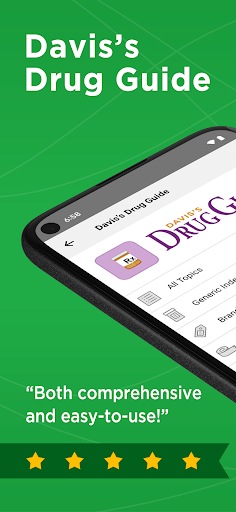
New 19th edition content [May '24]. Includes EXCLUSIVE DrugGuide.com access, 200+ NEW & UPDATED drugs, 14-day FREE trial, calculators, pronunciations, pill images, & more
Davis’s Drug Guide for Nurses delivers everything you need to administer medications safely across the lifespan.
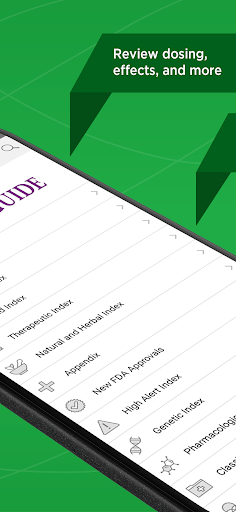
Includes EXCLUSIVE DrugGuide.com access, regular updates, dosing calculators, Drug of the Week, and more!
DAVIS DRUG GUIDE FEATURES:
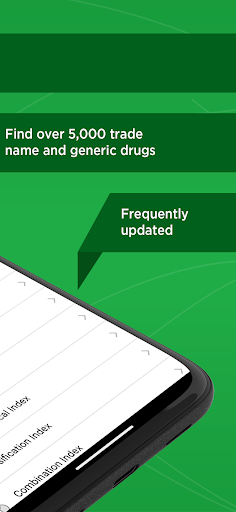
• 1,700+ monographs — covering 5,000+ trade name and generic medications
• Audio pronunciations — to learn new drug names
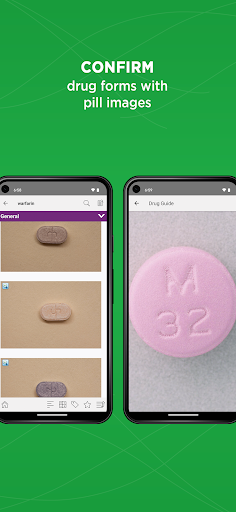
• Pill images — to visually confirm drug forms
• Regular updates — featuring new FDA approvals and prescribing changes
• Critical safety alerts and warnings
• Highlighted Risk Evaluation and Mitigation Strategies (REMS)
• Pharmacology, Natural & Herbal, Canadian, and Combination Rx indexes
• Canadian-specific content, including Canadian trade names and drugs specifically approved for use in Canada
• Ideal for courses in nursing programs covering medications, drug administration and preparation for NCLEX-RN & NCLEX-PN exam.
• Trusted companion for practicing nurses, physicians & pharmacists.
• Now includes Routine Pediatric and Adult Immunizations appendix which incorporates the most recent recommendations.
• Adverse side effects are now listed in order of most frequent, life threatening and frequent, life threatening, and other side effects.
• A streamlined presentation of the nursing implementation and family teaching sections in the monographs.
EXCLUSIVE UNBOUND MEDICINE FEATURES
• Free access to the DrugGuide.com website (after purchase)
• IV calculators for drips and dosing — fully integrated
• Highlighting and note-taking within entries
• “Favorites” for bookmarking important entries
• 'Drug of the Week' Alerts
• Enhanced Search to find Rx medications quickly
Authors: April Hazard Vallerand, PhD, RN, FAAN; Cynthia A. Sanoski, BS, PharmD, FCCP, BCPS
Publisher: F.A. Davis
Powered by: Unbound Medicine
TRIAL / SUBSCRIPTION DETAILS
• New users can access the complete Davis Drug Guide app free for 14 days.
• After 14 days, your Google Play account will be charged $39.99 for a one-year subscription unless you have turned off auto-renew in Account Settings at least 24 hours before the free trial ends.
• At the end of the one-year period, your subscription will automatically renew unless auto-renew is turned off in Account Settings 24 hours prior to the renewal date.
• If you choose not to renew, you will still be able to use the app but will not receive medication updates.
Unbound Medicine Privacy Policy: https://www.unboundmedicine.com/privacy
Unbound Medicine Terms of Use: https://www.unboundmedicine.com/end_user_license_agreement
Pokaż więcej

1. Pobierz instalator MEmu i zakończ instalację

2. Uruchom MEmu, a następnie otwórz Google Play na pulpicie

3. Wyszukaj Davis's Drug Guide w Google Play
Install
4. Pobierz i zainstaluj Davis's Drug Guide
5. Po zakończeniu instalacji kliknij ikonę, aby rozpocząć

6. Użyj MEmu, aby doświadczyć Davis's Drug Guide na swoim komputerze
MEmu Play to najlepszy emulator Androida, z którego korzysta ponad 100 milionów użytkowników, ciesząc się wyjątkowym doświadczeniem aplikacji na Androida. Technologia wirtualizacji MEmu pozwala na płynne uruchamianie tysięcy aplikacji Androida na komputerze, nawet tych najbardziej wymagających.
Większy ekran z lepszą grafiką; Długi czas, bez ograniczeń baterii lub danych mobilnych.
Pełna obsługa mapowania klawiszy dla precyzyjnego sterowania klawiaturą i myszą lub gamepadem.
Wiele kont gier lub zadań na jednym komputerze jednocześnie z menedżerem wielu instancji.
Use Davis's Drug Guide on PC by following steps: