Prescription Scanner
Zaktualizowano
Aktualna wersja
6.0.1419
Sprzedawca

Przestań martwić się nadmiernymi opłatami podczas korzystania z Prescription Scanner na telefonie komórkowym, uwolnij się od małego ekranu i ciesz się korzystaniem z aplikacji na znacznie większym wyświetlaczu. Od teraz korzystaj z aplikacji na pełnym ekranie za pomocą klawiatury i myszy. MEmu oferuje wszystkie zaskakujące funkcje, których się spodziewałeś: szybką instalację i łatwą konfigurację, intuicyjne sterowanie, koniec z ograniczeniami baterii, danych mobilnych i niepokojących połączeń. Zupełnie nowy MEmu 9 to najlepszy wybór do używania Prescription Scanner na twoim komputerze. Zakodowany przez naszą absorpcję, menedżer wielu instancji umożliwia otwarcie 2 lub więcej kont w tym samym czasie. A co najważniejsze, nasz ekskluzywny emulator może uwolnić pełny potencjał twojego komputera, sprawić, że wszystko będzie płynne i przyjemne.
Pokaż więcej
Ciesz się wspaniałym doświadczeniem podczas grania w Prescription Scanner na komputerze z aplikacją MEMU App Player. Jest to potężny darmowy emulator Androida Umożliwia korzystanie z tysięcy aplikacji Androida. Need your glasses prescription?
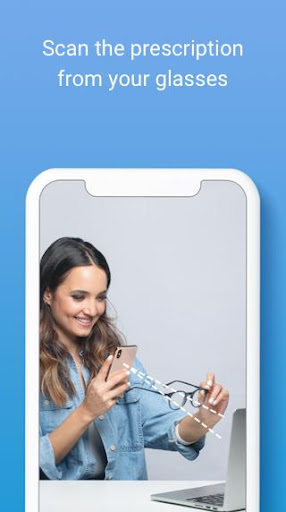
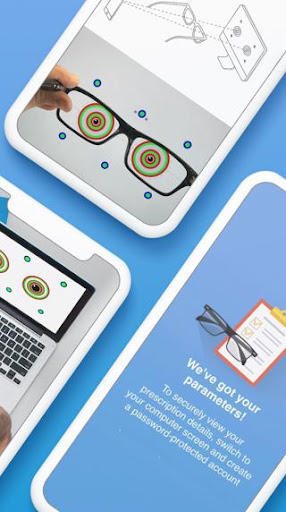
Need your glasses prescription? Try our FREE app!
Introducing Prescription Scanner: an easy, fast & FREE way of getting your prescription from your current eyeglasses without leaving the house. Just download the app, scan your glasses and shop a new pair online with your prescription at GlassesUSA.com.
Key Benefits:
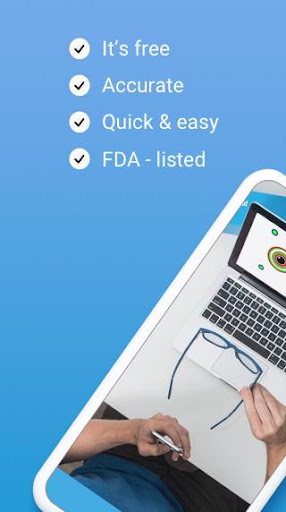
* Convenient: Scan from the comfort of home
* Easy & fast: Get your prescription in less than 5 minutes!
* App is completely FREE
* Accurate
* FDA-Listed
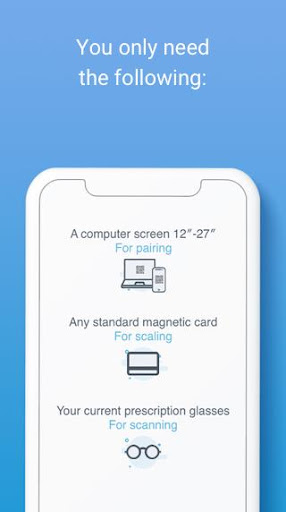
• All you need is a smartphone, computer and a standard-size magnetic card
How it works:
• Download the app & scan your current glasses using only a smartphone, computer screen and magnetic card.
• Get accurate results through a quick, simple process with audio & video tutorials to guide you every step of the way.
• Use the prescription to purchase new glasses online with an exclusive discount.
About us:
GlassesUSA.com is the #1 online retailer for prescription eyewear in the US, with a pair of glasses sold every minute! We’re proud of changing the way people buy glasses and making them affordable for everyone.
Discover 7000+ styles and a huge selection of brands including Ray-Ban, Oakley, Versace, Gucci and more. Find eyewear for every need including protective eyewear, blue light protection, prescription eyewear with anti-fog coatings, sports glasses, kids’ glasses, contact lenses and more. Try on any frame online from home with our Virtual Mirror to see how they look on you.
Enjoy free shipping on all orders right to your door, free returns and a 100% money-back guarantee.
Who can use the Prescription Scanner?
• Healthy individuals, 18 or older
• People with see well their current prescription
• Single vision prescription between -6.00 and +3.00
• Cylinder measurement lower than -2.50
Note: Please read our full Terms of Use. It includes, amongst other information, a detailed list of conditions and illnesses that are not eligible for accurate results.
You should not use Prescription Scanner if you:
• Have a progressive, multifocal, or bifocal prescription
• Have a prescription that includes prism
• Have a high single-vision (distance or reading) and/or astigmatism correction
• Take medication that affects your vision
• Have an illness or condition that affects eye health (refer to your doctor)
Distributed by GlassesUSA.com.
Manufactured by 6over6 Vision Ltd.
For more details go to https://6over6.com/
Pokaż więcej

1. Pobierz instalator MEmu i zakończ instalację

2. Uruchom MEmu, a następnie otwórz Google Play na pulpicie

3. Wyszukaj Prescription Scanner w Google Play
Install
4. Pobierz i zainstaluj Prescription Scanner
5. Po zakończeniu instalacji kliknij ikonę, aby rozpocząć

6. Użyj MEmu, aby doświadczyć Prescription Scanner na swoim komputerze
MEmu Play to najlepszy emulator Androida, z którego korzysta ponad 100 milionów użytkowników, ciesząc się wyjątkowym doświadczeniem aplikacji na Androida. Technologia wirtualizacji MEmu pozwala na płynne uruchamianie tysięcy aplikacji Androida na komputerze, nawet tych najbardziej wymagających.
Większy ekran z lepszą grafiką; Długi czas, bez ograniczeń baterii lub danych mobilnych.
Pełna obsługa mapowania klawiszy dla precyzyjnego sterowania klawiaturą i myszą lub gamepadem.
Wiele kont gier lub zadań na jednym komputerze jednocześnie z menedżerem wielu instancji.
Use Prescription Scanner on PC by following steps: