EA SPORTS App
Zaktualizowano
Aktualna wersja
1.0.1
Sprzedawca

Przestań martwić się nadmiernymi opłatami podczas korzystania z EA SPORTS App na telefonie komórkowym, uwolnij się od małego ekranu i ciesz się korzystaniem z aplikacji na znacznie większym wyświetlaczu. Od teraz korzystaj z aplikacji na pełnym ekranie za pomocą klawiatury i myszy. MEmu oferuje wszystkie zaskakujące funkcje, których się spodziewałeś: szybką instalację i łatwą konfigurację, intuicyjne sterowanie, koniec z ograniczeniami baterii, danych mobilnych i niepokojących połączeń. Zupełnie nowy MEmu 9 to najlepszy wybór do używania EA SPORTS App na twoim komputerze. Zakodowany przez naszą absorpcję, menedżer wielu instancji umożliwia otwarcie 2 lub więcej kont w tym samym czasie. A co najważniejsze, nasz ekskluzywny emulator może uwolnić pełny potencjał twojego komputera, sprawić, że wszystko będzie płynne i przyjemne.
Pokaż więcej
Ciesz się wspaniałym doświadczeniem podczas grania w EA SPORTS App na komputerze z aplikacją MEMU App Player. Jest to potężny darmowy emulator Androida pozwalający grać w tysiące gier na Androida. Made for a new generation of fans.
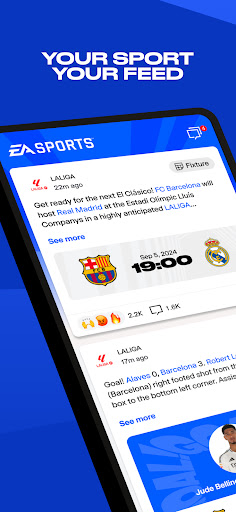
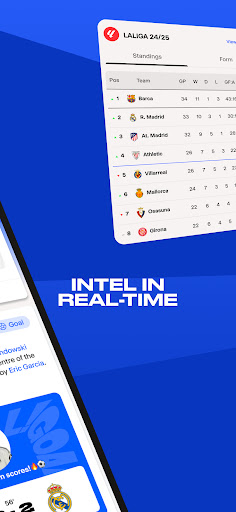
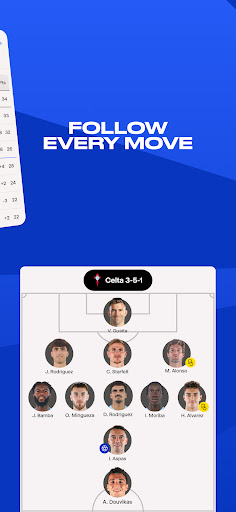
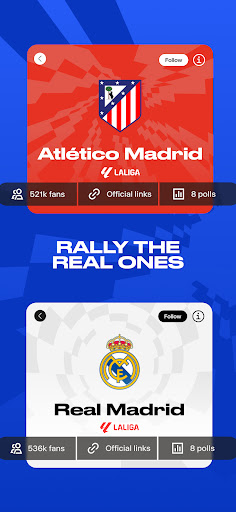
Made for a new generation of fans.
Get the latest stats and scores, plus exclusive content from your favorite teams. Engage with your favorite content to earn badges across sports, gaming and esports.
Get exclusive news and content, including highlights from the biggest leagues, teams and icons in a real time feed.
Bring together friends and fans by creating Arenas of your favorite clubs and athletes.
Then, take on your rivals, share your reactions, and see what everyone’s saying to stay one step ahead of the group chat.
Requires acceptance of EA’s User Agreement. EA’s Privacy & Cookie Policy applies. You consent to any personal data collected through your use of EA’s services being transferred to the United States, as further explained in the Privacy & Cookie Policy. Requires an Internet connection (network fees may apply). Requires an EA account to access the app – must be 14 or older to obtain an account. Allows players to communicate via in-game chat. Contains direct links to the Internet and social networking sites intended for an audience over 13.
● User Agreement: terms.ea.com
● Privacy and Cookie Policy: privacy.ea.com
● Visit help.ea.com for assistance or inquiries.
This is a limited territory launch of the EA SPORTS® App, which is a software in development. EA may retire online features after 30 days’ notice posted on ea.com/service-updates.
Pokaż więcej

1. Pobierz instalator MEmu i zakończ instalację

2. Uruchom MEmu, a następnie otwórz Google Play na pulpicie

3. Wyszukaj EA SPORTS App w Google Play
Install
4. Pobierz i zainstaluj EA SPORTS App
5. Po zakończeniu instalacji kliknij ikonę, aby rozpocząć

6. Użyj MEmu, aby doświadczyć EA SPORTS App na swoim komputerze
MEmu Play to najlepszy emulator Androida, z którego korzysta ponad 100 milionów użytkowników, ciesząc się wyjątkowym doświadczeniem aplikacji na Androida. Technologia wirtualizacji MEmu pozwala na płynne uruchamianie tysięcy aplikacji Androida na komputerze, nawet tych najbardziej wymagających.
Większy ekran z lepszą grafiką; Długi czas, bez ograniczeń baterii lub danych mobilnych.
Pełna obsługa mapowania klawiszy dla precyzyjnego sterowania klawiaturą i myszą lub gamepadem.
Wiele kont gier lub zadań na jednym komputerze jednocześnie z menedżerem wielu instancji.
Use EA SPORTS App on PC by following steps: