GetLook Salon at Home Services
Zaktualizowano
Aktualna wersja
8.7
Sprzedawca

Przestań martwić się nadmiernymi opłatami podczas korzystania z GetLook Salon at Home Services na telefonie komórkowym, uwolnij się od małego ekranu i ciesz się korzystaniem z aplikacji na znacznie większym wyświetlaczu. Od teraz korzystaj z aplikacji na pełnym ekranie za pomocą klawiatury i myszy. MEmu oferuje wszystkie zaskakujące funkcje, których się spodziewałeś: szybką instalację i łatwą konfigurację, intuicyjne sterowanie, koniec z ograniczeniami baterii, danych mobilnych i niepokojących połączeń. Zupełnie nowy MEmu 9 to najlepszy wybór do używania GetLook Salon at Home Services na twoim komputerze. Zakodowany przez naszą absorpcję, menedżer wielu instancji umożliwia otwarcie 2 lub więcej kont w tym samym czasie. A co najważniejsze, nasz ekskluzywny emulator może uwolnić pełny potencjał twojego komputera, sprawić, że wszystko będzie płynne i przyjemne.
Pokaż więcej
Ciesz się wspaniałym doświadczeniem podczas grania w GetLook Salon at Home Services na komputerze z aplikacją MEMU App Player. Jest to potężny darmowy emulator Androida pozwalający grać w tysiące gier na Androida. GetLook Home Salon and Beauty Services helps you discover the best beauty professionals near your home who will come at your doorstep to pamper you.
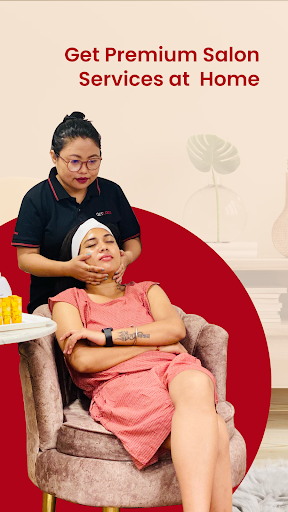
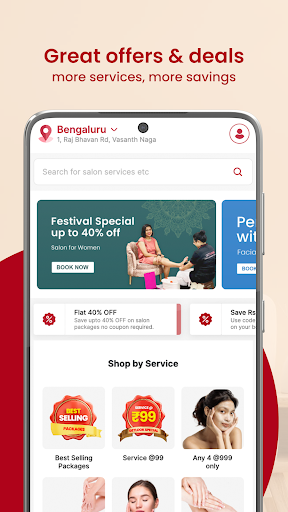
GetLook Home Salon and Beauty Services helps you discover the best beauty professionals near your home who will come at your doorstep to pamper you. Just download our app, select stylist near you basis reviews, ratings, and price to book appointment and relax.
It happens often that we are thinking about a hairstyle change or a relaxing massage or need makeup help for wedding party or just feel like pampering ourselves with a manicure or pedicure. But then that salon or beauty parlor near us seem too far away and we don’t want to spend time in transit or waiting in the salon. We also have been there and hence we are working extra hard to make sure you get everything from spa experience to regular eyebrow threading and waxing without leaving comfort of your home.
Key features of GetLook Android app:
* Growing list of beauticians, stylists and beauty professionals.
* Only vetted beauty professionals with 100% verified user reviews.
* Book appointment in just few taps as per your schedule.
* Services offered are Facial, Clean Up, Bleach, Hair Cut, Hair Styling, Hair Coloring, Massage, Manicure, Pedicure, Bridal Makeup, Make Over, Hair Spa, Waxing, Threading, Hair Rebonding and much more. And you choose who, what, when and where.
* Parlour services at Home
* Salon Services at Home
* Beauty Parlour Services at home
* Doorstep Beauty Services
* Urbanclap, MyGlamm, Housejoy, Beautyjoy, AtHomeDiva, YLG, BigStylist
FAQs:
1. Why GetLook when we have plenty of parlors, salons and spas?
Ans: We give you four reasons: i) why go to salon when salon can come to you? ii) No waiting time iii) Choose your own stylists with verified reviews yourself. We tell you all about our stylist from their speciality, work experience to our customer’s feedback iv) Last but not the least for the same quality of service our stylists are much better priced compared to your nearest salon. In fact most probably best priced amongst your nearby salons.
2. Can I trust the beauty professional coming to my house via GetLook?
Ans. In one word – Absolutely! We do three different kind of background checks of any stylist that we enroll. We have their verified ID card details, address proofs, education and past employment proofs. We also assess quality of service of all our beauty professionals as we would not want anybody to touch your skin or hair if we don’t think they are qualified.
3. What about the products they are using?
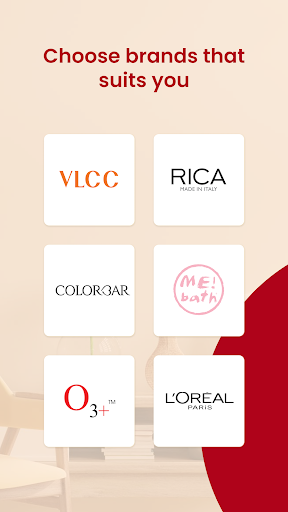
Ans. We guarantee products used by our stylists are all genuine branded products. GetLook offers 100% satisfaction guaranteed or moneyback promise. Some of the brands used by our professionals are Estrella Professional, VLCC, Shahnaz Husain, L’Oreal Professional
Services Offered:
➠Facials and Clean Up – Anti Tan, Chocolate, Diamond, Whitening, Fruit, Gold, O3, Pearl, Silver, Wine
➠Bleach – Anti Tan Arms and Face, Foot, Full Back, Full Body, Half Back, Hands, Lather Hands & Legs, Protine Face
➠Normal Wax, Chocolate Wax and Rica Wax – Bikini, Chin, Face, Full Arms, Full Back, Full Body, Full Legs, Half Back, Half Legs, Stomach, Underarms, Underlip
➠Hair Cut – Blend, Feather, Graduation, Layer, Reverse Graduation, Step, Straight, Trim, U
➠Hair Treatment – Anti Dandruff, Deep Conditioning, Henna Application, Hydra, Loreal Colouring Global (Long Length, Medium Length, Small Length), Loreal Colouring Root Touch Up, Pigmentation, Rebonding Long Hair, Rebonding Medium
➠Spa – Body, Body Polish, Hair, Hair Spa with Hair Mask
➠Massage – Back, Body, Foot, Hand, Hot Oil Head
➠Manicure and Pedicure – Aroma, French, Spa
➠Bridal Make Up, Hair Styling and Saree Drapping
➠Threading – Chin, Eyebrows, Upperlip
Please note GetLook is currently EXCLUSIVELY FOR WOMEN
➠Visit our website http://getlook.in/ to learn more about us!
➠Like us on Facebook at https://www.facebook.com/getlook.in
➠Follow us on Twitter at https://twitter.com/getlookindia
Pokaż więcej

1. Pobierz instalator MEmu i zakończ instalację

2. Uruchom MEmu, a następnie otwórz Google Play na pulpicie

3. Wyszukaj GetLook Salon at Home Services w Google Play
Install
4. Pobierz i zainstaluj GetLook Salon at Home Services
5. Po zakończeniu instalacji kliknij ikonę, aby rozpocząć

6. Użyj MEmu, aby doświadczyć GetLook Salon at Home Services na swoim komputerze
MEmu Play to najlepszy emulator Androida, z którego korzysta ponad 100 milionów użytkowników, ciesząc się wyjątkowym doświadczeniem aplikacji na Androida. Technologia wirtualizacji MEmu pozwala na płynne uruchamianie tysięcy aplikacji Androida na komputerze, nawet tych najbardziej wymagających.
Większy ekran z lepszą grafiką; Długi czas, bez ograniczeń baterii lub danych mobilnych.
Pełna obsługa mapowania klawiszy dla precyzyjnego sterowania klawiaturą i myszą lub gamepadem.
Wiele kont gier lub zadań na jednym komputerze jednocześnie z menedżerem wielu instancji.
Use GetLook Salon at Home Services on PC by following steps: