
Hamchee
Zaktualizowano
Aktualna wersja
1.1.1
Sprzedawca

Przestań martwić się nadmiernymi opłatami podczas korzystania z Hamchee na telefonie komórkowym, uwolnij się od małego ekranu i ciesz się korzystaniem z aplikacji na znacznie większym wyświetlaczu. Od teraz korzystaj z aplikacji na pełnym ekranie za pomocą klawiatury i myszy. MEmu oferuje wszystkie zaskakujące funkcje, których się spodziewałeś: szybką instalację i łatwą konfigurację, intuicyjne sterowanie, koniec z ograniczeniami baterii, danych mobilnych i niepokojących połączeń. Zupełnie nowy MEmu 9 to najlepszy wybór do używania Hamchee na twoim komputerze. Zakodowany przez naszą absorpcję, menedżer wielu instancji umożliwia otwarcie 2 lub więcej kont w tym samym czasie. A co najważniejsze, nasz ekskluzywny emulator może uwolnić pełny potencjał twojego komputera, sprawić, że wszystko będzie płynne i przyjemne.
Pokaż więcej
Ciesz się wspaniałym doświadczeniem podczas grania w Hamchee na komputerze z aplikacją MEMU App Player. Jest to potężny darmowy emulator Androida Umożliwia korzystanie z tysięcy aplikacji Androida. Hamchee combines cute pet raising with English learning, allowing you to memorize words efficiently while feeding adorable hamsters!
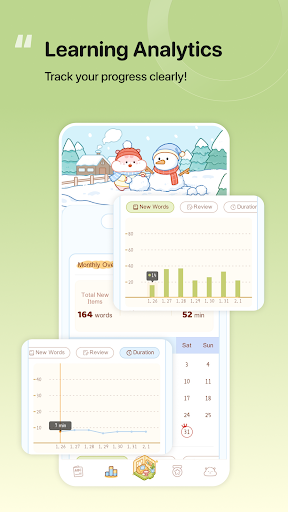
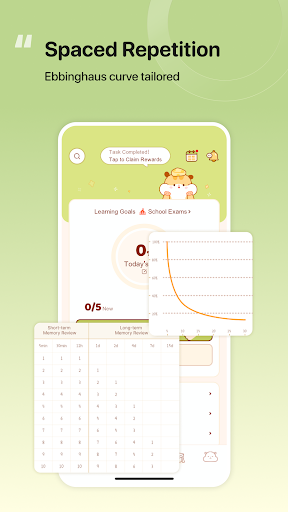
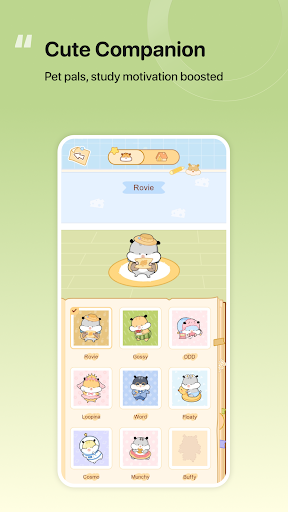
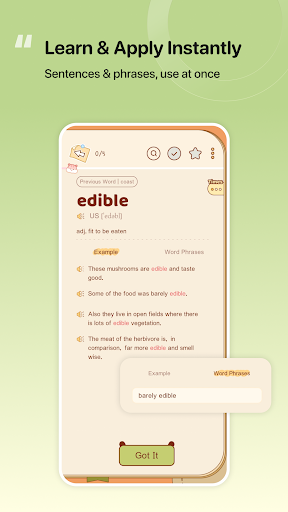
Hamchee combines cute pet raising with English learning, allowing you to memorize words efficiently while feeding adorable hamsters! Fun interactions plus scientific memory methods help you boost your vocabulary effortlessly, catering to all your English learning needs!
【App Fun Elements】
●Complete daily check-ins, memorize words, and more to win rewards and unlock rare hamster companions
●Earn cheese, random in-game items, etc. through daily learning, and build your exclusive cozy home while studying
●Basic furniture and supplies are available for purchase with cheese in the mall. Decorate your hamster house with the furniture you buy to unlock more scene styles
●Finish special event tasks to collect more limited-edition surprise furniture pieces
【App Features】
● Comprehensive Word Bank:Whether for daily communication or professional exam preparation, all the vocabulary you need is right here
● Visually Appealing & Ad-Free:Boasting cute, eye-catching interfaces with simple yet highly effective functions
● Top-Notch Content Quality:Comes with authentic example sentences, allowing you to memorize words in context and apply them to real conversations instantly after learning
● Diverse Learning Modes:Offers multiple modes including word spelling and vocabulary Q&A, helping you conquer tricky and frequently confused words step by step. With adorable pets accompanying you, it eases your learning pace and makes mastering English a piece of cake
● Long-Lasting Memorization:Provides rich content for a thorough understanding of each word. It also schedules your word-learning routine based on the Ebbinghaus Forgetting Curve to minimize the forgetting rate
【Contact Us】
If you encounter any problems or have suggestions during your product usage, please feel free to contact us via the following channel. We are dedicated to solving your issues and optimizing our product continuously~
Official Email: support@hamchee.com
Pokaż więcej

1. Pobierz instalator MEmu i zakończ instalację

2. Uruchom MEmu, a następnie otwórz Google Play na pulpicie

3. Wyszukaj Hamchee w Google Play
Install
4. Pobierz i zainstaluj Hamchee
5. Po zakończeniu instalacji kliknij ikonę, aby rozpocząć

6. Użyj MEmu, aby doświadczyć Hamchee na swoim komputerze
MEmu Play to najlepszy emulator Androida, z którego korzysta ponad 100 milionów użytkowników, ciesząc się wyjątkowym doświadczeniem aplikacji na Androida. Technologia wirtualizacji MEmu pozwala na płynne uruchamianie tysięcy aplikacji Androida na komputerze, nawet tych najbardziej wymagających.
Większy ekran z lepszą grafiką; Długi czas, bez ograniczeń baterii lub danych mobilnych.
Pełna obsługa mapowania klawiszy dla precyzyjnego sterowania klawiaturą i myszą lub gamepadem.
Wiele kont gier lub zadań na jednym komputerze jednocześnie z menedżerem wielu instancji.
Use Hamchee on PC by following steps: