Hangjam: AI Chat and Roleplay
Zaktualizowano
Aktualna wersja
2.6.8
Sprzedawca

Przestań martwić się nadmiernymi opłatami podczas korzystania z Hangjam: AI Chat and Roleplay na telefonie komórkowym, uwolnij się od małego ekranu i ciesz się korzystaniem z aplikacji na znacznie większym wyświetlaczu. Od teraz korzystaj z aplikacji na pełnym ekranie za pomocą klawiatury i myszy. MEmu oferuje wszystkie zaskakujące funkcje, których się spodziewałeś: szybką instalację i łatwą konfigurację, intuicyjne sterowanie, koniec z ograniczeniami baterii, danych mobilnych i niepokojących połączeń. Zupełnie nowy MEmu 9 to najlepszy wybór do używania Hangjam: AI Chat and Roleplay na twoim komputerze. Zakodowany przez naszą absorpcję, menedżer wielu instancji umożliwia otwarcie 2 lub więcej kont w tym samym czasie. A co najważniejsze, nasz ekskluzywny emulator może uwolnić pełny potencjał twojego komputera, sprawić, że wszystko będzie płynne i przyjemne.
Pokaż więcej
Ciesz się wspaniałym doświadczeniem podczas grania w Hangjam: AI Chat and Roleplay na komputerze z aplikacją MEMU App Player. Jest to potężny darmowy emulator Androida Umożliwia korzystanie z tysięcy aplikacji Androida. Meet anyone you can imagine—legendary heroes, mischievous villains, or characters of your own design.
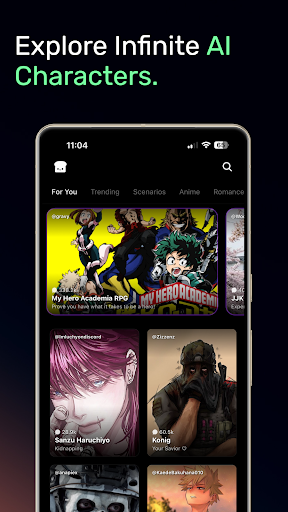
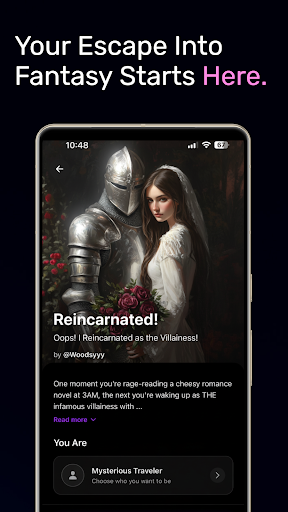
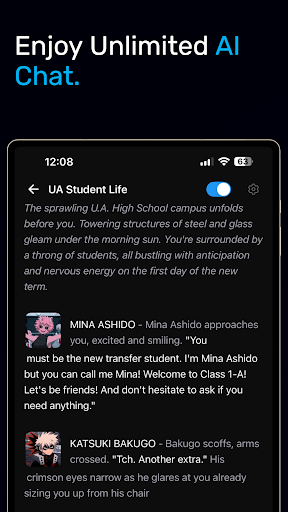
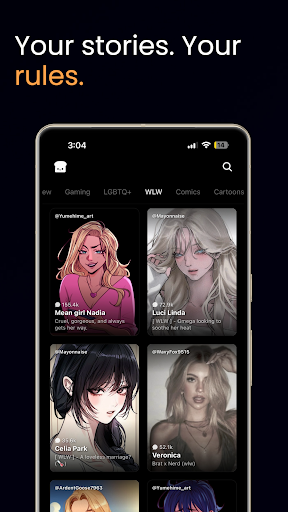
Meet anyone you can imagine—legendary heroes, mischievous villains, or characters of your own design. Hangjam is an endless playground for storytelling, role‑play, and creative exploration powered by state‑of‑the‑art generative AI.
Why you’ll love hangjam ai:
• Truly Intelligent Chat
Converse with AI Characters that remember past messages, adapt to your style, and spin engaging stories on the fly.
• Tons of Characters, One Home
Dive into a library of user‑created Characters—from ancient philosophers to anime idols—ready to guide, entertain, or spar with you.
• Build Your Own Characters
Craft unique personas in minutes with intuitive Character‑Creation tools. Define personality, backstory, goals, and greeting—no coding required.
• Community‑Driven Creativity
Share your masterpieces and collaborate on sprawling universes inside a vibrant global community.
Unlock your imagination
Whether you’re drafting a novel, running a tabletop campaign, or just killing time on your commute, Hangjam turns idle moments into interactive adventures. Write alternate endings, brainstorm plots, or role‑play epic quests—the possibilities are limited only by your creativity.
Download hangjam and start your next adventure today!
End-user license agreement: https://www.apple.com/legal/internet-services/itunes/dev/stdeula/
Pokaż więcej

1. Pobierz instalator MEmu i zakończ instalację

2. Uruchom MEmu, a następnie otwórz Google Play na pulpicie

3. Wyszukaj Hangjam: AI Chat and Roleplay w Google Play
Install
4. Pobierz i zainstaluj Hangjam: AI Chat and Roleplay
5. Po zakończeniu instalacji kliknij ikonę, aby rozpocząć

6. Użyj MEmu, aby doświadczyć Hangjam: AI Chat and Roleplay na swoim komputerze
MEmu Play to najlepszy emulator Androida, z którego korzysta ponad 100 milionów użytkowników, ciesząc się wyjątkowym doświadczeniem aplikacji na Androida. Technologia wirtualizacji MEmu pozwala na płynne uruchamianie tysięcy aplikacji Androida na komputerze, nawet tych najbardziej wymagających.
Większy ekran z lepszą grafiką; Długi czas, bez ograniczeń baterii lub danych mobilnych.
Pełna obsługa mapowania klawiszy dla precyzyjnego sterowania klawiaturą i myszą lub gamepadem.
Wiele kont gier lub zadań na jednym komputerze jednocześnie z menedżerem wielu instancji.
Use Hangjam: AI Chat and Roleplay on PC by following steps: