IPTV: Online Live Player
Zaktualizowano
Aktualna wersja
1.13
Sprzedawca

Przestań martwić się nadmiernymi opłatami podczas korzystania z IPTV: Online Live Player na telefonie komórkowym, uwolnij się od małego ekranu i ciesz się korzystaniem z aplikacji na znacznie większym wyświetlaczu. Od teraz korzystaj z aplikacji na pełnym ekranie za pomocą klawiatury i myszy. MEmu oferuje wszystkie zaskakujące funkcje, których się spodziewałeś: szybką instalację i łatwą konfigurację, intuicyjne sterowanie, koniec z ograniczeniami baterii, danych mobilnych i niepokojących połączeń. Zupełnie nowy MEmu 9 to najlepszy wybór do używania IPTV: Online Live Player na twoim komputerze. Zakodowany przez naszą absorpcję, menedżer wielu instancji umożliwia otwarcie 2 lub więcej kont w tym samym czasie. A co najważniejsze, nasz ekskluzywny emulator może uwolnić pełny potencjał twojego komputera, sprawić, że wszystko będzie płynne i przyjemne.
Pokaż więcej
Ciesz się wspaniałym doświadczeniem podczas grania w IPTV: Online Live Player na komputerze z aplikacją MEMU App Player. Jest to potężny darmowy emulator Androida Umożliwia korzystanie z tysięcy aplikacji Androida. IPTV: Online Live Player is a modern and easy-to-use app built for streaming your personal IPTV content with comfort and clarity.
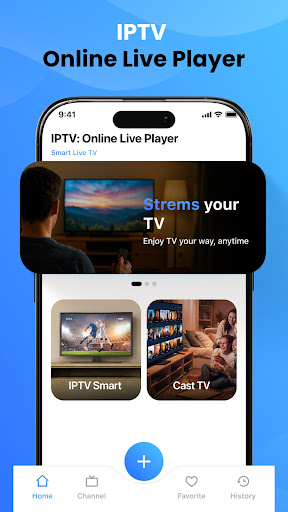
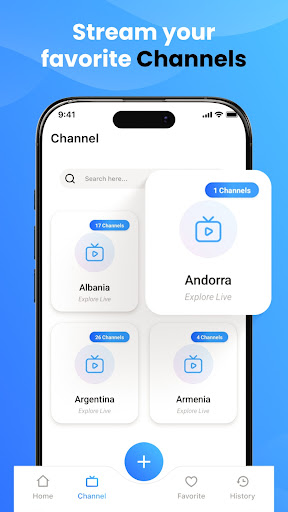
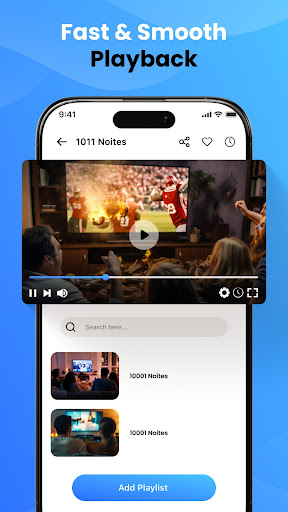

IPTV: Online Live Player is a modern and easy-to-use app built for streaming your personal IPTV content with comfort and clarity. Designed with a clean interface and smooth navigation, it allows you to quickly access and enjoy your added playlists, live channels, and videos without confusion.
The app provides a seamless viewing experience through its built-in player screen, where you can watch your streams with simple and responsive controls. Whether you are switching channels or exploring your library, everything is designed to feel fast and intuitive.
With organized screens and structured layouts, managing your playlists becomes effortless. You can add and access your M3U or M3U8 playlists in just a few steps. The app ensures your content stays well-arranged, making it easier to browse and select what you want to watch.
A smart search feature helps you quickly find channels or videos within your added content. Clear categories and sections allow smooth navigation between different parts of the app, saving time and improving usability.
The design focuses on simplicity and visual clarity, offering a balanced layout that enhances your overall viewing experience. From setup screens to playback, every part of the app is optimized for user convenience.
Key Features:
• Clean and modern UI design
• Smooth live streaming player
• Easy M3U & M3U8 playlist integration
• Organized content browsing
• Fast search and navigation
• Simple setup and user-friendly screens
Important Information:
IPTV: Online Live Player does not provide any content.
Users must add their own playlists and ensure they have the rights to stream the content.The app does not support streaming copyrighted material without the owner’s permission.
Enjoy a reliable and straightforward IPTV experience with a player designed for simplicity, speed, and control.
Thank you.
Pokaż więcej

1. Pobierz instalator MEmu i zakończ instalację

2. Uruchom MEmu, a następnie otwórz Google Play na pulpicie

3. Wyszukaj IPTV: Online Live Player w Google Play
Install
4. Pobierz i zainstaluj IPTV: Online Live Player
5. Po zakończeniu instalacji kliknij ikonę, aby rozpocząć

6. Użyj MEmu, aby doświadczyć IPTV: Online Live Player na swoim komputerze
MEmu Play to najlepszy emulator Androida, z którego korzysta ponad 100 milionów użytkowników, ciesząc się wyjątkowym doświadczeniem aplikacji na Androida. Technologia wirtualizacji MEmu pozwala na płynne uruchamianie tysięcy aplikacji Androida na komputerze, nawet tych najbardziej wymagających.
Większy ekran z lepszą grafiką; Długi czas, bez ograniczeń baterii lub danych mobilnych.
Pełna obsługa mapowania klawiszy dla precyzyjnego sterowania klawiaturą i myszą lub gamepadem.
Wiele kont gier lub zadań na jednym komputerze jednocześnie z menedżerem wielu instancji.
Use IPTV: Online Live Player on PC by following steps: