M Performance Sound Player
Zaktualizowano
Aktualna wersja
3.0.4
Sprzedawca

Przestań martwić się nadmiernymi opłatami podczas korzystania z M Performance Sound Player na telefonie komórkowym, uwolnij się od małego ekranu i ciesz się korzystaniem z aplikacji na znacznie większym wyświetlaczu. Od teraz korzystaj z aplikacji na pełnym ekranie za pomocą klawiatury i myszy. MEmu oferuje wszystkie zaskakujące funkcje, których się spodziewałeś: szybką instalację i łatwą konfigurację, intuicyjne sterowanie, koniec z ograniczeniami baterii, danych mobilnych i niepokojących połączeń. Zupełnie nowy MEmu 9 to najlepszy wybór do używania M Performance Sound Player na twoim komputerze. Zakodowany przez naszą absorpcję, menedżer wielu instancji umożliwia otwarcie 2 lub więcej kont w tym samym czasie. A co najważniejsze, nasz ekskluzywny emulator może uwolnić pełny potencjał twojego komputera, sprawić, że wszystko będzie płynne i przyjemne.
Pokaż więcej
Ciesz się wspaniałym doświadczeniem podczas grania w M Performance Sound Player na komputerze z aplikacją MEMU App Player. Jest to potężny darmowy emulator Androida pozwalający grać w tysiące gier na Androida. M PERFORMANCE SOUND PLAYER.
M PERFORMANCE SOUND PLAYER
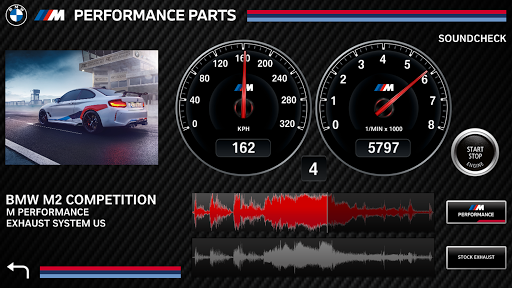
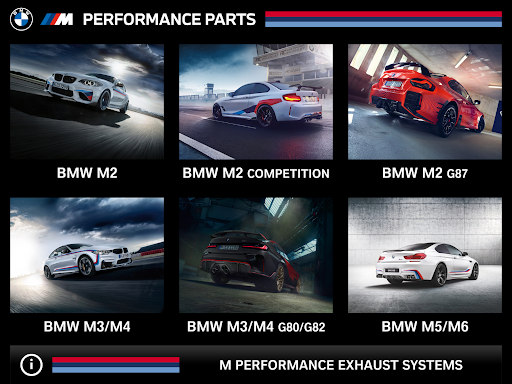
With the introduction of the M Performance Exhaust Sound Player, BMW M Performance is offering the opportunity to experience the great sound, quality and performance of the M Performance Sport Exhaust on popular media platforms.
BMW stands for sporty and agile vehicles. In order to meet the high demands of our motorsport enthusiast, the M Performance development team has created race inspired Sport Exhaust Systems, Adjustable Sport Exhausts and for diesel motors, the new Active Sound Design Exhaust. M Performance is bringing the best of motorsport exhaust sounds directly to the street.
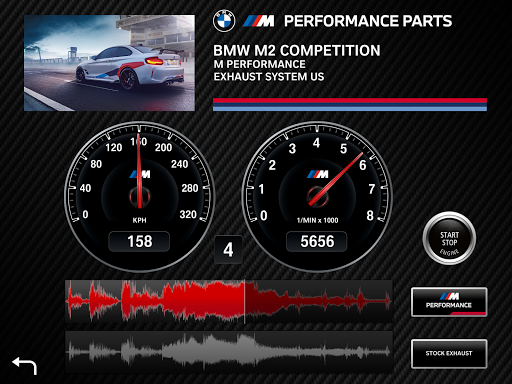
This M Performance Exhaust Player App includes a number of tools and features. Real time comparisons with stock exhaust sounds are a click away.
Key Features
o HQ SoundFiles:
High resolution sound files of M Performance and stock Exhaust systems
o PowerDrive
Sounds through the entire engine load cycle and gear changes
o Real Time Comparison
Real time comparisons between M Performance and stock exhaust sounds
o Product Catalog
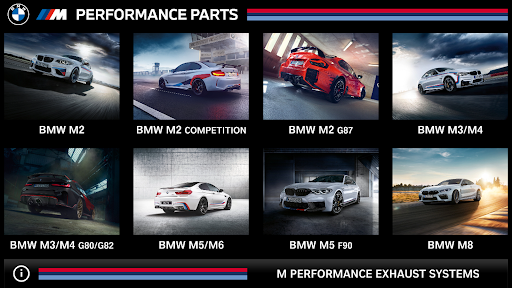
Download additional sound files of brand new M Performance Exhaust systems
Pokaż więcej

1. Pobierz instalator MEmu i zakończ instalację

2. Uruchom MEmu, a następnie otwórz Google Play na pulpicie

3. Wyszukaj M Performance Sound Player w Google Play
Install
4. Pobierz i zainstaluj M Performance Sound Player
5. Po zakończeniu instalacji kliknij ikonę, aby rozpocząć

6. Użyj MEmu, aby doświadczyć M Performance Sound Player na swoim komputerze
MEmu Play to najlepszy emulator Androida, z którego korzysta ponad 100 milionów użytkowników, ciesząc się wyjątkowym doświadczeniem aplikacji na Androida. Technologia wirtualizacji MEmu pozwala na płynne uruchamianie tysięcy aplikacji Androida na komputerze, nawet tych najbardziej wymagających.
Większy ekran z lepszą grafiką; Długi czas, bez ograniczeń baterii lub danych mobilnych.
Pełna obsługa mapowania klawiszy dla precyzyjnego sterowania klawiaturą i myszą lub gamepadem.
Wiele kont gier lub zadań na jednym komputerze jednocześnie z menedżerem wielu instancji.
Use M Performance Sound Player on PC by following steps: