M Performance Sound Player
Обновлено
Текущая версия
3.0.4
Продавец

Перестаньте беспокоиться о быстром разряде батареи при использовании M Performance Sound Player на вашем телефоне. Освободитесь от крошечного экрана и наслаждайтесь приложением на гораздо большем экране. Теперь вы можете работать с приложением в полноэкранном режиме с удобством клавиатуры и мыши. MEmu предлагает вам все ожидаемые удивительные функции: быструю установку и простую настройку, интуитивно понятное управление и больше никаких забот о времени автономной работы, мобильном трафике или неожиданных звонках. Совершенно новый MEmu 9 — идеальный выбор для использования M Performance Sound Player на вашем компьютере. С помощью менеджера нескольких экземпляров MEmu вы можете одновременно использовать два или более аккаунтов. И самое главное, наш эксклюзивный движок эмуляции раскрывает весь потенциал вашего ПК, обеспечивая плавную и приятную работу.
Показать больше
Скачайте M Performance Sound Player на ПК с помощью Андроид эмулятора MEmu. Наслаждайтесь на большом экране. M PERFORMANCE SOUND PLAYER.
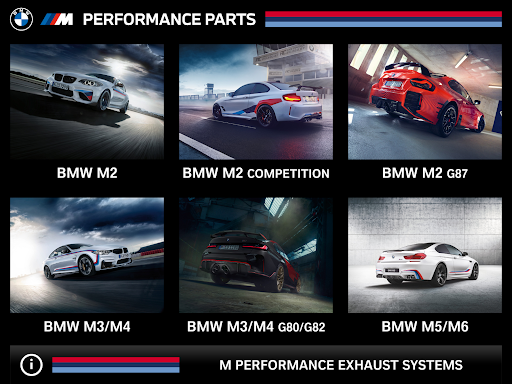
M PERFORMANCE SOUND PLAYER
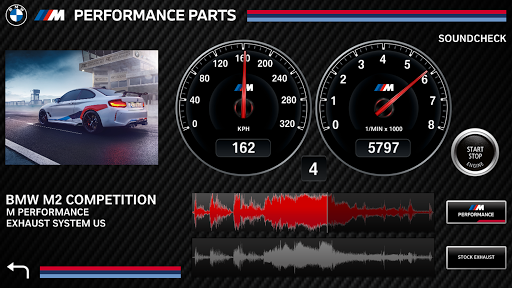
With the introduction of the M Performance Exhaust Sound Player, BMW M Performance is offering the opportunity to experience the great sound, quality and performance of the M Performance Sport Exhaust on popular media platforms.
BMW stands for sporty and agile vehicles. In order to meet the high demands of our motorsport enthusiast, the M Performance development team has created race inspired Sport Exhaust Systems, Adjustable Sport Exhausts and for diesel motors, the new Active Sound Design Exhaust. M Performance is bringing the best of motorsport exhaust sounds directly to the street.
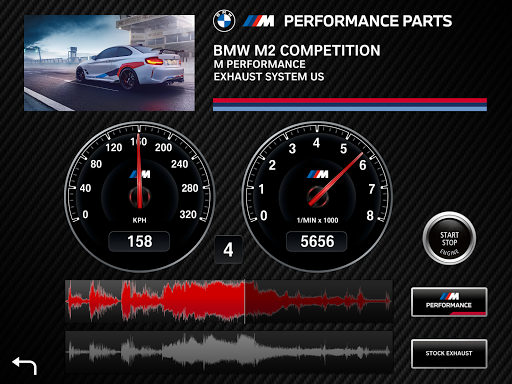
This M Performance Exhaust Player App includes a number of tools and features. Real time comparisons with stock exhaust sounds are a click away.
Key Features
o HQ SoundFiles:
High resolution sound files of M Performance and stock Exhaust systems
o PowerDrive
Sounds through the entire engine load cycle and gear changes
o Real Time Comparison
Real time comparisons between M Performance and stock exhaust sounds
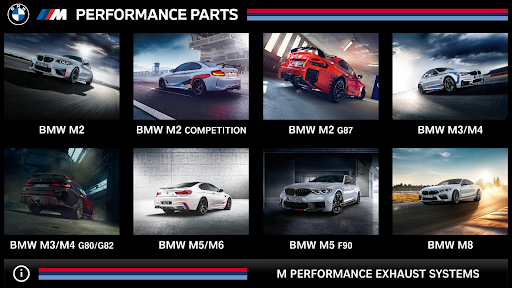
o Product Catalog
Download additional sound files of brand new M Performance Exhaust systems
Показать больше

1. Скачать инсталлятор MEmu и завершайте установку

2. Запускайте MEmu, затем откройте Google Play на главной странице

3. Ищите M Performance Sound Player в Google Play
Install
4. Скачайте и установите M Performance Sound Player
5. При завершении установки, нажмите на значок для старта

6. Наслаждайтесь M Performance Sound Player на своем компьютере с помощью MEmu.
MEmu Play — лучший бесплатный эмулятор Android, превосходный опыт работы с которым оценили 50 миллионов пользователей. Технология виртуализации MEmu позволяет без проблем запускать тысячи Android-приложений на вашем компьютере, даже самые требовательные.
Большой экран с лучшей графикой; Большая продолжительность, без ограничения батареи или мобильных данных.
Полная поддержка установки клавиш для точного управления клавиатурой и мышью или геймпадом.
Несколько игровых учетных записей или задач на одном компьютере одновременно с менеджером нескольких экземпляров.
Use M Performance Sound Player on PC by following steps: