Movie Box Entertainment Hub
Zaktualizowano
Aktualna wersja
Sprzedawca

Przestań martwić się nadmiernymi opłatami podczas korzystania z Movie Box Entertainment Hub na telefonie komórkowym, uwolnij się od małego ekranu i ciesz się korzystaniem z aplikacji na znacznie większym wyświetlaczu. Od teraz korzystaj z aplikacji na pełnym ekranie za pomocą klawiatury i myszy. MEmu oferuje wszystkie zaskakujące funkcje, których się spodziewałeś: szybką instalację i łatwą konfigurację, intuicyjne sterowanie, koniec z ograniczeniami baterii, danych mobilnych i niepokojących połączeń. Zupełnie nowy MEmu 9 to najlepszy wybór do używania Movie Box Entertainment Hub na twoim komputerze. Zakodowany przez naszą absorpcję, menedżer wielu instancji umożliwia otwarcie 2 lub więcej kont w tym samym czasie. A co najważniejsze, nasz ekskluzywny emulator może uwolnić pełny potencjał twojego komputera, sprawić, że wszystko będzie płynne i przyjemne.
Pokaż więcej
Ciesz się wspaniałym doświadczeniem podczas grania w Movie Box Entertainment Hub na komputerze z aplikacją MEMU App Player. Jest to potężny darmowy emulator Androida Umożliwia korzystanie z tysięcy aplikacji Androida. Movie Box Entertainment Hub – Explore Entertainment Your Way!
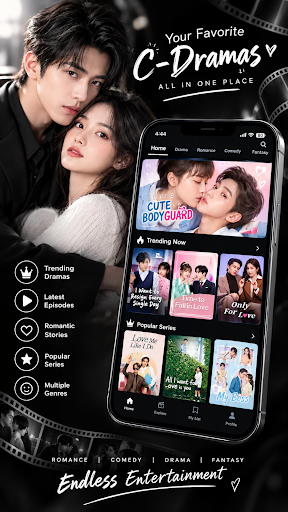
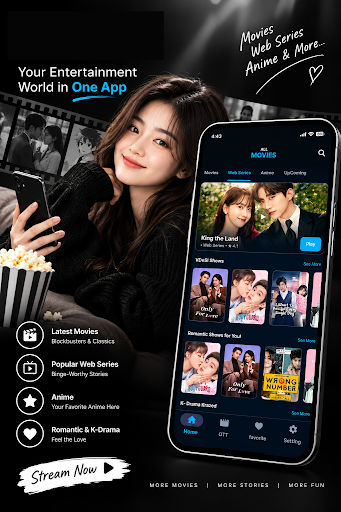
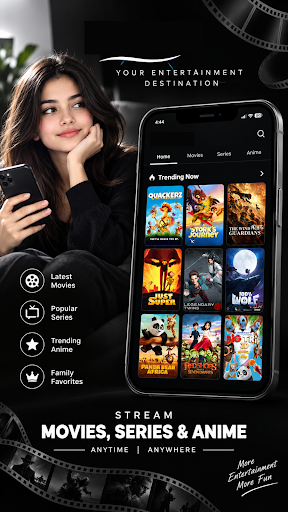
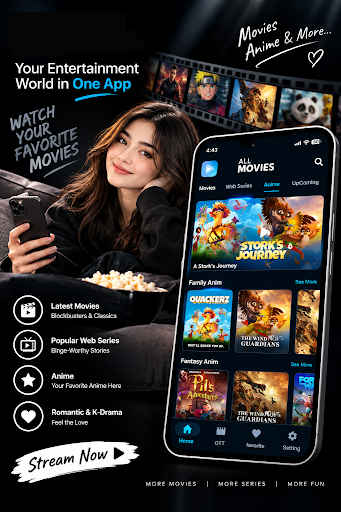
Movie Box Entertainment Hub – Explore Entertainment Your Way!
Discover a world of movies, shows, films, and entertainment with a simple and enjoyable media experience.
Movie Box Entertainment Hub is designed for entertainment lovers who enjoy exploring movie collections, discovering shows, and browsing video content through an easy-to-use interface.
Whether you love action, comedy, romance, drama, thrillers, or classic films, enjoy a convenient way to explore entertainment and find something interesting.
Explore Movies & Entertainment
Movie Discovery
Explore movie titles, discover interesting stories, and browse entertainment across different categories.
Shows & Series
Discover shows, series, and episodic entertainment through an organized browsing experience.
HD & 4K Entertainment
Explore available HD and 4K media content where supported. Actual playback quality depends on the source, device capabilities, and content availability.
Entertainment Categories
Discover action, romance, comedy, thriller, adventure, drama, and other popular entertainment genres.
Easy Content Exploration
Browse entertainment collections and find interesting titles through simple navigation.
Smooth & Simple Experience
Enjoy a clean, user-friendly interface designed for convenient media exploration.
Why Choose This Entertainment App?
• Simple and convenient movie discovery
• Explore movies, shows, and entertainment
• Browse different entertainment categories
• Discover films and interesting stories
• User-friendly navigation
• Organized media browsing experience
• Explore available HD and 4K content
• Convenient entertainment exploration
Find Your Next Favorite Entertainment
From classic films to exciting movie stories, enjoy discovering different types of entertainment in one convenient place.
Explore action adventures, family entertainment, comedy collections, romantic stories, and thrilling dramas through an intuitive media discovery experience.
Whether you are interested in discovering movies, exploring series, or browsing entertainment, the app makes finding content simple and enjoyable.
Important Information
• Media quality, including HD or 4K, depends on the content source, device compatibility, and available playback capabilities.
• The availability of movies, shows, videos, and other media may vary.
• An internet connection may be required for online content and related features.
• The app does not guarantee access to any particular movie, television program, or streaming service.
Copyright & Content Disclaimer
Movie Box respects intellectual property rights and the copyrights of content creators and owners.
All third-party movie titles, posters, images, artwork, logos, and trademarks remain the property of their respective owners.
The app does not claim ownership of third-party copyrighted content. Content may be made available only where appropriate rights or permissions exist.
This app does not authorize unauthorized downloading, copying, distribution, or streaming of copyrighted content.
Independent App Disclaimer
Movie Box Entertainment Hub is an independently developed application and is not affiliated with, endorsed by, sponsored by, or officially associated with any third-party movie studio, television network, entertainment platform, or streaming service.
All trademarks and brand names belong to their respective owners.
Explore Movies, Discover Shows & Enjoy Entertainment!
Discover interesting films, explore different entertainment genres, and enjoy a simple media browsing experience.
Pokaż więcej

1. Pobierz instalator MEmu i zakończ instalację

2. Uruchom MEmu, a następnie otwórz Google Play na pulpicie

3. Wyszukaj Movie Box Entertainment Hub w Google Play
Install
4. Pobierz i zainstaluj Movie Box Entertainment Hub
5. Po zakończeniu instalacji kliknij ikonę, aby rozpocząć

6. Użyj MEmu, aby doświadczyć Movie Box Entertainment Hub na swoim komputerze
MEmu Play to najlepszy emulator Androida, z którego korzysta ponad 100 milionów użytkowników, ciesząc się wyjątkowym doświadczeniem aplikacji na Androida. Technologia wirtualizacji MEmu pozwala na płynne uruchamianie tysięcy aplikacji Androida na komputerze, nawet tych najbardziej wymagających.
Większy ekran z lepszą grafiką; Długi czas, bez ograniczeń baterii lub danych mobilnych.
Pełna obsługa mapowania klawiszy dla precyzyjnego sterowania klawiaturą i myszą lub gamepadem.
Wiele kont gier lub zadań na jednym komputerze jednocześnie z menedżerem wielu instancji.
Use Movie Box Entertainment Hub on PC by following steps: