mysms - Remote Text Messages
Zaktualizowano
Aktualna wersja
7.1.1
Sprzedawca

Przestań martwić się nadmiernymi opłatami podczas korzystania z mysms - Remote Text Messages na telefonie komórkowym, uwolnij się od małego ekranu i ciesz się korzystaniem z aplikacji na znacznie większym wyświetlaczu. Od teraz korzystaj z aplikacji na pełnym ekranie za pomocą klawiatury i myszy. MEmu oferuje wszystkie zaskakujące funkcje, których się spodziewałeś: szybką instalację i łatwą konfigurację, intuicyjne sterowanie, koniec z ograniczeniami baterii, danych mobilnych i niepokojących połączeń. Zupełnie nowy MEmu 9 to najlepszy wybór do używania mysms - Remote Text Messages na twoim komputerze. Zakodowany przez naszą absorpcję, menedżer wielu instancji umożliwia otwarcie 2 lub więcej kont w tym samym czasie. A co najważniejsze, nasz ekskluzywny emulator może uwolnić pełny potencjał twojego komputera, sprawić, że wszystko będzie płynne i przyjemne.
Pokaż więcej
Ciesz się wspaniałym doświadczeniem podczas grania w mysms - Remote Text Messages na komputerze z aplikacją MEMU App Player. Jest to potężny darmowy emulator Androida Umożliwia korzystanie z tysięcy aplikacji Androida. Featured on Google Play in 130+ countries.
Featured on Google Play in 130+ countries.
As seen on by The Times, PCWorld, TheNextWeb, Gizmodo, All Things Digital, Android Central and many more.
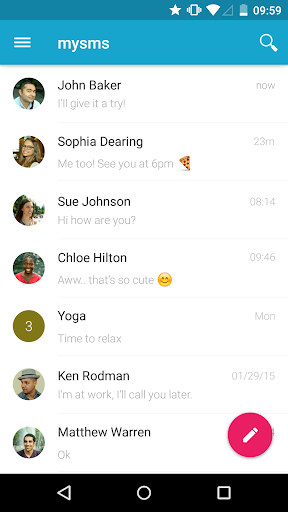
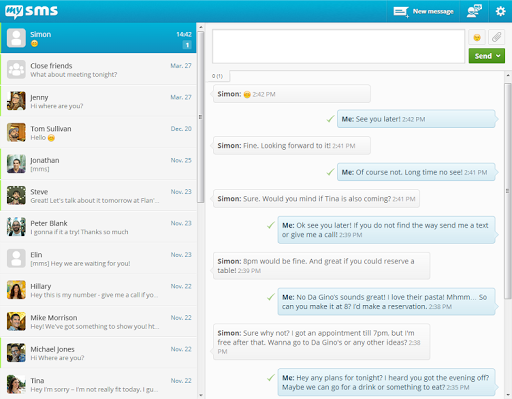
SMS & calls on your PC or tablet in perfect sync with your Android phone.
● Text from computer and tablet (real SMS and MMS) using your Android #
● Call notifications on your computer - when you receive a call on your phone
● The only remote texting app with native apps for Android tablet, Windows 7/XP, Windows 8 desktop & tablet and Chrome
● Complete call log history from your Android on your PC & tablet
● MMS Group Chat (group messaging)
● Multimedia messages (picture messages and files)
● Support for any browser (Chrome, Internet Explorer, Firefox, Safari, Opera …)
● Sync your contacts and messages from your phone to the mysms cloud to text from any device
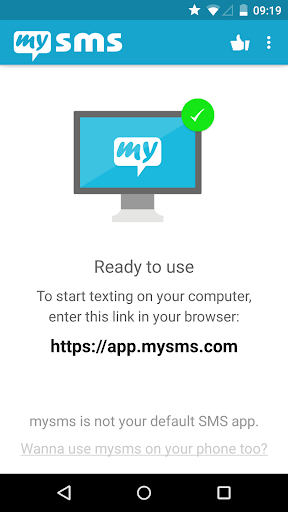
To connect your computer or tablet to your Android phone, download this app on your phone and register for an account. When you then start texting from your computer at https://app.mysms.com or use one of our native apps, you will find all existing SMS messages and contacts synchronized from your Android to your computer/tablet. There is no additional charge from what your carrier charges when you text from your computer.
HOW TO GET STARTED:
1) Install this mysms app on your Android phone
2) Start texting on your computer at https://app.mysms.com or download one of our native desktop and tablet apps at https://www.mysms.com/apps
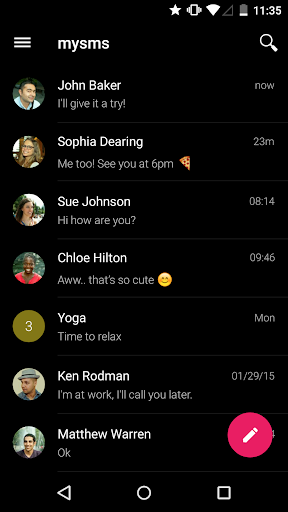
mysms enables you to manage your Android SMS notifications on your computer and tablet. You also have the choice to use mysms as default SMS app on your Android phone offering you great customization options, expandable notifications and many more features that your preinstalled stock SMS app cannot beat.
When you are in the office, leave your phone in your pocket and send and receive text messages using your full computer keyboard. During meetings you can use mysms as your personal assistant and respond with text to incoming calls from your computer.
If you want even more you can upgrade to Premium for advanced management of your messages. Price: Only PLN 42,19 per year. You can also try out mysms Premium free of charge for 14 days.
mysms Premium offer:
● Backup SMS and restore SMS to a new smartphone, or after a reset
● Sync messages and calls between your business phone and private smartphone (-> download mysms mirror)
● Archive SMS & MMS messages in your Evernote, Dropbox or Google Drive or email account
● Full SMS export of your messages to a .CSV file
● No attachment of "via mysms.com" text at the end of the message
We’d love to hear from you! Do you have a suggestion, question or comment? Just contact us at http://support.mysms.com.
Pokaż więcej

1. Pobierz instalator MEmu i zakończ instalację

2. Uruchom MEmu, a następnie otwórz Google Play na pulpicie

3. Wyszukaj mysms - Remote Text Messages w Google Play
Install
4. Pobierz i zainstaluj mysms - Remote Text Messages
5. Po zakończeniu instalacji kliknij ikonę, aby rozpocząć

6. Użyj MEmu, aby doświadczyć mysms - Remote Text Messages na swoim komputerze
MEmu Play to najlepszy emulator Androida, z którego korzysta ponad 100 milionów użytkowników, ciesząc się wyjątkowym doświadczeniem aplikacji na Androida. Technologia wirtualizacji MEmu pozwala na płynne uruchamianie tysięcy aplikacji Androida na komputerze, nawet tych najbardziej wymagających.
Większy ekran z lepszą grafiką; Długi czas, bez ograniczeń baterii lub danych mobilnych.
Pełna obsługa mapowania klawiszy dla precyzyjnego sterowania klawiaturą i myszą lub gamepadem.
Wiele kont gier lub zadań na jednym komputerze jednocześnie z menedżerem wielu instancji.
Use mysms - Remote Text Messages on PC by following steps: