Party Tonight
Zaktualizowano
Aktualna wersja
1.0.54
Sprzedawca

Przestań martwić się nadmiernymi opłatami podczas korzystania z Party Tonight na telefonie komórkowym, uwolnij się od małego ekranu i ciesz się korzystaniem z aplikacji na znacznie większym wyświetlaczu. Od teraz korzystaj z aplikacji na pełnym ekranie za pomocą klawiatury i myszy. MEmu oferuje wszystkie zaskakujące funkcje, których się spodziewałeś: szybką instalację i łatwą konfigurację, intuicyjne sterowanie, koniec z ograniczeniami baterii, danych mobilnych i niepokojących połączeń. Zupełnie nowy MEmu 9 to najlepszy wybór do używania Party Tonight na twoim komputerze. Zakodowany przez naszą absorpcję, menedżer wielu instancji umożliwia otwarcie 2 lub więcej kont w tym samym czasie. A co najważniejsze, nasz ekskluzywny emulator może uwolnić pełny potencjał twojego komputera, sprawić, że wszystko będzie płynne i przyjemne.
Pokaż więcej
Ciesz się wspaniałym doświadczeniem podczas grania w Party Tonight na komputerze z aplikacją MEMU App Player. Jest to potężny darmowy emulator Androida Umożliwia korzystanie z tysięcy aplikacji Androida. Party Tonight – Your Guide to the Best Things to Do in Your City.
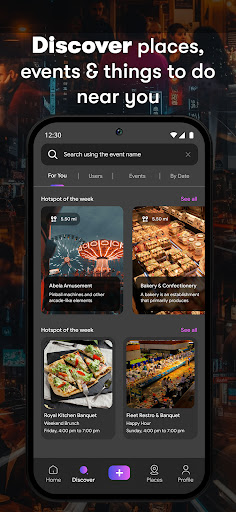
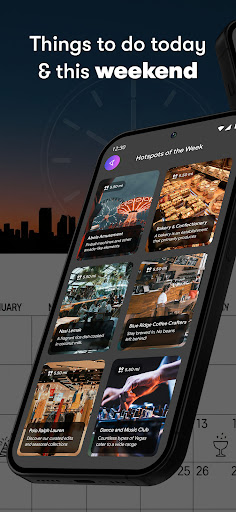
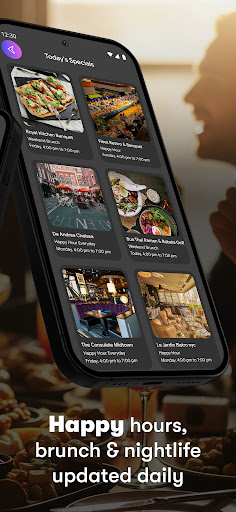
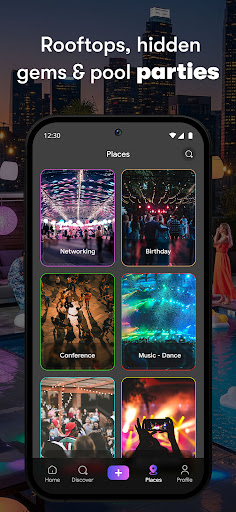
Party Tonight – Your Guide to the Best Things to Do in Your City
Find the best events, happy hours, rooftop bars, and brunch spots, plus concerts, sports games, nightlife, and cultural activities — all in one app.
Whether you’re planning things to do near me today or looking for things to do this weekend, Party Tonight helps you discover the most exciting experiences, always updated.
Why Party Tonight is different:
We keep every detail fresh — so you never miss the right event, rooftop party, or happy hour because of outdated info.
Main Features:
Places & Local Deals
Explore the best spots with details: hours, parking, pet-friendly status, vibe, and booking links.
Find restaurants, brunch specials, ladies’ nights, and happy hours — always up to date.
Event Discovery
Search by name, location, or date. Filter by your vibe — concerts, sports events, pool parties, art shows, networking, or family activities.
Timeline & Discover Feed
See what’s happening right now — from nightlife hotspots to last-minute pop-up events.
Ticket Management
Buy and store tickets securely. Organizers can sell tickets for concerts, sports, festivals, and more.
Create & Promote Events
Public or private, launch your event in minutes and manage RSVPs, guest lists, and promotions.
Private Events & Team Access
Host invite-only gatherings with full control over visibility and ticketing. Assign team members for scanning tickets or guest management.
Social & Community
Follow friends, join group chats, and share your moments inside the app.
For Locals & Travelers
Perfect whether you live here or are just visiting — discover rooftop bars, pool parties, cultural events, and local favorites anywhere you go.
Your city has more to offer than you think. Let Party Tonight show you where to go, what to do, and when to do it.
Download now and start living the events, nightlife, and deals you didn’t even know you were missing.
Pokaż więcej

1. Pobierz instalator MEmu i zakończ instalację

2. Uruchom MEmu, a następnie otwórz Google Play na pulpicie

3. Wyszukaj Party Tonight w Google Play
Install
4. Pobierz i zainstaluj Party Tonight
5. Po zakończeniu instalacji kliknij ikonę, aby rozpocząć

6. Użyj MEmu, aby doświadczyć Party Tonight na swoim komputerze
MEmu Play to najlepszy emulator Androida, z którego korzysta ponad 100 milionów użytkowników, ciesząc się wyjątkowym doświadczeniem aplikacji na Androida. Technologia wirtualizacji MEmu pozwala na płynne uruchamianie tysięcy aplikacji Androida na komputerze, nawet tych najbardziej wymagających.
Większy ekran z lepszą grafiką; Długi czas, bez ograniczeń baterii lub danych mobilnych.
Pełna obsługa mapowania klawiszy dla precyzyjnego sterowania klawiaturą i myszą lub gamepadem.
Wiele kont gier lub zadań na jednym komputerze jednocześnie z menedżerem wielu instancji.
Use Party Tonight on PC by following steps: