Photo Editor, Collage - Fotor
Zaktualizowano
Aktualna wersja
8.2.0.3
Sprzedawca

Przestań martwić się nadmiernymi opłatami podczas korzystania z Photo Editor, Collage - Fotor na telefonie komórkowym, uwolnij się od małego ekranu i ciesz się korzystaniem z aplikacji na znacznie większym wyświetlaczu. Od teraz korzystaj z aplikacji na pełnym ekranie za pomocą klawiatury i myszy. MEmu oferuje wszystkie zaskakujące funkcje, których się spodziewałeś: szybką instalację i łatwą konfigurację, intuicyjne sterowanie, koniec z ograniczeniami baterii, danych mobilnych i niepokojących połączeń. Zupełnie nowy MEmu 9 to najlepszy wybór do używania Photo Editor, Collage - Fotor na twoim komputerze. Zakodowany przez naszą absorpcję, menedżer wielu instancji umożliwia otwarcie 2 lub więcej kont w tym samym czasie. A co najważniejsze, nasz ekskluzywny emulator może uwolnić pełny potencjał twojego komputera, sprawić, że wszystko będzie płynne i przyjemne.
Pokaż więcej
Ciesz się wspaniałym doświadczeniem podczas grania w Photo Editor, Collage - Fotor na komputerze z aplikacją MEMU App Player. Jest to potężny darmowy emulator Androida Umożliwia korzystanie z tysięcy aplikacji Androida. Fotor is a professional and easy-to-use photo editing and graphic design tool, helping amateur photographers and design enthusiasts bring their creations to life.

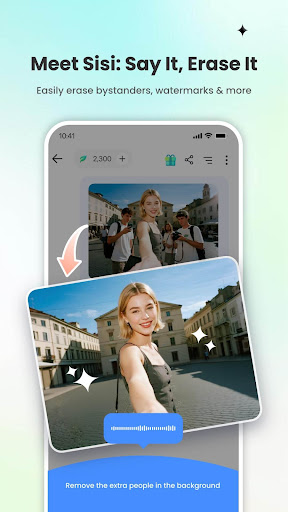
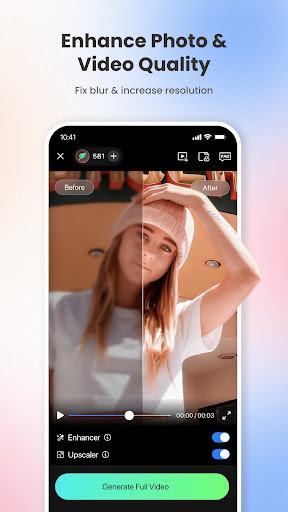
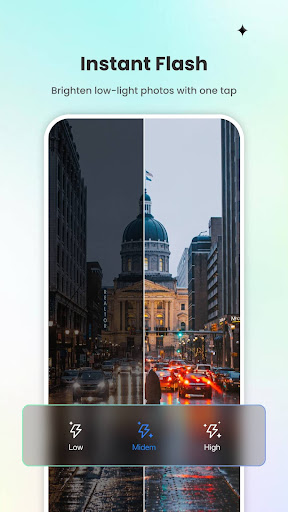
Fotor is a professional and easy-to-use photo editing and graphic design tool, helping amateur photographers and design enthusiasts bring their creations to life.
Powerful features for photo editing, graphic design, photo collage, combined with professional photo effects, creative design templates, and advanced design resources, enable you to perform photo-editing and graphic design, as well as easily share to Instagram or Facebook. Record highlights of your life with a beautiful creation.
[ONE-TAP PHOTO ENHANCING FEATURE]
Easy to use, adjust the light and tone of the photo, make the photo clearer, enhance the photo with one click.
[ADVANCED PHOTO-EDITING FEATURES]
In addition to the basic photo-editing tools, it offers more advanced photo-editing features, such as Curve, HSL, Color balance, Dahaze, Denoise, which meet all requirements.
[PROFESSIONAL PHOTO EFFECTS]
More than 100 professional photo effects and stylish filters, such as real analog film, retro, fresh, black and white, and more classical effects, suitable for various scenes with a variety of aesthetic styles.
[PHOTO-CROPPING TOOL]
It freely supports photo composition, enabling cropping, rotating, and flipping. At the same time, it adjusts the photo perspective, such as distortion, and stretching, thus achieving more creativity.
[CREATIVE DESIGN TEMPLATES]
Various creative design templates with themes covering daily life, work, ads, business trade, and other occasions. You can also customize the design templates, adjust the text, etc. The templates are updated weekly.
[RICH IN ELEMENTS AND RESOURCES]
Stickers, frames, fonts, backgrounds, mosaic, stock photos, massive elements resources, to enhance your creation.
[FOTOR PRO SUBSCRIPTION]
Join Fotor Pro, unlock all advanced photo-editing tools, photo effects, design templates, backgrounds, and more professional design resources, which are updated weekly. Ad-free!
The Fotor Pro subscription fee is charged weekly, monthly, or yearly. The fees for the Fotor Pro plan are paid following purchase confirmation. The subscription will automatically renew on expiry unless the automatic renewal is turned off at least 24 hours before the expiry of the current subscription period. Once the subscription is confirmed, your Google Play account will be charged according to the plan you chose. After purchase, you may go to the Google Play account settings to manage your subscription and turn the automatic renewal off. A canceled subscription becomes effective after the current billing period ends.
Terms of Service:
https://www.fotor.com/service.html?f=iphoneapp&v=1
Privacy Policy:
https://www.fotor.com/privacy.html
Pokaż więcej

1. Pobierz instalator MEmu i zakończ instalację

2. Uruchom MEmu, a następnie otwórz Google Play na pulpicie

3. Wyszukaj Photo Editor, Collage - Fotor w Google Play
Install
4. Pobierz i zainstaluj Photo Editor, Collage - Fotor
5. Po zakończeniu instalacji kliknij ikonę, aby rozpocząć

6. Użyj MEmu, aby doświadczyć Photo Editor, Collage - Fotor na swoim komputerze
MEmu Play to najlepszy emulator Androida, z którego korzysta ponad 100 milionów użytkowników, ciesząc się wyjątkowym doświadczeniem aplikacji na Androida. Technologia wirtualizacji MEmu pozwala na płynne uruchamianie tysięcy aplikacji Androida na komputerze, nawet tych najbardziej wymagających.
Większy ekran z lepszą grafiką; Długi czas, bez ograniczeń baterii lub danych mobilnych.
Pełna obsługa mapowania klawiszy dla precyzyjnego sterowania klawiaturą i myszą lub gamepadem.
Wiele kont gier lub zadań na jednym komputerze jednocześnie z menedżerem wielu instancji.
Use Photo Editor, Collage - Fotor on PC by following steps: