Clipfly - AI Video Generator
Zaktualizowano
Aktualna wersja
1.0.0.2
Sprzedawca

Przestań martwić się nadmiernymi opłatami podczas korzystania z Clipfly - AI Video Generator na telefonie komórkowym, uwolnij się od małego ekranu i ciesz się korzystaniem z aplikacji na znacznie większym wyświetlaczu. Od teraz korzystaj z aplikacji na pełnym ekranie za pomocą klawiatury i myszy. MEmu oferuje wszystkie zaskakujące funkcje, których się spodziewałeś: szybką instalację i łatwą konfigurację, intuicyjne sterowanie, koniec z ograniczeniami baterii, danych mobilnych i niepokojących połączeń. Zupełnie nowy MEmu 9 to najlepszy wybór do używania Clipfly - AI Video Generator na twoim komputerze. Zakodowany przez naszą absorpcję, menedżer wielu instancji umożliwia otwarcie 2 lub więcej kont w tym samym czasie. A co najważniejsze, nasz ekskluzywny emulator może uwolnić pełny potencjał twojego komputera, sprawić, że wszystko będzie płynne i przyjemne.
Pokaż więcej
Ciesz się wspaniałym doświadczeniem podczas grania w Clipfly - AI Video Generator na komputerze z aplikacją MEMU App Player. Jest to potężny darmowy emulator Androida pozwalający grać w tysiące gier na Androida. Open a new chapter of artificial intelligence creativity!
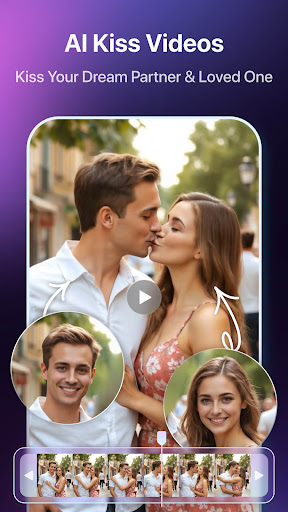
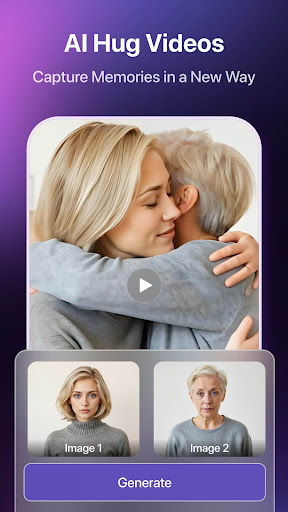
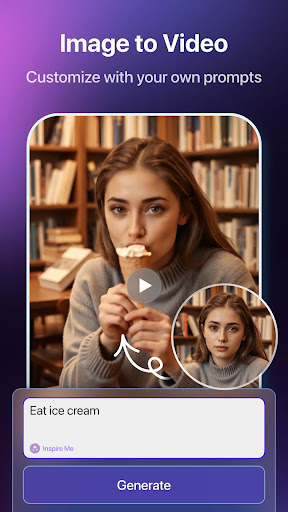
Open a new chapter of artificial intelligence creativity! Experience a seamless transition from text/picture to video with Clipfly, your ultimate AI video generator. Imagine yourself hugging and kissing your dream or spending a romantic moment with the girl of your choice—just provide a photo/description and our powerful AI video generator will create a lifelike video for you in seconds. Whether it’s an AI kiss video or an AI hug video, Clipfly turns your imagination into reality!
Image to Video:
We have provided you with creative ideas to make a unique piece of work by uploading just one image. Use our image to video feature to generate stunning content, including personalized AI hug video or AI kiss video moments. If you have more ideas, just describe them, and our AI video generator will realize your imagination in seconds.
Text to Image to Video:
Provide your ideas, generate the perfect photo with AI, and use image to video tools to turn it into motion. Clipfly ensures endless possibilities, transforming your thoughts into a romantic AI hug video or any other creation you imagine.
Text to Video:
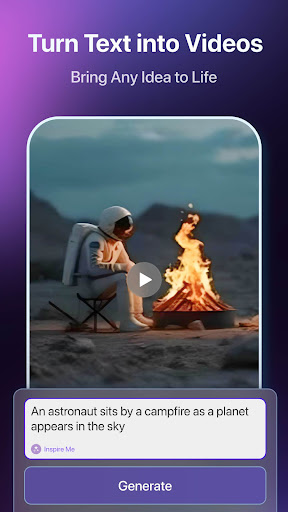
Give us your idea, and we’ll help you bring it to life with our advanced AI video generator. Create unique content, whether it’s an AI kiss video or an artistic masterpiece, and let Clipfly make every frame unique.
Clipfly makes every frame unique, from image to video, text to video, or AI-generated motion art. Whether you want an unforgettable AI kiss video or heartwarming AI hug video, Clipfly empowers your creativity!
The Clipfly Pro subscription fee is charged weekly or yearly. The fees for the Clipfly Pro plan are paid following purchase confirmation. The subscription will automatically renew on expiry unless the automatic renewal is turned off at least 24 hours before the expiry of the current subscription period. Once the subscription is confirmed, your iTunes account will be charged according to the plan you chose. After purchase, you may go to the iTunes Settings to manage your subscription and turn the automatic renewal off.
Terms of Service:
https://www.clipfly.ai/doc?type=termsOfService
Privacy Policy:
https://www.clipfly.ai/doc?type=privacyPolicy
Pokaż więcej

1. Pobierz instalator MEmu i zakończ instalację

2. Uruchom MEmu, a następnie otwórz Google Play na pulpicie

3. Wyszukaj Clipfly - AI Video Generator w Google Play
Install
4. Pobierz i zainstaluj Clipfly - AI Video Generator
5. Po zakończeniu instalacji kliknij ikonę, aby rozpocząć

6. Użyj MEmu, aby doświadczyć Clipfly - AI Video Generator na swoim komputerze
MEmu Play to najlepszy emulator Androida, z którego korzysta ponad 100 milionów użytkowników, ciesząc się wyjątkowym doświadczeniem aplikacji na Androida. Technologia wirtualizacji MEmu pozwala na płynne uruchamianie tysięcy aplikacji Androida na komputerze, nawet tych najbardziej wymagających.
Większy ekran z lepszą grafiką; Długi czas, bez ograniczeń baterii lub danych mobilnych.
Pełna obsługa mapowania klawiszy dla precyzyjnego sterowania klawiaturą i myszą lub gamepadem.
Wiele kont gier lub zadań na jednym komputerze jednocześnie z menedżerem wielu instancji.
Use Clipfly - AI Video Generator on PC by following steps: