Photo Editor Collage Pixerist
Zaktualizowano
Aktualna wersja
2.7.8
Sprzedawca

Przestań martwić się nadmiernymi opłatami podczas korzystania z Photo Editor Collage Pixerist na telefonie komórkowym, uwolnij się od małego ekranu i ciesz się korzystaniem z aplikacji na znacznie większym wyświetlaczu. Od teraz korzystaj z aplikacji na pełnym ekranie za pomocą klawiatury i myszy. MEmu oferuje wszystkie zaskakujące funkcje, których się spodziewałeś: szybką instalację i łatwą konfigurację, intuicyjne sterowanie, koniec z ograniczeniami baterii, danych mobilnych i niepokojących połączeń. Zupełnie nowy MEmu 9 to najlepszy wybór do używania Photo Editor Collage Pixerist na twoim komputerze. Zakodowany przez naszą absorpcję, menedżer wielu instancji umożliwia otwarcie 2 lub więcej kont w tym samym czasie. A co najważniejsze, nasz ekskluzywny emulator może uwolnić pełny potencjał twojego komputera, sprawić, że wszystko będzie płynne i przyjemne.
Pokaż więcej
Ciesz się wspaniałym doświadczeniem podczas grania w Photo Editor Collage Pixerist na komputerze z aplikacją MEMU App Player. Jest to potężny darmowy emulator Androida pozwalający grać w tysiące gier na Androida. Free Photo Editor & Collage maker, Neural PopArt Filters,.
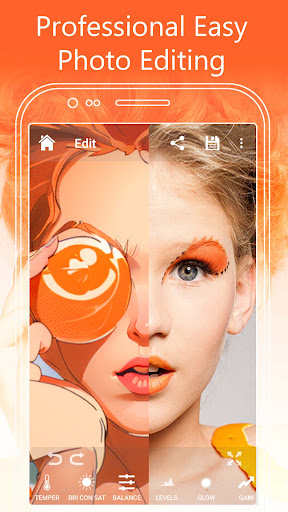
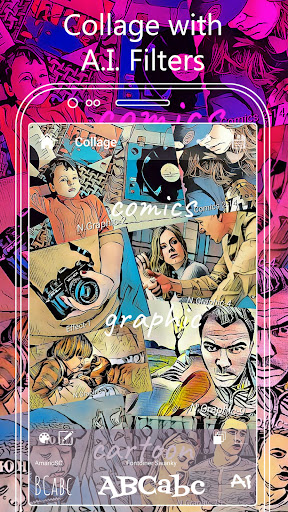
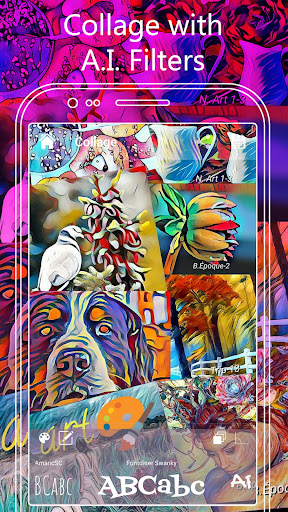
Free Photo Editor & Collage maker, Neural PopArt Filters,
Artificial Intelligence Art.
Turn your pictures into a work of art !
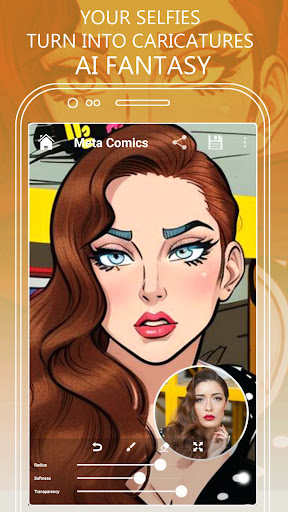
The perfect toon app to transform your selfies into comics and caricature cartoon art !
Our unique free photo filters turn a photo into a sketch art in seconds. Your search for a photo to sketch app ends here, you just found a magic photo wizard that creates art from your images with stunning photo effects.
Pixerist is the perfect free photo to painting app. The app has cartoonize art and sketch effects that turn your photos into wonderful artworks.
Transform your pictures into a Marvel like graphic novel by Frank Miller, an Anime drawing or a painting by famous artists like Andy Warhol, Picasso, Matisse, Roy Lichtenstein, Degas, Lautrec, Renoir, Van Gogh, Hopper ...
Edit your selfies in a fast, easy and professional way with the powerful free photo editor.
Preview in real time and finish in high resolution.
Pixerist turns any photo into a painting or illustration, just choose from our 600+ neural filters and apply to your images with only one touch.
Pixerist offers hundreds of pics art like filters transforming your photos into illustrations through an artificial intelligence engine powered by last generation neural network and machine learning algorithms.
Pixerist speeds up the creative process with a simple and inteligent interface. With just a few clicks you can try multiple creative possibilities.
The app is the perfect graphic tool you need to turbo your blog or Instagram, Facebook, Twitter, Tumblr, Snapchat or TikTok accounts.
Our collection of more than 600 neural filters is constantly growing.
Our team of artists is constantly creating unique arts to feed machine learning algorithms and generate new and unique filters.
It's an impressive filters bank including galleries styles like Neural Art,Cartoon, PopArt, Comics, Mosaic, Color Line Art, Belle Époque, Magic, Mystic, Sketch, Graffiti, Wallpaint and many more.
Pixerist is a very powerful full screen art photo editor that turns your device into a professional photo finishing room like Photoshop, LightRoom or Photopea with an additional Collage Maker to compose your works of art.
The app offers a varied photo editing toolkit: Levels, Brightness, Contrast, Color Balance, Hue, Saturation, Glow, Color Vibrance, Blur, Mirror, Kaleidoscope, Holga Art, Sharpen, Temperature, Multi-format Crop, Rotation, Gain, Gamma, Exposure.
Pokaż więcej

1. Pobierz instalator MEmu i zakończ instalację

2. Uruchom MEmu, a następnie otwórz Google Play na pulpicie

3. Wyszukaj Photo Editor Collage Pixerist w Google Play
Install
4. Pobierz i zainstaluj Photo Editor Collage Pixerist
5. Po zakończeniu instalacji kliknij ikonę, aby rozpocząć

6. Użyj MEmu, aby doświadczyć Photo Editor Collage Pixerist na swoim komputerze
MEmu Play to najlepszy emulator Androida, z którego korzysta ponad 100 milionów użytkowników, ciesząc się wyjątkowym doświadczeniem aplikacji na Androida. Technologia wirtualizacji MEmu pozwala na płynne uruchamianie tysięcy aplikacji Androida na komputerze, nawet tych najbardziej wymagających.
Większy ekran z lepszą grafiką; Długi czas, bez ograniczeń baterii lub danych mobilnych.
Pełna obsługa mapowania klawiszy dla precyzyjnego sterowania klawiaturą i myszą lub gamepadem.
Wiele kont gier lub zadań na jednym komputerze jednocześnie z menedżerem wielu instancji.
Use Photo Editor Collage Pixerist on PC by following steps: