
QPython3 - Python for Android
Zaktualizowano
Aktualna wersja
3.0.0
Sprzedawca

Przestań martwić się nadmiernymi opłatami podczas korzystania z QPython3 - Python for Android na telefonie komórkowym, uwolnij się od małego ekranu i ciesz się korzystaniem z aplikacji na znacznie większym wyświetlaczu. Od teraz korzystaj z aplikacji na pełnym ekranie za pomocą klawiatury i myszy. MEmu oferuje wszystkie zaskakujące funkcje, których się spodziewałeś: szybką instalację i łatwą konfigurację, intuicyjne sterowanie, koniec z ograniczeniami baterii, danych mobilnych i niepokojących połączeń. Zupełnie nowy MEmu 9 to najlepszy wybór do używania QPython3 - Python for Android na twoim komputerze. Zakodowany przez naszą absorpcję, menedżer wielu instancji umożliwia otwarcie 2 lub więcej kont w tym samym czasie. A co najważniejsze, nasz ekskluzywny emulator może uwolnić pełny potencjał twojego komputera, sprawić, że wszystko będzie płynne i przyjemne.
Pokaż więcej
Ciesz się wspaniałym doświadczeniem podczas grania w QPython3 - Python for Android na komputerze z aplikacją MEMU App Player. Jest to potężny darmowy emulator Androida pozwalający grać w tysiące gier na Androida. QPython3 is a Python programming engine on your Android device.
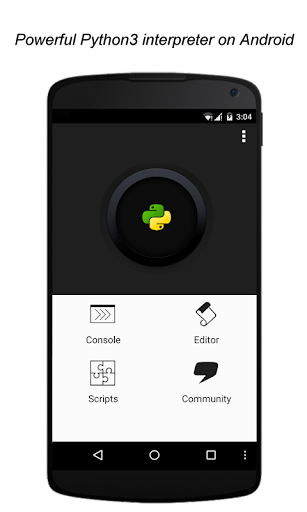
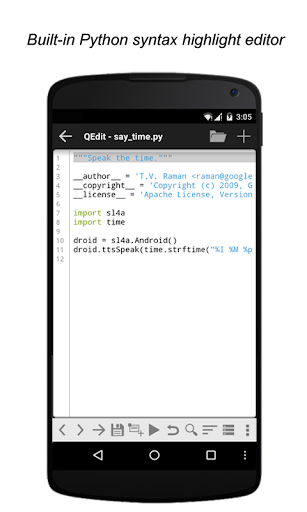
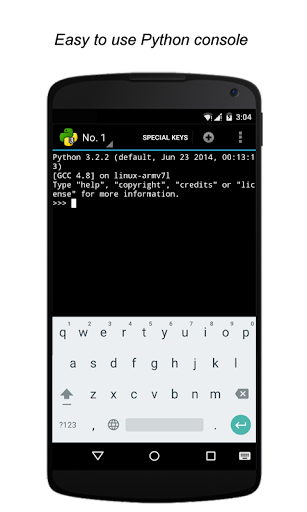
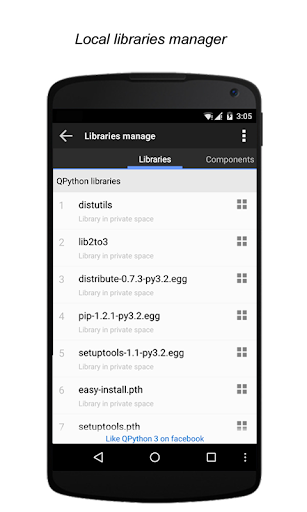
QPython3 is a Python programming engine on your Android device. It integrates an interpreter, console, editor and QSL4A library, and fully supports web development, scientific computing and AI expansion. Whether you are new to Python programming or an experienced developer, QPython3 can provide you with a powerful mobile programming workstation.
# The main function
- Complete Python environment: built-in Python interpreter, write and execute code anytime, anywhere.
- Feature-rich editor: QEditor allows you to easily develop Python projects on your mobile phone.
- Jupyter Notebook support: Learn and run Notebook files through QNotebook browser.
- Extension libraries and PIP: Easily install and manage third-party libraries to expand your programming capabilities.
# Core Highlights
- Android features: Access Android device sensors and services through the QSL4A library to broaden application scenarios.
- Web development: Supports popular frameworks such as Django and Flask to easily build web applications.
- AI integration: supports OpenAI, Langchain, APIGPTCloud and other AI frameworks to explore the infinite possibilities of artificial intelligence.
- Scientific computing: Numpy, Scipy, Scikit-learn, Matplotlib and other libraries help you solve complex scientific computing problems.
- File processing: Pillow, OpenPyXL, Lxml and other libraries make data processing simple.
# Learning Community
- Join us on Facebook group: https://www.facebook.com/groups/qpython
- Join us on Discord: https://discord.gg/hV2chuD
- Join us on Slack: https://join.slack.com/t/qpython/shared_invite/zt-bsyw9868-nNJyJP_3IHABVtIk3BK5SA
# Feedback and Support
If you have any questions, we are here to help. Please contact us via our official website, email or social media:
Official website: https://www.qpython.org
Email: support@qpython.org
Twitter: http://twitter.com/QPython
# Privacy
https://www.qpython.org/privacy.html
Pokaż więcej

1. Pobierz instalator MEmu i zakończ instalację

2. Uruchom MEmu, a następnie otwórz Google Play na pulpicie

3. Wyszukaj QPython3 - Python for Android w Google Play
Install
4. Pobierz i zainstaluj QPython3 - Python for Android
5. Po zakończeniu instalacji kliknij ikonę, aby rozpocząć

6. Użyj MEmu, aby doświadczyć QPython3 - Python for Android na swoim komputerze
MEmu Play to najlepszy emulator Androida, z którego korzysta ponad 100 milionów użytkowników, ciesząc się wyjątkowym doświadczeniem aplikacji na Androida. Technologia wirtualizacji MEmu pozwala na płynne uruchamianie tysięcy aplikacji Androida na komputerze, nawet tych najbardziej wymagających.
Większy ekran z lepszą grafiką; Długi czas, bez ograniczeń baterii lub danych mobilnych.
Pełna obsługa mapowania klawiszy dla precyzyjnego sterowania klawiaturą i myszą lub gamepadem.
Wiele kont gier lub zadań na jednym komputerze jednocześnie z menedżerem wielu instancji.
Use QPython3 - Python for Android on PC by following steps: