SELPHY Photo Layout
Zaktualizowano
Aktualna wersja
1733803362
Sprzedawca

Przestań martwić się nadmiernymi opłatami podczas korzystania z SELPHY Photo Layout na telefonie komórkowym, uwolnij się od małego ekranu i ciesz się korzystaniem z aplikacji na znacznie większym wyświetlaczu. Od teraz korzystaj z aplikacji na pełnym ekranie za pomocą klawiatury i myszy. MEmu oferuje wszystkie zaskakujące funkcje, których się spodziewałeś: szybką instalację i łatwą konfigurację, intuicyjne sterowanie, koniec z ograniczeniami baterii, danych mobilnych i niepokojących połączeń. Zupełnie nowy MEmu 9 to najlepszy wybór do używania SELPHY Photo Layout na twoim komputerze. Zakodowany przez naszą absorpcję, menedżer wielu instancji umożliwia otwarcie 2 lub więcej kont w tym samym czasie. A co najważniejsze, nasz ekskluzywny emulator może uwolnić pełny potencjał twojego komputera, sprawić, że wszystko będzie płynne i przyjemne.
Pokaż więcej
Ciesz się wspaniałym doświadczeniem podczas grania w SELPHY Photo Layout na komputerze z aplikacją MEMU App Player. Jest to potężny darmowy emulator Androida pozwalający grać w tysiące gier na Androida. SELPHY Photo Layout is an application that allows you to create/save layouts of images to be printed with SELPHY using images stored on your smartphone or tablet.
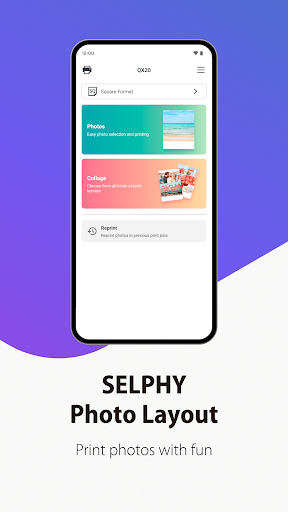
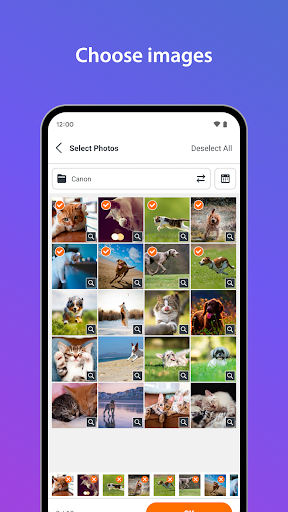
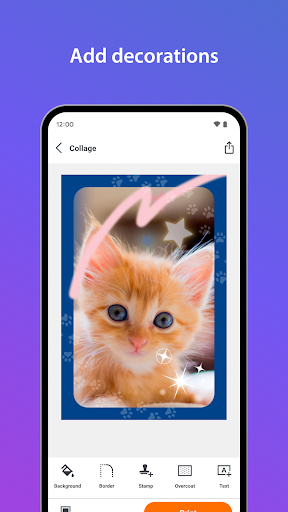
SELPHY Photo Layout is an application that allows you to create/save layouts of images to be printed with SELPHY using images stored on your smartphone or tablet.
[Key Features]
- Connect your smartphone or tablet wirelessly with SELPHY printers and enjoy high-quality photo printing.
("Canon PRINT" must be installed separately for CP1300, CP1200, CP910, and CP900.)
- Easily print photos directly from the ‘Photos’ menu.
- Decorate and layout your photos freely with the ‘Collage’ menu before printing.
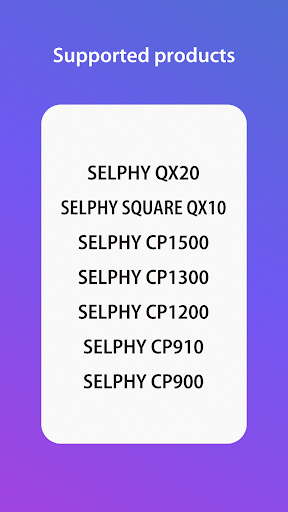
[Supported Products]
< SELPHY CP Series >
- CP1500, CP1300, CP1200, CP910, CP900
< SELPHY QX Series >
- QX20, SQUARE QX10
[System requirement]
- Android 11/12/13/14/15
[Supported Images]
- JPEG, PNG, HEIF
[Supported Layouts / Functions ]
< SELPHY CP Series >
- Photos (Choose images for simple printing.)
- Collage (Select images for decorative layout printing.)
- ID Photo (Print ID photos such as passport and driver’s license pictures from selfies.)
- Shuffle (Select up to 20 images, and they will be automatically arranged and printed on one sheet.)
- Reprint (Print additional copies from your previously printed collection.)
- Collage Decoration Features (Include stamps, text, and embedded QR codes.)
- Pattern Overcoat Processing (Only for CP1500).
< SELPHY QX Series >
- Photos (Choose images for simple printing.)
- Collage (Select images for decorative layout printing.)
- Reprint (Print additional copies from your previously printed collection.)
- Collage Decoration Features (Include stamps, frames, text, and embedded QR codes.)
- Pattern Overcoat Processing.
- Card & Square Hybrid Printing / Borderless & Bordered Printing (Only for QX20).
[Supported Paper Size]
- All available SELPHY-specific paper sizes for purchase *2
< SELPHY CP Series >
- Postcard Size
- L (3R) Size
- Card Size
< SELPHY QX Series >
- Square Sticker Paper for QX.
- Card Sticker Paper for QX (Only for QX20).
*1: availability may differ depending on region.
[Important Notes]
- If application does not operate properly, try again after shutting down the application.
- Features and services available in this application may differ depending on the model, country or region, and environment.
- Visit your local Canon Web pages for more details.
Pokaż więcej

1. Pobierz instalator MEmu i zakończ instalację

2. Uruchom MEmu, a następnie otwórz Google Play na pulpicie

3. Wyszukaj SELPHY Photo Layout w Google Play
Install
4. Pobierz i zainstaluj SELPHY Photo Layout
5. Po zakończeniu instalacji kliknij ikonę, aby rozpocząć

6. Użyj MEmu, aby doświadczyć SELPHY Photo Layout na swoim komputerze
MEmu Play to najlepszy emulator Androida, z którego korzysta ponad 100 milionów użytkowników, ciesząc się wyjątkowym doświadczeniem aplikacji na Androida. Technologia wirtualizacji MEmu pozwala na płynne uruchamianie tysięcy aplikacji Androida na komputerze, nawet tych najbardziej wymagających.
Większy ekran z lepszą grafiką; Długi czas, bez ograniczeń baterii lub danych mobilnych.
Pełna obsługa mapowania klawiszy dla precyzyjnego sterowania klawiaturą i myszą lub gamepadem.
Wiele kont gier lub zadań na jednym komputerze jednocześnie z menedżerem wielu instancji.
Use SELPHY Photo Layout on PC by following steps: