Stars and Planets
Zaktualizowano
Aktualna wersja
3.7.2
Sprzedawca

Przestań martwić się nadmiernymi opłatami podczas korzystania z Stars and Planets na telefonie komórkowym, uwolnij się od małego ekranu i ciesz się korzystaniem z aplikacji na znacznie większym wyświetlaczu. Od teraz korzystaj z aplikacji na pełnym ekranie za pomocą klawiatury i myszy. MEmu oferuje wszystkie zaskakujące funkcje, których się spodziewałeś: szybką instalację i łatwą konfigurację, intuicyjne sterowanie, koniec z ograniczeniami baterii, danych mobilnych i niepokojących połączeń. Zupełnie nowy MEmu 9 to najlepszy wybór do używania Stars and Planets na twoim komputerze. Zakodowany przez naszą absorpcję, menedżer wielu instancji umożliwia otwarcie 2 lub więcej kont w tym samym czasie. A co najważniejsze, nasz ekskluzywny emulator może uwolnić pełny potencjał twojego komputera, sprawić, że wszystko będzie płynne i przyjemne.
Pokaż więcej
Ciesz się wspaniałym doświadczeniem podczas grania w Stars and Planets na komputerze z aplikacją MEMU App Player. Jest to potężny darmowy emulator Androida pozwalający grać w tysiące gier na Androida. Experience the captivating wonders of the cosmos with Stars and Planets, an interactive 3D planetarium powered by precise data obtained from NASA and ESA space missions.
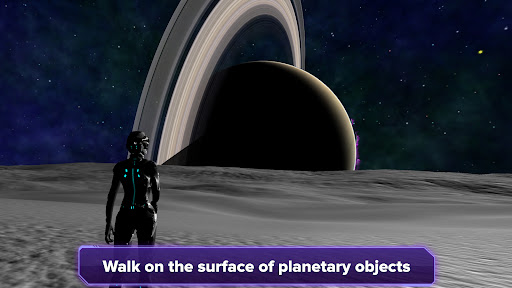
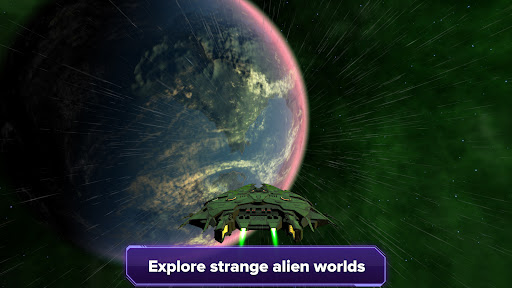
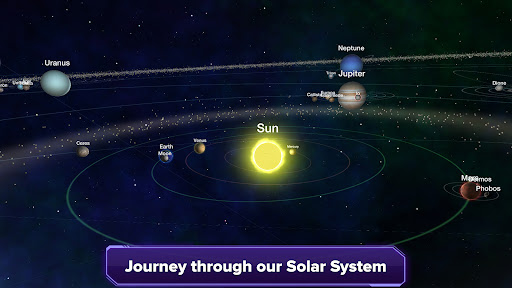
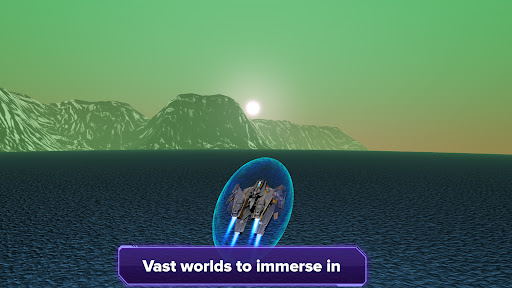
Experience the captivating wonders of the cosmos with Stars and Planets, an interactive 3D planetarium powered by precise data obtained from NASA and ESA space missions. Delve into a profound expedition through the infinite expanse of space, where an abundance of knowledge is readily available, directly sourced from the forefront of groundbreaking space research.
Traverse the vast expanse of the galaxy, soaring through the stardust as you journey to millions of stars. Land on alien planets and exomoons, where breathtaking landscapes and untold wonders await your arrival. Embrace the thrill of plunging into the turbulent atmospheres of gas giants to reach their elusive cores.
Push the boundaries of exploration as you venture closer to black holes, pulsars and magnetars, where the laws of physics are stretched to their limits.
With Stars and Planets, the entire universe becomes your playground, providing an unmatched platform for discovery and enlightenment.
Features
★ Immersive spacecraft simulation allowing users to fly to different planets and moons and explore the depths of gas giants
★ Land on exoplanets and take command of a character, exploring the unique surfaces of these distant worlds
★ Daily updated information on exoplanets from multiple sources, eliminating the need for manual application updates
★ Extensive online database encompassing approximately 7.85 million stars, over 7400 exoplanets, 205 circumstellar disks, 32868 black holes, 3344 pulsars and over 150 moons in our Solar System
★ Comprehensive search system for efficient data retrieval of stellar and substellar objects
★ Global accessibility with support for over 100 languages
Data imported from various sources including: SIMBAD, The Extrasolar Planets Encyclopedia, NASA Exoplanet Archive, Planet Habitability Laboratory
Join my discord server so you can see what new features are planned in the future or if you simply want to talk about space related stuff:
https://discord.gg/dyeu3BR
If you have a PC/Mac you can also access Stars and Planets from your browser here:
https://galaxymap.net/webgl/index.html
Pokaż więcej

1. Pobierz instalator MEmu i zakończ instalację

2. Uruchom MEmu, a następnie otwórz Google Play na pulpicie

3. Wyszukaj Stars and Planets w Google Play
Install
4. Pobierz i zainstaluj Stars and Planets
5. Po zakończeniu instalacji kliknij ikonę, aby rozpocząć

6. Użyj MEmu, aby doświadczyć Stars and Planets na swoim komputerze
MEmu Play to najlepszy emulator Androida, z którego korzysta ponad 100 milionów użytkowników, ciesząc się wyjątkowym doświadczeniem aplikacji na Androida. Technologia wirtualizacji MEmu pozwala na płynne uruchamianie tysięcy aplikacji Androida na komputerze, nawet tych najbardziej wymagających.
Większy ekran z lepszą grafiką; Długi czas, bez ograniczeń baterii lub danych mobilnych.
Pełna obsługa mapowania klawiszy dla precyzyjnego sterowania klawiaturą i myszą lub gamepadem.
Wiele kont gier lub zadań na jednym komputerze jednocześnie z menedżerem wielu instancji.
Use Stars and Planets on PC by following steps: