tapXphone
Zaktualizowano
Aktualna wersja
1.6.1
Sprzedawca

Przestań martwić się nadmiernymi opłatami podczas korzystania z tapXphone na telefonie komórkowym, uwolnij się od małego ekranu i ciesz się korzystaniem z aplikacji na znacznie większym wyświetlaczu. Od teraz korzystaj z aplikacji na pełnym ekranie za pomocą klawiatury i myszy. MEmu oferuje wszystkie zaskakujące funkcje, których się spodziewałeś: szybką instalację i łatwą konfigurację, intuicyjne sterowanie, koniec z ograniczeniami baterii, danych mobilnych i niepokojących połączeń. Zupełnie nowy MEmu 9 to najlepszy wybór do używania tapXphone na twoim komputerze. Zakodowany przez naszą absorpcję, menedżer wielu instancji umożliwia otwarcie 2 lub więcej kont w tym samym czasie. A co najważniejsze, nasz ekskluzywny emulator może uwolnić pełny potencjał twojego komputera, sprawić, że wszystko będzie płynne i przyjemne.
Pokaż więcej
Ciesz się wspaniałym doświadczeniem podczas grania w tapXphone na komputerze z aplikacją MEMU App Player. Jest to potężny darmowy emulator Androida pozwalający grać w tysiące gier na Androida. Turn your NFC Smartphone into POS Terminal.
Turn your NFC Smartphone into POS Terminal.
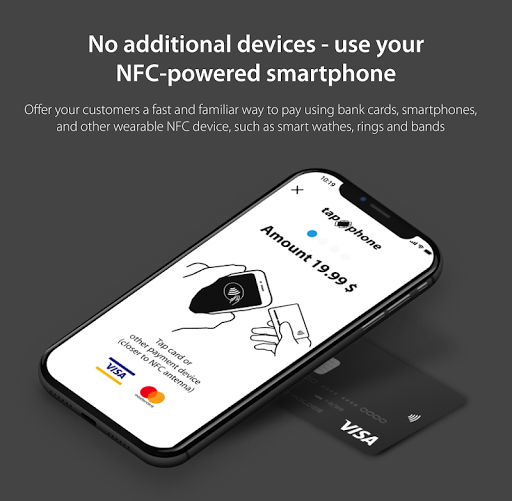
No additional devices — use your NFC-powered smartphone.
Whatever you do — flower business, food delivery or beverage sales — you know for sure that more and more customers prefer contactless payment methods.
Offer your customers a fast and familiar way to pay using bankcards, smartphones, and other wearable NFC devices, such as smart watches, rings and bands.
HOW TO SIGN UP
To sign up, you should contact any available acquiring service provider that offers a tapXphone solution service in your region.
The full list of acquiring banks could be found at the following link: https://tapxphone.com/ .
HOW TO ACCEPT PAYMENT
- Enter purchase price
- Attach your card to the back of the NFC smartphone
- Wait for the payment result
TAPXPHONE BENEFITS
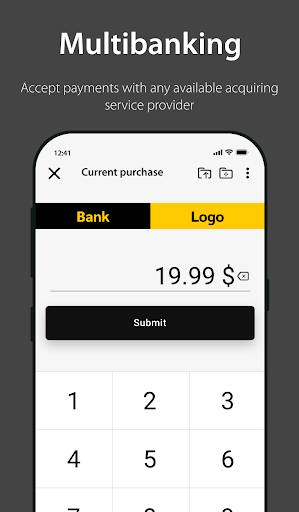
- Multibanking. Accept payments with any available acquiring service provider that offers tapXphone solution in your region.
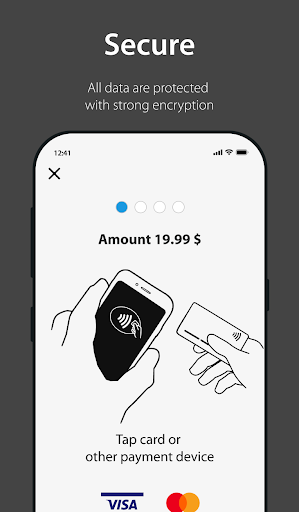
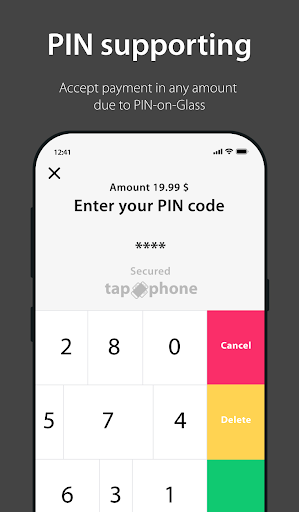
- Accept payments in any amount due to PIN-on-Glass. The customer can always confirm the payment with the usual PIN code, if necessary. When you enter the PIN code, random numbers appear on the screen. PIN-on-Glass technology guarantees the same level of payment security as for the POS terminal.
- Ensure secure payment processing.
The solution fully complies with the security requirements of Visa and Mastercard international payment systems, as well as PCI:
tapXphone is a ready-to-use SoftPOS solution that complies with VISA, Mastercard payment systems, as well as PCI:
* Visa Tap to Phone https://partner.visa.com/site/partner-directory/iba-group.html
* Mastercard Tap on Phone https://mastercard.com/global/en/business/overview/start-accepting/mobile-pos/mpos-partners.html
* PCI CPoC https://listings.pcisecuritystandards.org/popups/cpoc_sol_device.php?reference=2021-01344.001
- Extend the functionality of your application. Quickly add card contactless payment to your application and turn your smartphone into a POS terminal.
DEVICE REQUIREMENTS
Check device requirements using the following link https://docs.tapxphone.com/v/en/app-guide/app-start
LICENSE
By installing the tapXphone application, you are agree with the terms of the License Agreement, posted on the following link https://docs.tapxphone.com/v/en/general/app-license
SERVICE SUPPORT AND CONTACTS
The application is used together with the service provided by your bank or the bank's IT partner
Service support is provided by the bank and (or) by the developer of an external application that you use together with the tapXphone application.
Pokaż więcej

1. Pobierz instalator MEmu i zakończ instalację

2. Uruchom MEmu, a następnie otwórz Google Play na pulpicie

3. Wyszukaj tapXphone w Google Play
Install
4. Pobierz i zainstaluj tapXphone
5. Po zakończeniu instalacji kliknij ikonę, aby rozpocząć

6. Użyj MEmu, aby doświadczyć tapXphone na swoim komputerze
MEmu Play to najlepszy emulator Androida, z którego korzysta ponad 100 milionów użytkowników, ciesząc się wyjątkowym doświadczeniem aplikacji na Androida. Technologia wirtualizacji MEmu pozwala na płynne uruchamianie tysięcy aplikacji Androida na komputerze, nawet tych najbardziej wymagających.
Większy ekran z lepszą grafiką; Długi czas, bez ograniczeń baterii lub danych mobilnych.
Pełna obsługa mapowania klawiszy dla precyzyjnego sterowania klawiaturą i myszą lub gamepadem.
Wiele kont gier lub zadań na jednym komputerze jednocześnie z menedżerem wielu instancji.
Use tapXphone on PC by following steps: