Update Fix Info (Services)
Zaktualizowano
Aktualna wersja
1.16
Sprzedawca

Przestań martwić się nadmiernymi opłatami podczas korzystania z Update Fix Info (Services) na telefonie komórkowym, uwolnij się od małego ekranu i ciesz się korzystaniem z aplikacji na znacznie większym wyświetlaczu. Od teraz korzystaj z aplikacji na pełnym ekranie za pomocą klawiatury i myszy. MEmu oferuje wszystkie zaskakujące funkcje, których się spodziewałeś: szybką instalację i łatwą konfigurację, intuicyjne sterowanie, koniec z ograniczeniami baterii, danych mobilnych i niepokojących połączeń. Zupełnie nowy MEmu 9 to najlepszy wybór do używania Update Fix Info (Services) na twoim komputerze. Zakodowany przez naszą absorpcję, menedżer wielu instancji umożliwia otwarcie 2 lub więcej kont w tym samym czasie. A co najważniejsze, nasz ekskluzywny emulator może uwolnić pełny potencjał twojego komputera, sprawić, że wszystko będzie płynne i przyjemne.
Pokaż więcej
Ciesz się wspaniałym doświadczeniem podczas grania w Update Fix Info (Services) na komputerze z aplikacją MEMU App Player. Jest to potężny darmowy emulator Androida pozwalający grać w tysiące gier na Androida. Helps to find installed and updated date.
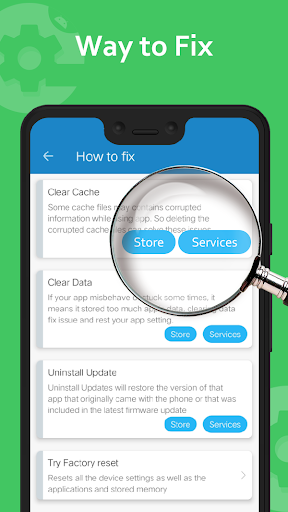
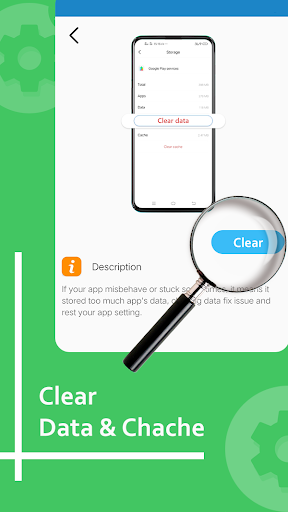
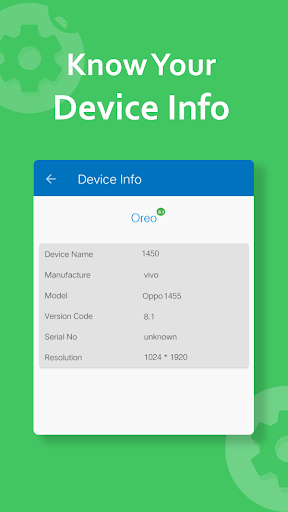
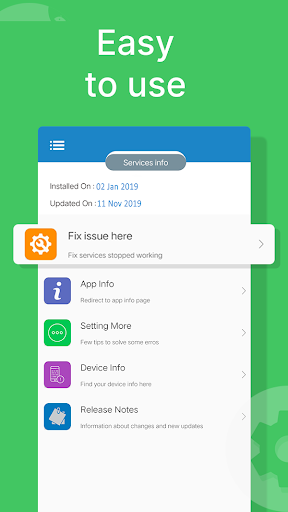
Helps to find installed and updated date
A Message “Services has stopped working” a very common issue on Android phones and tablets.
Number of reasons are available for the “Services has stopped” error. If it just started popping up for you, we have several methods to fix this services stop error and let’s see which one fits for your Android device.
How to: Fix “Services has stopped” Error
We’d suggest you to try out the following solutions and tips one by one and see which one works for your Android phone or tablet.
Some things to try and get solution -
1. Update Services
Since this issue is caused by the Services app, make sure you have its latest version installed.
2. Clear app cache
Clear the Services cache. The Services app in your phone acts like a framework for all the apps installed in your phone. You can try cleaning up its cache and see if that would fix the issue. This worked with one of our team members! Read these quick and easy steps :
Go to Settings > Apps.
Scroll to All apps and then scroll down to “Services” app.
Open the app details and tap on the “Force stop” button.
Then, tap on the “Clear cache” button.
3. Clear cache for Services Framework
Clear the Services Framework cache. The Services Framework system app on your Android device stores information and helps your phon
Read these quick and easy steps :
Go to Settings > Apps.
Open the app details and tap on the “Force stop” button.
Then, tap on the “Clear cache” button.
Some Other things and difficulties with services, please find below and try solution.
- Difficulty in install new apps due to insufficient memory space
- Tired of "services has stopped working"
- Getting problem when downloading and updating app
- Downloading are interrupted by store due to some reason
- If app seems not compatible with your device
- Navigate to store.
- See device information including device name, model no, resolution etc.
Functionality and Features
- Update services.
- services has stopped working.
- Date of Release and update services.
- Uninstall update of services.
- Services overview.
- Store had stopped working.
*Note: We are not getting any user information and user's device information, only showing this info to user's in quick manner.
: This app is not affiliated with Google LLC.
Pokaż więcej

1. Pobierz instalator MEmu i zakończ instalację

2. Uruchom MEmu, a następnie otwórz Google Play na pulpicie

3. Wyszukaj Update Fix Info (Services) w Google Play
Install
4. Pobierz i zainstaluj Update Fix Info (Services)
5. Po zakończeniu instalacji kliknij ikonę, aby rozpocząć

6. Użyj MEmu, aby doświadczyć Update Fix Info (Services) na swoim komputerze
MEmu Play to najlepszy emulator Androida, z którego korzysta ponad 100 milionów użytkowników, ciesząc się wyjątkowym doświadczeniem aplikacji na Androida. Technologia wirtualizacji MEmu pozwala na płynne uruchamianie tysięcy aplikacji Androida na komputerze, nawet tych najbardziej wymagających.
Większy ekran z lepszą grafiką; Długi czas, bez ograniczeń baterii lub danych mobilnych.
Pełna obsługa mapowania klawiszy dla precyzyjnego sterowania klawiaturą i myszą lub gamepadem.
Wiele kont gier lub zadań na jednym komputerze jednocześnie z menedżerem wielu instancji.
Use Update Fix Info (Services) on PC by following steps: