Wavy: Photo Editor & AI Art
Zaktualizowano
Aktualna wersja
1.5.0
Sprzedawca

Przestań martwić się nadmiernymi opłatami podczas korzystania z Wavy: Photo Editor & AI Art na telefonie komórkowym, uwolnij się od małego ekranu i ciesz się korzystaniem z aplikacji na znacznie większym wyświetlaczu. Od teraz korzystaj z aplikacji na pełnym ekranie za pomocą klawiatury i myszy. MEmu oferuje wszystkie zaskakujące funkcje, których się spodziewałeś: szybką instalację i łatwą konfigurację, intuicyjne sterowanie, koniec z ograniczeniami baterii, danych mobilnych i niepokojących połączeń. Zupełnie nowy MEmu 9 to najlepszy wybór do używania Wavy: Photo Editor & AI Art na twoim komputerze. Zakodowany przez naszą absorpcję, menedżer wielu instancji umożliwia otwarcie 2 lub więcej kont w tym samym czasie. A co najważniejsze, nasz ekskluzywny emulator może uwolnić pełny potencjał twojego komputera, sprawić, że wszystko będzie płynne i przyjemne.
Pokaż więcej
Ciesz się wspaniałym doświadczeniem podczas grania w Wavy: Photo Editor & AI Art na komputerze z aplikacją MEMU App Player. Jest to potężny darmowy emulator Androida pozwalający grać w tysiące gier na Androida. Welcome to Wavy: Photo Editor & AI Art, where your photos become a canvas for extraordinary creativity.
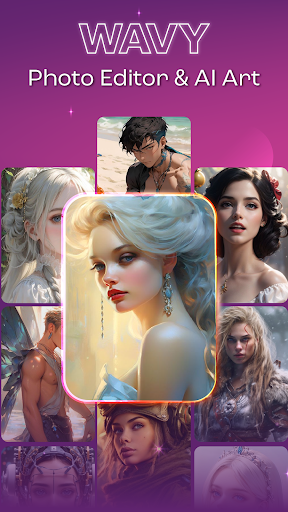
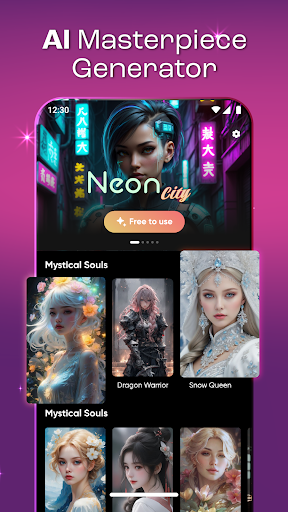
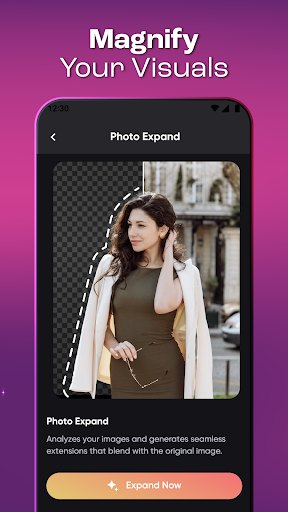
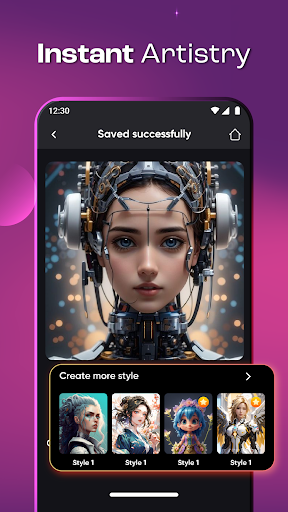
Welcome to Wavy: Photo Editor & AI Art, where your photos become a canvas for extraordinary creativity. Immerse yourself in a world of innovation as Wavy combines cutting-edge AI technology with a suite of features designed to transform your images into captivating masterpieces.
Feature List of this Wavy: Photo Editor & AI Art app:
⚡AI Masterpiece Generator: Experience the magic of Wavy's AI, effortlessly turning your photos into mesmerizing masterpieces that redefine the boundaries of visual art.
⚡Magnify Your Visuals: Amplify the impact of your visuals with Wavy's magnification feature, ensuring every detail stands out in stunning clarity and depth.
⚡Instant Artistry: Explore the realm of instant creativity with Wavy, providing a seamless and intuitive platform to transform your photos into artistic wonders effortlessly.
⚡Elevate Your Photos: Take your photos to new heights with Wavy's comprehensive editing tools, enhancing colors, details, and overall visual appeal for a striking final result.
⚡Object Vanishing Act: Achieve pristine perfection as Wavy performs an object vanishing act, effortlessly removing unwanted elements to ensure your images are polished and distraction-free.
Why Choose This Wavy: Photo Editor & AI Art App:
✅AI-Powered Innovation: Wavy stands at the forefront of AI artistry, harnessing the power of technology to elevate your photos into breathtaking masterpieces.
✅Versatile Magnification: Whether highlighting intricate details or creating a bold visual impact, Wavy's magnification feature offers versatile options for visual enhancement.
✅Personalized Artistic Expression: Craft unique artworks from your words, allowing you to express yourself in a distinctive and artistic manner that goes beyond conventional photo editing.
✅Effortless Instant Editing: Experience the joy of instant artistry with Wavy's user-friendly interface, providing a quick and enjoyable photo editing experience for users of all levels.
✅Precision and Polished Results: Wavy's object removal ensures precision editing, delivering polished and professional-looking photos by seamlessly eliminating unwanted elements.
Choose Wavy: Photo Editor & AI Art to embark on a transformative journey where innovation meets artistic expression. Elevate your photos, unleash your creativity, and experience the extraordinary with Wavy.
Pokaż więcej

1. Pobierz instalator MEmu i zakończ instalację

2. Uruchom MEmu, a następnie otwórz Google Play na pulpicie

3. Wyszukaj Wavy: Photo Editor & AI Art w Google Play
Install
4. Pobierz i zainstaluj Wavy: Photo Editor & AI Art
5. Po zakończeniu instalacji kliknij ikonę, aby rozpocząć

6. Użyj MEmu, aby doświadczyć Wavy: Photo Editor & AI Art na swoim komputerze
MEmu Play to najlepszy emulator Androida, z którego korzysta ponad 100 milionów użytkowników, ciesząc się wyjątkowym doświadczeniem aplikacji na Androida. Technologia wirtualizacji MEmu pozwala na płynne uruchamianie tysięcy aplikacji Androida na komputerze, nawet tych najbardziej wymagających.
Większy ekran z lepszą grafiką; Długi czas, bez ograniczeń baterii lub danych mobilnych.
Pełna obsługa mapowania klawiszy dla precyzyjnego sterowania klawiaturą i myszą lub gamepadem.
Wiele kont gier lub zadań na jednym komputerze jednocześnie z menedżerem wielu instancji.
Use Wavy: Photo Editor & AI Art on PC by following steps: