WordUp | AI Vocabulary Builder
Zaktualizowano
Aktualna wersja
16.0.3276
Sprzedawca

Przestań martwić się nadmiernymi opłatami podczas korzystania z WordUp | AI Vocabulary Builder na telefonie komórkowym, uwolnij się od małego ekranu i ciesz się korzystaniem z aplikacji na znacznie większym wyświetlaczu. Od teraz korzystaj z aplikacji na pełnym ekranie za pomocą klawiatury i myszy. MEmu oferuje wszystkie zaskakujące funkcje, których się spodziewałeś: szybką instalację i łatwą konfigurację, intuicyjne sterowanie, koniec z ograniczeniami baterii, danych mobilnych i niepokojących połączeń. Zupełnie nowy MEmu 9 to najlepszy wybór do używania WordUp | AI Vocabulary Builder na twoim komputerze. Zakodowany przez naszą absorpcję, menedżer wielu instancji umożliwia otwarcie 2 lub więcej kont w tym samym czasie. A co najważniejsze, nasz ekskluzywny emulator może uwolnić pełny potencjał twojego komputera, sprawić, że wszystko będzie płynne i przyjemne.
Pokaż więcej
Ciesz się wspaniałym doświadczeniem podczas grania w WordUp | AI Vocabulary Builder na komputerze z aplikacją MEMU App Player. Jest to potężny darmowy emulator Androida pozwalający grać w tysiące gier na Androida. The world’s first AI-based English vocabulary builder app.
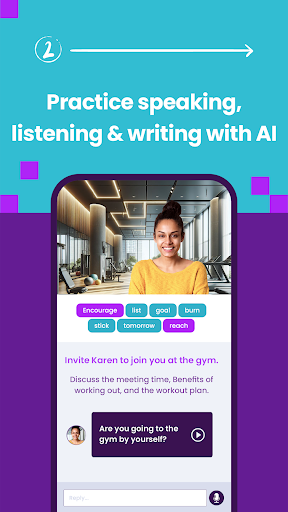
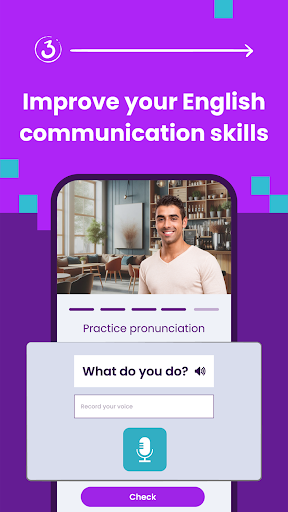
The world’s first AI-based English vocabulary builder app. If you are serious about your English, you will fall in love with WordUp. It is the smartest way to perfect your English, and learn every word that matters while enjoying the process!
Vocabulary Builder:
Vocab builder feature in WordUp utilizes advanced algorithms to expand vocabulary and improve English skills. It recommends a new word each day based on your current knowledge, allowing you to gradually enhance your language proficiency. By incorporating daily words into your learning routine, WordUp ensures steady and consistent growth in your vocabulary.
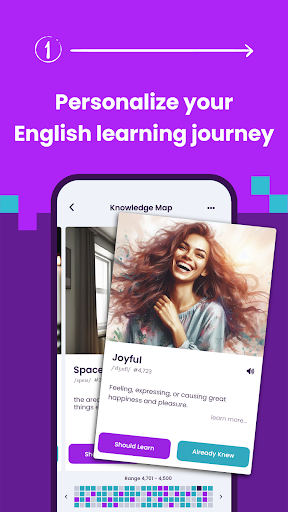
Knowledge Map
WordUp helps you build a map of your knowledge by identifying the words you know and the words you don't know. It helps you learn new words by identifying the gaps in your vocabulary and suggesting the most important and useful English words to focus on. By incorporating daily vocabulary and tracking your progress, the Knowledge Map enables you to steadily increase your vocabulary and enhance your understanding of English words.
All 25,000 useful English words are ranked in the order of IMPORTANCE, and USEFULNESS, based on how often they are used in real-world spoken English (extracted from thousands of movies, and TV shows).
To actually learn the words that you discover in your Knowledge Map, WordUp gives you everything you need, and more! From word definitions and pictures to tens of entertaining examples from movies, quotes, news, and more. So you get a good feel of how to use each word in context.
Multilingual Translations
There are also translations in more than 30 languages including French, Spanish, German, Arabic, Turkish, Persian, ...
The daily reviews then kick in. Like flashcards, the words will come back with games and challenges until you master them. It's called Spaced Repetition, and it's scientifically proven to help memorise them forever!
WordUp is unlike any vocabulary builder app you've seen before. It is not another dictionary app, although it can be used as an English dictionary too.
Suitable for Various Users:
WordUp's novel approach to language learning and expanding your vocabulary will leave you feeling confident and empowered. Whether you are new to English, are preparing for an English exam (IELTS, TOEFL, etc), or are a native English speaker, you will find WordUp helpful and entertaining. Just give it a try and see for yourself!
Pokaż więcej

1. Pobierz instalator MEmu i zakończ instalację

2. Uruchom MEmu, a następnie otwórz Google Play na pulpicie

3. Wyszukaj WordUp | AI Vocabulary Builder w Google Play
Install
4. Pobierz i zainstaluj WordUp | AI Vocabulary Builder
5. Po zakończeniu instalacji kliknij ikonę, aby rozpocząć

6. Użyj MEmu, aby doświadczyć WordUp | AI Vocabulary Builder na swoim komputerze
MEmu Play to najlepszy emulator Androida, z którego korzysta ponad 100 milionów użytkowników, ciesząc się wyjątkowym doświadczeniem aplikacji na Androida. Technologia wirtualizacji MEmu pozwala na płynne uruchamianie tysięcy aplikacji Androida na komputerze, nawet tych najbardziej wymagających.
Większy ekran z lepszą grafiką; Długi czas, bez ograniczeń baterii lub danych mobilnych.
Pełna obsługa mapowania klawiszy dla precyzyjnego sterowania klawiaturą i myszą lub gamepadem.
Wiele kont gier lub zadań na jednym komputerze jednocześnie z menedżerem wielu instancji.
Use WordUp | AI Vocabulary Builder on PC by following steps: