CarLink: MirrorLink & Car Play
Atualizada
Versão atual
1.1.17
Oferecido por

Pare de se preocupar com sobrecargas ao usar CarLink: MirrorLink & Car Play no seu celular, liberte-se da pequena tela e aproveite o uso do aplicativo numa tela muito maior. A partir de agora, obtenha uma experiência em tela cheia do seu aplicativo com teclado e mouse. O MEmu oferece-lhe todos os recursos surpreendentes que você esperava: instalação rápida e configuração fácil, controles intuitivos, sem mais limitações de bateria, dados móveis e chamadas perturbadoras. O novíssimo MEmu 9 é a melhor opção para usar CarLink: MirrorLink & Car Play no seu computador. Codificado com a nossa absorção, o gerenciador de multi-instâncias possibilita a abertura de 2 ou mais contas ao mesmo tempo. E o mais importante, nosso mecanismo de emulação exclusivo pode liberar todo o potencial do seu PC, tornando tudo suave e agradável.
Mostre mais
Download do CarLink: MirrorLink & Car Play no PC com MEmu Android Emulador: Divirta-se jogando na tela grande. CarLink: MirrorLink & Car Sync is the ultimate app for connecting your Android smartphone to your car’s infotainment system.
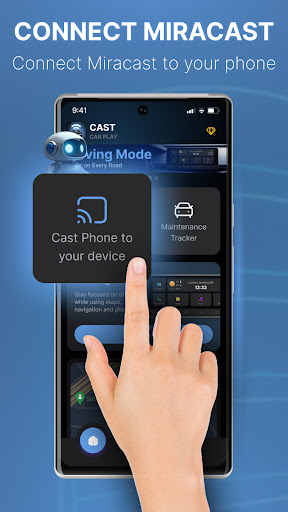
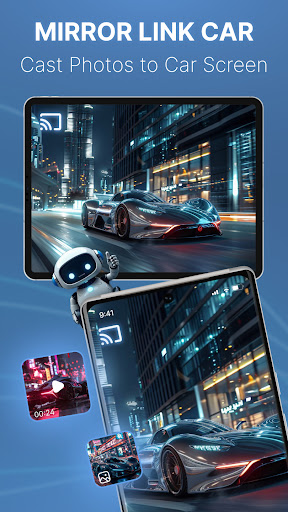
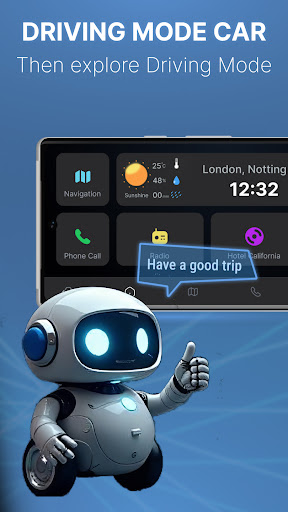
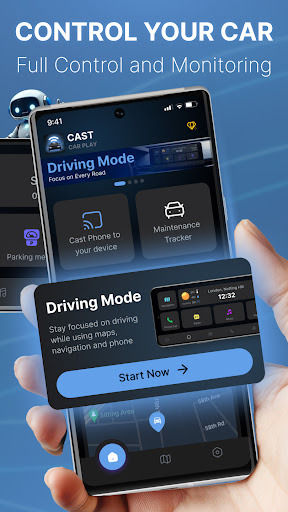
CarLink: MirrorLink & Car Sync is the ultimate app for connecting your Android smartphone to your car’s infotainment system. With seamless integration and advanced Android CarLink features, transform your driving experience with enhanced connectivity, auto sync, and smarter driving tools. Get data directly on your car dashboard, including car navigation, hands-free calls, and a powerful music player.
Key Features:
✅ Screen Mirror: Mirror your Android phone’s screen to your car, providing easy access to navigation, calls, music streaming, radio, road maps, parking meters, weather updates, and time—all in one interface.
✅ Hands-Free Control: Enjoy hands-free control with voice commands and a distraction-free interface, helping you stay focused on the road while accessing key functions safely.
✅ Safety & Maintenance Tracking: Monitor your car’s health with automated tracking and notifications about your car's status, including reminders for oil changes, tire rotations, and brake checks, ensuring your vehicle remains in optimal condition.
✅ Detailed Reports: Get performance insights with reports on fuel, battery, engine oil life, mileage, tire pressure, and more. Stay informed about your car’s status with real-time updates from the GPS.
✅ Enhanced Driving Experience: Elevate your drive with personalized access to essential features like car navigation, road maps, making your journey smarter and more efficient.
✅ Wide Compatibility: Supports a range of car models and infotainment systems for broader user compatibility.
✅ Stable Connection: Ensure a stable connection with Android Auto, maintaining smooth performance throughout your drive.
✅ High-Quality Performance: Enjoy high-definition visuals and crisp audio for a fully immersive in-car experience.
✅ Real-Time Updates: Receive real-time reminders and updates to keep you informed on the go.
Managing multiple vehicles is simplified with our Digital Garage, allowing you to access all your cars in one app. Whether you drive a Tesla, Toyota, BMW, or any other supported brand, CarLink: MirrorLink & Car Sync has got you covered.
Why Choose CarLink: MirrorLink & Car Sync? This app is perfect for drivers looking to seamlessly integrate their Android phone with their car. With features like car navigation, a music player, maintenance tracking, and detailed reports, it offers everything you need for a smarter, safer driving experience.
Stay connected, stay safe, and stay entertained with CarLink.
Download now and transform the way you drive!
Terms of Use: http://smartremotedev.com/p/terms-of-service
Privacy Policy: http://www.smartremotedev.com/p/privacy
Contact Us: service.smartremote@gmail.com
Mostre mais

1. Faça o download do instalador do MEmu e conclua a instalação

2. Inicie o MEmu e depois abra o Google Play na página inicial

3. Pesquise CarLink: MirrorLink & Car Play no Google Play
Install
4. Baixe e Instale CarLink: MirrorLink & Car Play
5. Na conclusão da instalação, clique no ícone para iniciar

6. º Experimente o CarLink: MirrorLink & Car Play no PC com o MEmu.
O MEmu Play é o melhor emulador Android gratuito, com 50 milhões de utilizadores a desfrutar da sua experiência superior com aplicações Android. A tecnologia de virtualização do MEmu permite-lhe executar milhares de aplicações Android sem problemas no seu computador, mesmo as mais exigentes.
Tela maior com gráficos melhores; Longa duração e sem limitação de bateria ou dados móveis.
Suporte completo ao Mapaeamento de Teclas para controle preciso do teclado e mouse ou gamepad.
Várias contas de jogos ou tarefas em um único PC de uma só vez com o Gerenciador de várias instâncias.
Use CarLink: MirrorLink & Car Play on PC by following steps: