
Picnic – Dive into Communities
Atualizada
Versão atual
1.3.32
Oferecido por

Pare de se preocupar com sobrecargas ao usar Picnic – Dive into Communities no seu celular, liberte-se da pequena tela e aproveite o uso do aplicativo numa tela muito maior. A partir de agora, obtenha uma experiência em tela cheia do seu aplicativo com teclado e mouse. O MEmu oferece-lhe todos os recursos surpreendentes que você esperava: instalação rápida e configuração fácil, controles intuitivos, sem mais limitações de bateria, dados móveis e chamadas perturbadoras. O novíssimo MEmu 9 é a melhor opção para usar Picnic – Dive into Communities no seu computador. Codificado com a nossa absorção, o gerenciador de multi-instâncias possibilita a abertura de 2 ou mais contas ao mesmo tempo. E o mais importante, nosso mecanismo de emulação exclusivo pode liberar todo o potencial do seu PC, tornando tudo suave e agradável.
Mostre mais
Download do Picnic – Dive into Communities no PC com MEmu Android Emulador: Divirta-se jogando na tela grande. We are at our best when we’re connected--with our passions, our world, and with each other!
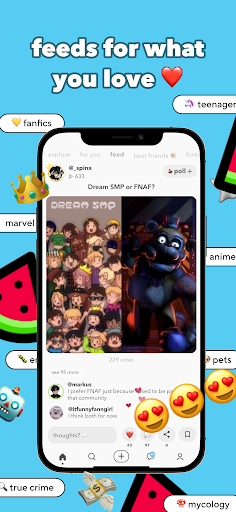

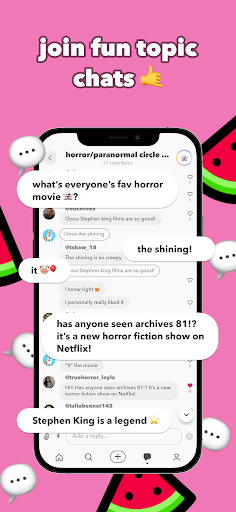
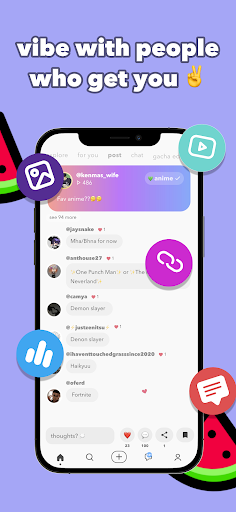
We are at our best when we’re connected--with our passions, our world, and with each other! Let Picnic be the social media destination for getting YOU out there to communities that share your interests and love them just as much as you. Picnic makes it easy to dive directly into feeds centered around your interests, toggle between those interest feeds, and find exactly what you’re in the mood for. Share fun short videos, pictures, and messages with others in your interest groups! No matter what you love (from writing to scuba diving to fashion), Picnic has a home for you.
Make the most out of your interests! Here’s how Picnic works:
+ Add your profile to/Join circles most interesting to you - Make the most of your time by alternating through feeds of your specific interests. If you love dogs and true crime, scroll through feeds filled with the trendiest cute dog videos, debates over the best types of dog food, and the latest news on serial killers.
+ Tap into your interests - See what others are saying about topics you love. Chat and respond to them!
+ Share content in whatever format you want! We support videos, images, links, and text posts.
+ Get heard by those who share your interests and hobbies - Make connections and share your ideas on the things you love!
+ The more you engage in a circle on Picnic, the more your content will be seen
+ Pick up a new interest - We’ll recommend communities that you might be interested in based on your current engagement
Mostre mais

1. Faça o download do instalador do MEmu e conclua a instalação

2. Inicie o MEmu e depois abra o Google Play na página inicial

3. Pesquise Picnic – Dive into Communities no Google Play
Install
4. Baixe e Instale Picnic – Dive into Communities
5. Na conclusão da instalação, clique no ícone para iniciar

6. º Experimente o Picnic – Dive into Communities no PC com o MEmu.
O MEmu Play é o melhor emulador Android gratuito, com 50 milhões de utilizadores a desfrutar da sua experiência superior com aplicações Android. A tecnologia de virtualização do MEmu permite-lhe executar milhares de aplicações Android sem problemas no seu computador, mesmo as mais exigentes.
Tela maior com gráficos melhores; Longa duração e sem limitação de bateria ou dados móveis.
Suporte completo ao Mapaeamento de Teclas para controle preciso do teclado e mouse ou gamepad.
Várias contas de jogos ou tarefas em um único PC de uma só vez com o Gerenciador de várias instâncias.
Use Picnic – Dive into Communities on PC by following steps: