UniTv
Atualizada
Versão atual
Oferecido por

Pare de se preocupar com sobrecargas ao usar UniTv no seu celular, liberte-se da pequena tela e aproveite o uso do aplicativo numa tela muito maior. A partir de agora, obtenha uma experiência em tela cheia do seu aplicativo com teclado e mouse. O MEmu oferece-lhe todos os recursos surpreendentes que você esperava: instalação rápida e configuração fácil, controles intuitivos, sem mais limitações de bateria, dados móveis e chamadas perturbadoras. O novíssimo MEmu 9 é a melhor opção para usar UniTv no seu computador. Codificado com a nossa absorção, o gerenciador de multi-instâncias possibilita a abertura de 2 ou mais contas ao mesmo tempo. E o mais importante, nosso mecanismo de emulação exclusivo pode liberar todo o potencial do seu PC, tornando tudo suave e agradável.
Mostre mais
Desfrute de uma experiência incrível utilizando o UniTv no PC com o MEmu Play. É um poderoso emulador Android gratuito que oferece milhares de aplicações Android nas suas versões para desktop. Estabeleça ligação com amigos e aprimore o seu trabalho com mais eficiência! # UniTv – IPTV Player.
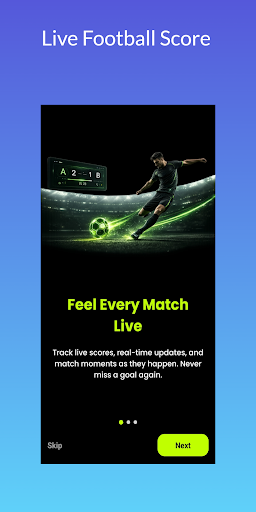
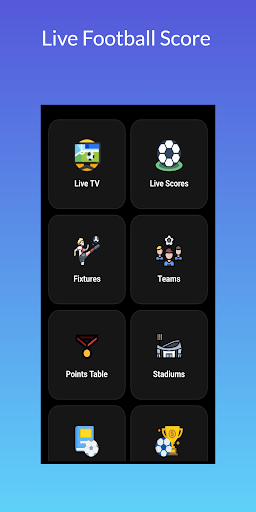
# UniTv – IPTV Player
UniTv is an IPTV player for Android that lets you load, browse, organize, and play content from your own authorized playlists.
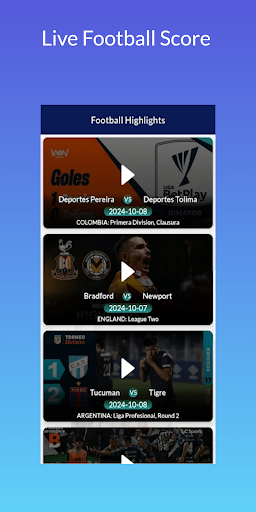
If your playlist includes football and sports content, UniTv gives you a convenient way to browse available football channels, sports programming, and other compatible media in one place.
Add a compatible playlist, explore your available channels and media, and use the built-in player to play compatible content on supported Android devices.
## Football & Sports
Browse football and sports content available through your own authorized IPTV playlist.
Depending on your connected source, available content may include football channels, sports programming, match coverage, and other related content.
Content availability depends on the playlist or media source you provide.
## IPTV Player
Play compatible IPTV and media content using a simple built-in player.
Load your authorized playlist and select available football, sports, entertainment, or other media for playback.
## Add Your Playlist
Add or import supported playlist information, including compatible M3U playlists.
UniTv loads the content information supplied by your selected source and organizes it for easier browsing.
## Browse Channels & Categories
View the channels and media available through your connected playlist.
Browse categories such as football, sports, entertainment, news, and other programming when provided by your source.
## ⭐ Favorites
Save frequently accessed football channels, sports content, or other media to Favorites for quicker access.
Keep your preferred content organized and easy to find.
## ▶ Built-In Playback
Open compatible content directly in UniTv's media player.
Play supported football, sports, and other media supplied by your own authorized source.
Playback depends on the format, compatibility, and media source you provide.
## Android & TV Support
Use UniTv on compatible Android phones and tablets.
The app also supports compatible Android TV and TV Box devices, providing navigation suitable for larger screens and remote controls.
## Simple Playlist Management
UniTv provides tools for loading and organizing your own playlist content in one place.
Browse available football, sports, entertainment, and other categories through a straightforward interface.
## How UniTv Works
1. Open UniTv on your Android device.
2. Add your authorized playlist or compatible media source.
3. Load the available content.
4. Browse football, sports, entertainment, and other categories.
5. Select an item to start playback.
6. Add frequently watched content to Favorites.
## Your Content, Your Responsibility
UniTv is a media player and playlist management application. It does not provide, sell, host, or distribute television channels, football matches, movies, series, subscriptions, or other copyrighted content.
UniTv does not include a built-in catalog of football matches, sports channels, television channels, movies, or series.
Users provide their own authorized playlists or media sources and are responsible for ensuring they have the necessary rights and permissions to access and play the content.
UniTv is an independent application and is not affiliated with or endorsed by any football league, club, broadcaster, streaming service, IPTV provider, media company, or content owner.
## Your Football Content, Your Playlist
If your authorized IPTV source includes football or sports programming, UniTv provides the tools to load, browse, organize, and play your available content on supported Android devices.
Mostre mais

1. Faça o download do instalador do MEmu e conclua a instalação

2. Inicie o MEmu e depois abra o Google Play na página inicial

3. Pesquise UniTv no Google Play
Install
4. Baixe e Instale UniTv
5. Na conclusão da instalação, clique no ícone para iniciar

6. º Experimente o UniTv no PC com o MEmu.
O MEmu Play é o melhor emulador Android gratuito, com 50 milhões de utilizadores a desfrutar da sua experiência superior com aplicações Android. A tecnologia de virtualização do MEmu permite-lhe executar milhares de aplicações Android sem problemas no seu computador, mesmo as mais exigentes.
Tela maior com gráficos melhores; Longa duração e sem limitação de bateria ou dados móveis.
Suporte completo ao Mapaeamento de Teclas para controle preciso do teclado e mouse ou gamepad.
Várias contas de jogos ou tarefas em um único PC de uma só vez com o Gerenciador de várias instâncias.
Use UniTv on PC by following steps: