Countik: Analytics & Trends
Atualizada
Versão atual
1.3
Oferecido por

Pare de se preocupar com sobrecargas ao usar Countik: Analytics & Trends no seu celular, liberte-se da pequena tela e aproveite o uso do aplicativo numa tela muito maior. A partir de agora, obtenha uma experiência em tela cheia do seu aplicativo com teclado e mouse. O MEmu oferece-lhe todos os recursos surpreendentes que você esperava: instalação rápida e configuração fácil, controles intuitivos, sem mais limitações de bateria, dados móveis e chamadas perturbadoras. O novíssimo MEmu 9 é a melhor opção para usar Countik: Analytics & Trends no seu computador. Codificado com a nossa absorção, o gerenciador de multi-instâncias possibilita a abertura de 2 ou mais contas ao mesmo tempo. E o mais importante, nosso mecanismo de emulação exclusivo pode liberar todo o potencial do seu PC, tornando tudo suave e agradável.
Mostre mais
Enjoy superb experience of using Countik: Analytics & Trends on PC with MEMU App Player. It's a powerful free Android emulator which provides you with thousands of android apps for their desktop version. Enjoy connecting with friends and polishing your work with higher efficiency! Countik is a collection of powerful TikTok tools with an easy-to-use interface.
Countik is a collection of powerful TikTok tools with an easy-to-use interface.
These tools can help you in monitoring, analyzing, and staying current with TikTok trends (songs, content, creators),
as well as making it simple to create more TikTok content with our hashtags generator, AI voice over, and TikTok video downloader.
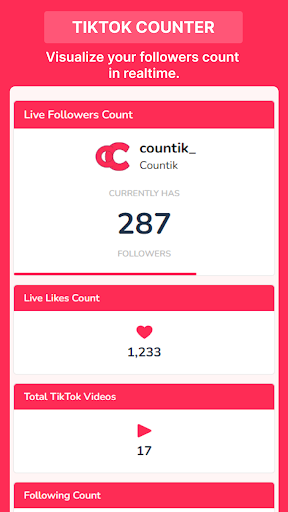
✦ TikTok Counter
TikTok Counter allows you to see your TikTok account stats such as followers and likes updated in realtime every 10 seconds, without refreshing the page.
✦ TikTok Views Counter
The same as the TikTok counter, but it only works for TikTok videos, displaying a video views count that updates in realtime.
✦ Compare TikTok Users
This is yet another simple tool that allows you to compare two TikTok users based on their number of followers, likes, and videos.
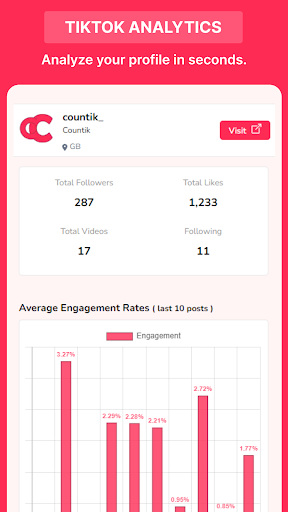
✦ TikTok Analytics
By entering a username, this tool analyzes recent videos and displays a report on how this user is performing
by calculating their average engagement rate, estimated earnings per post, average video performance, hashtags used, mentions, and recent posts analytics (last 10 posts).
✦ TikTok Hashtags Generator
Find relevant hashtags can be challenging, that's why we created this tool to
generate the best hashtags that you can include in your video description to increase its visibility and engagement.
✦ TikTok Money Calculator
Get an estimation on how much a user is earning on TikTok. By analyzing factors such as follower count, engagement rates,
the calculator offers a rough idea of how much a TikTok user could potentially earn through brand collaborations, sponsored content, and other monetization avenues on the platform.
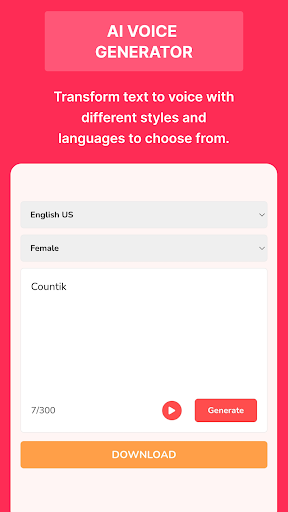
✦ TikTok Voice Generator
Free text-to-speech tool that uses text to generate TikTok voices like the popular lady voice, rocket, and Ghostface (scream) and much more.
It also gives you the option of downloading the generated voice for later use. You can use it to read text and e-books aloud, or you can save TikTok voices to use for editing and creating content.
✦ TikTok Downloader
TikTok downloader is a tool that enables users to save and download videos and audios ( in mp4 or mp3 format ) from the TikTok platform to their devices.
✦ TikTok Trends
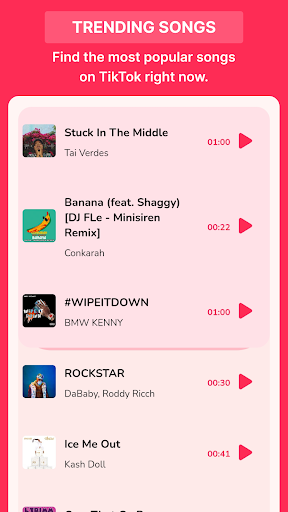
• Trending TikTok Songs: Find the latest and most popular songs trending on TikTok right now.
• Trending TikTok Topics: Discover the most popular topics on TikTok in each country.
• Trending TikTok Creators: Creators list with the most reach right now in each country.
Disclaimer: this app is not affiliated with or endorsed by TikTok or ByteDance Ltd.
Mostre mais

1. Faça o download do instalador do MEmu e conclua a instalação

2. Inicie o MEmu e depois abra o Google Play na página inicial

3. Pesquise Countik: Analytics & Trends no Google Play
Install
4. Baixe e Instale Countik: Analytics & Trends
5. Na conclusão da instalação, clique no ícone para iniciar

6. º Experimente o Countik: Analytics & Trends no PC com o MEmu.
O MEmu Play é o melhor emulador Android gratuito, com 50 milhões de utilizadores a desfrutar da sua experiência superior com aplicações Android. A tecnologia de virtualização do MEmu permite-lhe executar milhares de aplicações Android sem problemas no seu computador, mesmo as mais exigentes.
Tela maior com gráficos melhores; Longa duração e sem limitação de bateria ou dados móveis.
Suporte completo ao Mapaeamento de Teclas para controle preciso do teclado e mouse ou gamepad.
Várias contas de jogos ou tarefas em um único PC de uma só vez com o Gerenciador de várias instâncias.
Use Countik: Analytics & Trends on PC by following steps: