
ERIC: Creative Career App
Atualizada
Versão atual
1.5.8
Oferecido por

Pare de se preocupar com sobrecargas ao usar ERIC: Creative Career App no seu celular, liberte-se da pequena tela e aproveite o uso do aplicativo numa tela muito maior. A partir de agora, obtenha uma experiência em tela cheia do seu aplicativo com teclado e mouse. O MEmu oferece-lhe todos os recursos surpreendentes que você esperava: instalação rápida e configuração fácil, controles intuitivos, sem mais limitações de bateria, dados móveis e chamadas perturbadoras. O novíssimo MEmu 9 é a melhor opção para usar ERIC: Creative Career App no seu computador. Codificado com a nossa absorção, o gerenciador de multi-instâncias possibilita a abertura de 2 ou mais contas ao mesmo tempo. E o mais importante, nosso mecanismo de emulação exclusivo pode liberar todo o potencial do seu PC, tornando tudo suave e agradável.
Mostre mais
Download do ERIC: Creative Career App no PC com MEmu Android Emulador: Divirta-se jogando na tela grande. The UK's #1 app for young creatives looking to upskill & get experience.
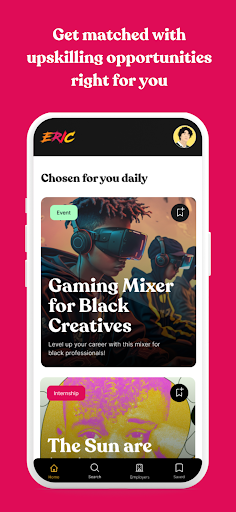
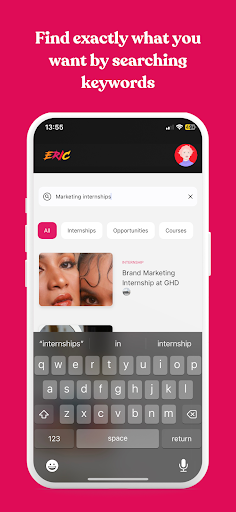
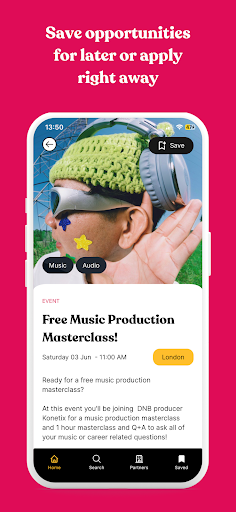

The UK's #1 app for young creatives looking to upskill & get experience.
Want to start getting yourself career-ready but don't know how to get there? ERIC is a free career app helping young creatives get experience for their CV & portfolio.
Internships & apprenticeships
Training programmes & courses
Workshops & events
Mentoring schemes & accessibility initiatives
Competitions & grants
& many more upskilling opportunities
Get access to thousands of upskilling opportunities helping you to get ready for the creative world of work.
-------------------------
Why young creatives can't get enough of ERIC:
Adding incredible experience to your CV - We put thousands of upskilling opportunities in front of young creatives to help them gain experience, build confidence and fill up that CV.
Nobody finds creative opportunities like us - When it comes to sourcing opportunities we never miss a beat. Whether it's a workshop, event, course or internship, the ERIC team find every opportunity across all creative fields so that you don't have to.
Get yourself ready for the world of work - Think of ERIC as your pre-job power boost. We want to give young creatives access to development opportunities that they can use to build skills and gain experience before entering the world of work.
You can filter to your hearts content - Whether you want to refine by location, preferred industries or type of experience, the ERIC app lets you filter your searches so that finding the right opportunity for you is an absolute breeze.
-------------------------
Which creative industries do we cover on the app?
Advertising, Marketing & PR
Arts & Craft
Design
Fashion
Film & TV
Gaming
Media
Music
Podcasts, Radio & Audio
Photography & Videography
Publishing
Theatre & Performing Arts
Writing & Journalism
VFX & Animation
Mostre mais

1. Faça o download do instalador do MEmu e conclua a instalação

2. Inicie o MEmu e depois abra o Google Play na página inicial

3. Pesquise ERIC: Creative Career App no Google Play
Install
4. Baixe e Instale ERIC: Creative Career App
5. Na conclusão da instalação, clique no ícone para iniciar

6. º Experimente o ERIC: Creative Career App no PC com o MEmu.
O MEmu Play é o melhor emulador Android gratuito, com 50 milhões de utilizadores a desfrutar da sua experiência superior com aplicações Android. A tecnologia de virtualização do MEmu permite-lhe executar milhares de aplicações Android sem problemas no seu computador, mesmo as mais exigentes.
Tela maior com gráficos melhores; Longa duração e sem limitação de bateria ou dados móveis.
Suporte completo ao Mapaeamento de Teclas para controle preciso do teclado e mouse ou gamepad.
Várias contas de jogos ou tarefas em um único PC de uma só vez com o Gerenciador de várias instâncias.
Use ERIC: Creative Career App on PC by following steps: