Hornet - Queer Social Network
Atualizada
Versão atual
1
Oferecido por

Pare de se preocupar com sobrecargas ao usar Hornet - Queer Social Network no seu celular, liberte-se da pequena tela e aproveite o uso do aplicativo numa tela muito maior. A partir de agora, obtenha uma experiência em tela cheia do seu aplicativo com teclado e mouse. O MEmu oferece-lhe todos os recursos surpreendentes que você esperava: instalação rápida e configuração fácil, controles intuitivos, sem mais limitações de bateria, dados móveis e chamadas perturbadoras. O novíssimo MEmu 9 é a melhor opção para usar Hornet - Queer Social Network no seu computador. Codificado com a nossa absorção, o gerenciador de multi-instâncias possibilita a abertura de 2 ou mais contas ao mesmo tempo. E o mais importante, nosso mecanismo de emulação exclusivo pode liberar todo o potencial do seu PC, tornando tudo suave e agradável.
Mostre mais
Download do Hornet - Queer Social Network no PC com MEmu Android Emulador: Divirta-se jogando na tela grande. Hornet is a free social networking app for gay, bi, trans, non-binary, and queer adults to connect with each other.
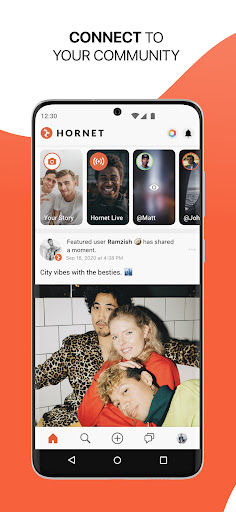
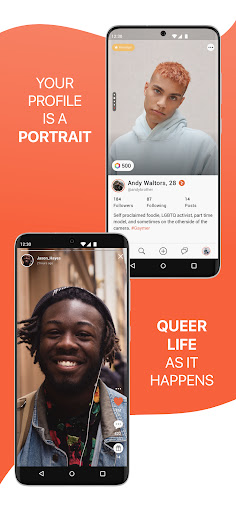
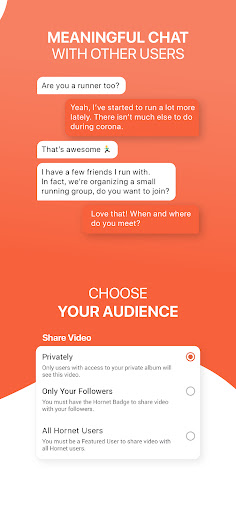
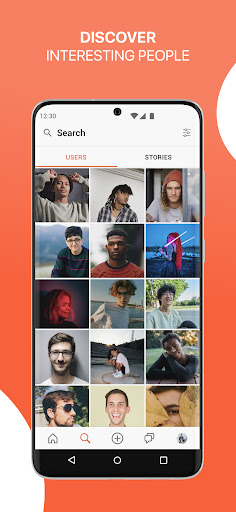
Hornet is a free social networking app for gay, bi, trans, non-binary, and queer adults to connect with each other. You can meet new people, find friends, chat with nearby users, date, or even start a new relationship.
It goes beyond the usual "dating app": Hornet offers a complete social experience, allowing you to connect with LGBTQ users through text messages, live video, video stories, feed photos, and more.
Regardless of which tribe you identify with — from twinks to bears —, everyone is welcome on Hornet!
- Chat with nearby users through text or audio messages.
- Send emojis and stickers, and react to messages using emoticons inspired by the queer community.
- Explore the world and meet users from everywhere.
- Use hashtags to find like-minded people.
- Set filters to check exactly who you are looking for.
- Send Awards to the content you like the most. You can also receive Awards for yours and cash out the balance!
You need to be at least 18 years old to use Hornet.
Hornet Premium
Hornet offers flexible subscriptions that give you access to exclusive features:
- Unlock the full grid.
- See who checked you out.
- Remove ads.
- Find out if your message was read.
- Get access to all filters.
- Add more photos to your public profile.
The first charge will be posted to your payment method at purchase confirmation. Your subscription will automatically renew unless auto-renew is turned off at least 24 hours before the end of the current period. Subscriptions can be managed by the user and auto-renewal can be turned off at any time.
If you need help, write to feedback@hornet.com. Support is free and available 24/7 with record response times.
Privacy Policy: https://hornet.com/about/privacy-policy/
Terms of Service: https://hornet.com/about/terms-of-service/
Follow Hornet on social media
Facebook: @Hornet
Instagram: @hornet
Twitter: @hornet
Mostre mais

1. Faça o download do instalador do MEmu e conclua a instalação

2. Inicie o MEmu e depois abra o Google Play na página inicial

3. Pesquise Hornet - Queer Social Network no Google Play
Install
4. Baixe e Instale Hornet - Queer Social Network
5. Na conclusão da instalação, clique no ícone para iniciar

6. º Experimente o Hornet - Queer Social Network no PC com o MEmu.
O MEmu Play é o melhor emulador Android gratuito, com 50 milhões de utilizadores a desfrutar da sua experiência superior com aplicações Android. A tecnologia de virtualização do MEmu permite-lhe executar milhares de aplicações Android sem problemas no seu computador, mesmo as mais exigentes.
Tela maior com gráficos melhores; Longa duração e sem limitação de bateria ou dados móveis.
Suporte completo ao Mapaeamento de Teclas para controle preciso do teclado e mouse ou gamepad.
Várias contas de jogos ou tarefas em um único PC de uma só vez com o Gerenciador de várias instâncias.
Use Hornet - Queer Social Network on PC by following steps: