
Neutralizer
Atualizada
Versão atual
1.0.2
Oferecido por

Pare de se preocupar com sobrecargas ao usar Neutralizer no seu celular, liberte-se da pequena tela e aproveite o uso do aplicativo numa tela muito maior. A partir de agora, obtenha uma experiência em tela cheia do seu aplicativo com teclado e mouse. O MEmu oferece-lhe todos os recursos surpreendentes que você esperava: instalação rápida e configuração fácil, controles intuitivos, sem mais limitações de bateria, dados móveis e chamadas perturbadoras. O novíssimo MEmu 9 é a melhor opção para usar Neutralizer no seu computador. Codificado com a nossa absorção, o gerenciador de multi-instâncias possibilita a abertura de 2 ou mais contas ao mesmo tempo. E o mais importante, nosso mecanismo de emulação exclusivo pode liberar todo o potencial do seu PC, tornando tudo suave e agradável.
Mostre mais
Download do Neutralizer no PC com MEmu Android Emulador: Divirta-se jogando na tela grande. Neutralizer is an equalizer made for sound restoration in mind, contrary to many other products that offer ready made profiles for sound distortion.
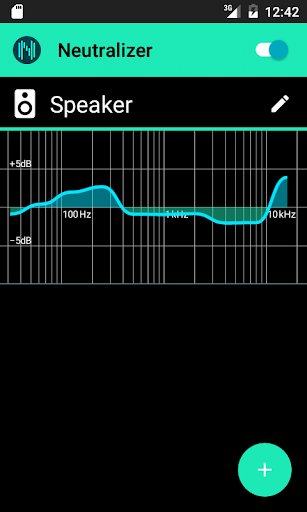
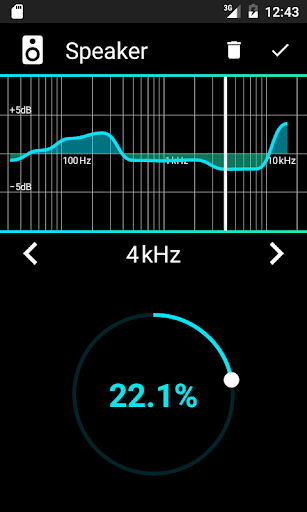
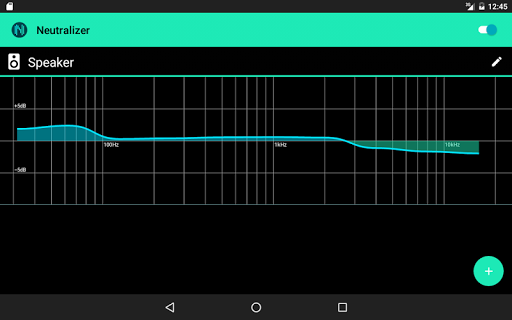
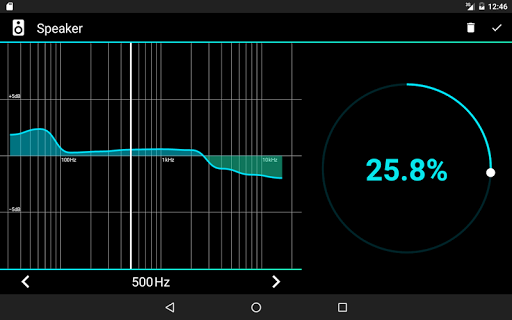
Neutralizer is an equalizer made for sound restoration in mind, contrary to many other products that offer ready made profiles for sound distortion. Everybody is different and everybody’s hearing is different. You have to test your hearing on devices that take active part in sound reproduction in order to be sure that any adjustments you make will work for you. We offer simple to use interface that needs very little explanations. It is self explanatory. And it is elegant.
Why Neutralizer?
If you would like to improve your listening experience on a mobile device, you would mostly come into conclusion that you need a better hardware. Although in most situations it might be true you don’t always know why.
This is because of so many parameters you have to take into account like: the digital to analog conversion, the signal frequency range, the amplification path, the speakers (or headphones) frequency response, the psychoacoustics and so on. You can measure each of the parameters, but to measure them all you only have one device—your ears.
One way to improve your hearing ability is to use sound enhancers like equalizers. Most of them distort sound quality but if you use it wisely, you can minimize the deficiencies of your acoustic tract. The key word here is “wisely”.
In order to do it wisely you have to make some tests to discover the problem.
And that’s what Neutralizer does. It tests your hearing ability in key frequency ranges and adapts the system equalizer to take it into account. As simple as that.
Current limitations: the sad fact is that Neutralizer will not work for everybody. There are mobile devices not compatible with our solution that don’t allow third party apps to control system equalizer. We are working towards a solution to satisfy everybody, but for the time being your mileage may vary. It is, what it is. Please don’t give us bad rating because of this. We told you so.
Mostre mais

1. Faça o download do instalador do MEmu e conclua a instalação

2. Inicie o MEmu e depois abra o Google Play na página inicial

3. Pesquise Neutralizer no Google Play
Install
4. Baixe e Instale Neutralizer
5. Na conclusão da instalação, clique no ícone para iniciar

6. º Experimente o Neutralizer no PC com o MEmu.
O MEmu Play é o melhor emulador Android gratuito, com 50 milhões de utilizadores a desfrutar da sua experiência superior com aplicações Android. A tecnologia de virtualização do MEmu permite-lhe executar milhares de aplicações Android sem problemas no seu computador, mesmo as mais exigentes.
Tela maior com gráficos melhores; Longa duração e sem limitação de bateria ou dados móveis.
Suporte completo ao Mapaeamento de Teclas para controle preciso do teclado e mouse ou gamepad.
Várias contas de jogos ou tarefas em um único PC de uma só vez com o Gerenciador de várias instâncias.
Use Neutralizer on PC by following steps: