OBD2 Car Scanner - ELM Torque
Atualizada
Versão atual
1.7.0
Oferecido por

Pare de se preocupar com sobrecargas ao usar OBD2 Car Scanner - ELM Torque no seu celular, liberte-se da pequena tela e aproveite o uso do aplicativo numa tela muito maior. A partir de agora, obtenha uma experiência em tela cheia do seu aplicativo com teclado e mouse. O MEmu oferece-lhe todos os recursos surpreendentes que você esperava: instalação rápida e configuração fácil, controles intuitivos, sem mais limitações de bateria, dados móveis e chamadas perturbadoras. O novíssimo MEmu 9 é a melhor opção para usar OBD2 Car Scanner - ELM Torque no seu computador. Codificado com a nossa absorção, o gerenciador de multi-instâncias possibilita a abertura de 2 ou mais contas ao mesmo tempo. E o mais importante, nosso mecanismo de emulação exclusivo pode liberar todo o potencial do seu PC, tornando tudo suave e agradável.
Mostre mais
Download do OBD2 Car Scanner - ELM Torque no PC com MEmu Android Emulador: Divirta-se jogando na tela grande. *OBD2 Car Scanner - ELM Torque* is designed to provide comprehensive diagnostics, real-time data monitoring, and maintenance guidance for your vehicle.
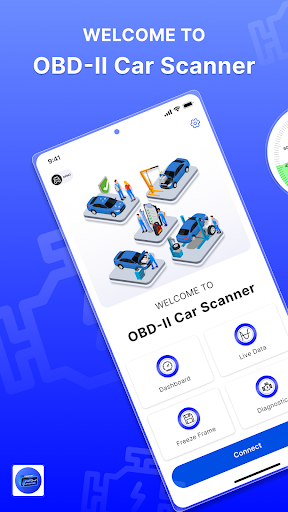
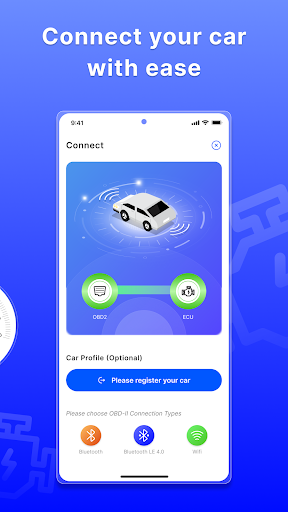
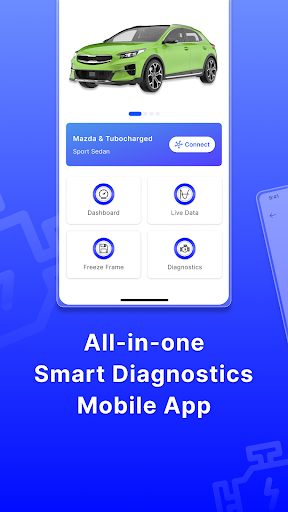
*OBD2 Car Scanner - ELM Torque* is designed to provide comprehensive diagnostics, real-time data monitoring, and maintenance guidance for your vehicle. It connects to your car's OBD2 engine management system via Wi-Fi or Bluetooth, offering seamless integration with a variety of compatible devices such as ELM327 adapters, Veepeak scanners, and more.
OBD2 Car Scanner - ELM Torque is your key to unlocking a world of benefits for your vehicle's maintenance and performance. Here's how our app can revolutionize your driving experience:
Comprehensive Diagnostics: Instantly access detailed information about your car's engine and transmission, empowering you to swiftly address any issues and ensure optimal performance.
Customizable Dashboard: Tailor your dashboard with personalized gauges and charts, providing you with the data that matters most to you at a glance.
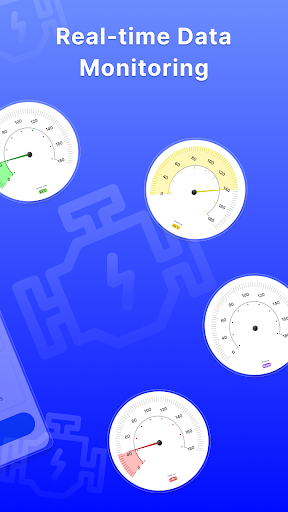
Real-Time Monitoring: Stay informed about your vehicle's health with real-time data from sensors, allowing you to address potential problems before they escalate.
Emissions Readiness: Easily determine if your vehicle is ready for emissions testing, saving you time and hassle during inspections.
ECU Self-Monitoring Test: Utilize advanced diagnostics to run self-monitoring tests on your vehicle's ECU, enabling you to troubleshoot and resolve issues with confidence.
Wide Compatibility: Enjoy seamless compatibility with a wide range of vehicles built after 1996, ensuring that you can use our app with confidence regardless of your car's make or model.
HUD Mode: Experience unparalleled convenience with our HUD mode, which allows you to project vital data directly onto your windshield for effortless monitoring while driving.
With *OBD2 Car Scanner - ELM Torque*, you'll have all the tools you need to take control of your vehicle's maintenance and performance, saving you time, money, and frustration in the long run. Unlock the full potential of your car today!
Up to now, our application supports the following car brand: Tesla, Toyota, Ford, Chevrolet, Chevy, Mercedes Benz, Jeep, Nissan, Hyundai, BMW, Audi, Honda, Lexus, VW, Volkswagen, Porsche, Mazda, GMC, Subaru, Maserati, Mitsubishi, Acura, Kia, Dodge, Volvo, Cadillac, Buick, Jaguar… and more. We also compatible with some OBD Brand & car connect app: FixD OBD 2, Bluedriver OBD2, Torque OBD, Torque Pro, Veepeak OBD2, ELM 327, OBD Doctor, OBD Fusion, Carly OBD, Tesla App, FordPass, Ford pass, Nissan Connect, My BMW, My Chevy, Kia connect, My Subaru, HondaLink, myChevrolet, Mercedes me, Uconnect
*OBD2 Car Scanner - ELM Torque* is an application that allows car owners to read and diagnose their vehicle's internal systems using the OBD 2 (On-Board Diagnostic) system. The app is compatible with a range of OBD 2 scanners, including FixD OBD, Bluedriver OBD, Torque OBD, Torque Pro, Veepeak OBD, ELM 327, OBD Doctor, OBD Fusion, and Carly OBD. And all car brand: Citroën, Jaguar, Aston Martin, Hyundai, Bugatti, Kia, Maserati, Bentley, Subaru, Renault, Lamborghini, Mitsubishi, Porsche, Chevrolet, Fiat, Volvo, Mini, GMC, Smart, Tesla, Honda, Audi, Ford, Land Rover, Peugeot, Buick, Lexus, Alfa Romeo, Infiniti, Rolls-Royce, Skoda, Mazda, Volkswagen, Nissan, Jeep, McLaren, BMW, Mercedes-Benz, Toyota, Acura, Suzuki, Chrysler, Opel, Lotus, Daihatsu, Pagani, Seat, SsangYong, Lancia, Dacia, MG, Maybach, Ram, Hummer, Genesis, Alpine, Aston Martin,.. and more
Let check your FixD OBD, Bluedriver OBD, Torque OBD, Torque Pro, Veepeak OBD, ELM 327, OBD Doctor, OBD Fusion, Carly OBD,.. with OBD2 Car Scanner - ELM Torque
Mostre mais

1. Faça o download do instalador do MEmu e conclua a instalação

2. Inicie o MEmu e depois abra o Google Play na página inicial

3. Pesquise OBD2 Car Scanner - ELM Torque no Google Play
Install
4. Baixe e Instale OBD2 Car Scanner - ELM Torque
5. Na conclusão da instalação, clique no ícone para iniciar

6. º Experimente o OBD2 Car Scanner - ELM Torque no PC com o MEmu.
O MEmu Play é o melhor emulador Android gratuito, com 50 milhões de utilizadores a desfrutar da sua experiência superior com aplicações Android. A tecnologia de virtualização do MEmu permite-lhe executar milhares de aplicações Android sem problemas no seu computador, mesmo as mais exigentes.
Tela maior com gráficos melhores; Longa duração e sem limitação de bateria ou dados móveis.
Suporte completo ao Mapaeamento de Teclas para controle preciso do teclado e mouse ou gamepad.
Várias contas de jogos ou tarefas em um único PC de uma só vez com o Gerenciador de várias instâncias.
Use OBD2 Car Scanner - ELM Torque on PC by following steps: