Peegle Live - Live Stream
Atualizada
Versão atual
5.1
Oferecido por

Pare de se preocupar com sobrecargas ao usar Peegle Live - Live Stream no seu celular, liberte-se da pequena tela e aproveite o uso do aplicativo numa tela muito maior. A partir de agora, obtenha uma experiência em tela cheia do seu aplicativo com teclado e mouse. O MEmu oferece-lhe todos os recursos surpreendentes que você esperava: instalação rápida e configuração fácil, controles intuitivos, sem mais limitações de bateria, dados móveis e chamadas perturbadoras. O novíssimo MEmu 9 é a melhor opção para usar Peegle Live - Live Stream no seu computador. Codificado com a nossa absorção, o gerenciador de multi-instâncias possibilita a abertura de 2 ou mais contas ao mesmo tempo. E o mais importante, nosso mecanismo de emulação exclusivo pode liberar todo o potencial do seu PC, tornando tudo suave e agradável.
Mostre mais
Download do Peegle Live - Live Stream no PC com MEmu Android Emulador: Divirta-se jogando na tela grande. On Peegle Live, users will enjoy a new way to entertainment on this social media platform.
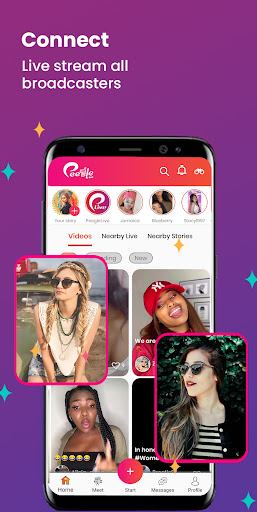
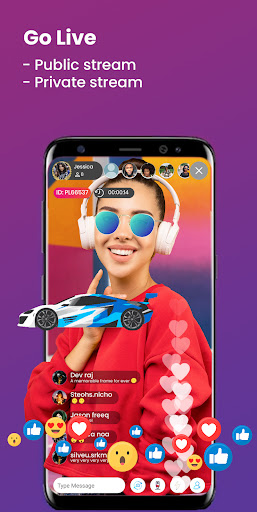
On Peegle Live, users will enjoy a new way to entertainment on this social media platform. You can get rid of boredom, have funs and interesting interactions with the broadcasters real time.
Anyone can be a broadcaster. Anyone can showcase their talent and impress the crowd. You can become an influencer or internet celebrity. Earn your popularity and wealth. Get followers, gain fans, receive gifts, make money and become an idol.
Many different categories of live content waiting for you to discover and to interact with.
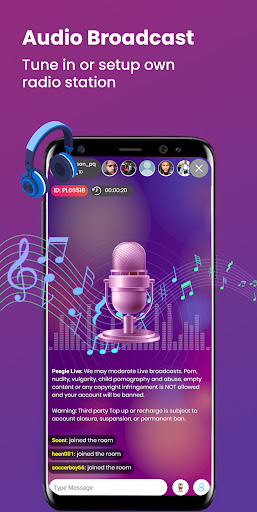
Tune in to any audio broadcastings or setup your own radio station on Peegle.
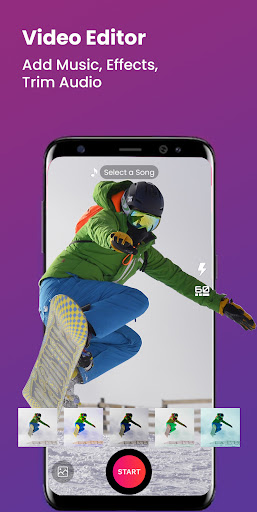
Post short video content and share your lifestyle, showcase your talents, be a popular vlogger.
Post your daily status and share your life, interesting content with all your followers and friends. You can also add friends and chat with them.
We are a social media platform where our users are free to express their content. They could be using our features such as post or live function which may include news element.
Also we will be launching a News section where we will be partnering with local news agencies and media bloggers to release their news content.
Discover more interesting features in our App.
Mostre mais

1. Faça o download do instalador do MEmu e conclua a instalação

2. Inicie o MEmu e depois abra o Google Play na página inicial

3. Pesquise Peegle Live - Live Stream no Google Play
Install
4. Baixe e Instale Peegle Live - Live Stream
5. Na conclusão da instalação, clique no ícone para iniciar

6. º Experimente o Peegle Live - Live Stream no PC com o MEmu.
O MEmu Play é o melhor emulador Android gratuito, com 50 milhões de utilizadores a desfrutar da sua experiência superior com aplicações Android. A tecnologia de virtualização do MEmu permite-lhe executar milhares de aplicações Android sem problemas no seu computador, mesmo as mais exigentes.
Tela maior com gráficos melhores; Longa duração e sem limitação de bateria ou dados móveis.
Suporte completo ao Mapaeamento de Teclas para controle preciso do teclado e mouse ou gamepad.
Várias contas de jogos ou tarefas em um único PC de uma só vez com o Gerenciador de várias instâncias.
Use Peegle Live - Live Stream on PC by following steps: