Roku Smart Home
Atualizada
Versão atual
3.1.3.388
Oferecido por

Pare de se preocupar com sobrecargas ao usar Roku Smart Home no seu celular, liberte-se da pequena tela e aproveite o uso do aplicativo numa tela muito maior. A partir de agora, obtenha uma experiência em tela cheia do seu aplicativo com teclado e mouse. O MEmu oferece-lhe todos os recursos surpreendentes que você esperava: instalação rápida e configuração fácil, controles intuitivos, sem mais limitações de bateria, dados móveis e chamadas perturbadoras. O novíssimo MEmu 9 é a melhor opção para usar Roku Smart Home no seu computador. Codificado com a nossa absorção, o gerenciador de multi-instâncias possibilita a abertura de 2 ou mais contas ao mesmo tempo. E o mais importante, nosso mecanismo de emulação exclusivo pode liberar todo o potencial do seu PC, tornando tudo suave e agradável.
Mostre mais
Download do Roku Smart Home no PC com MEmu Android Emulador: Divirta-se jogando na tela grande. The simple way to a smarter home.
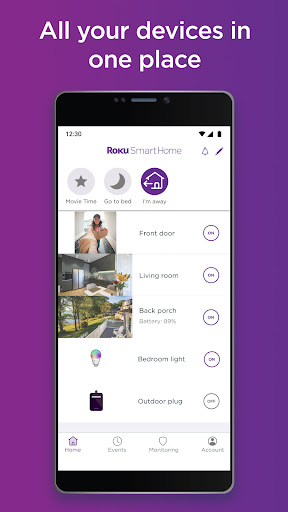
The simple way to a smarter home. The Roku Smart Home mobile app is the only smart home manager you need for your Roku Smart Home devices—indoor and outdoor home security cameras, video doorbells, smart bulbs, smart light strips, smart plugs, and more. Easily set up your smart home devices, customize your settings, and more all in the Roku Smart Home device manager. See all your devices in one place and group them to control your entire house at once.
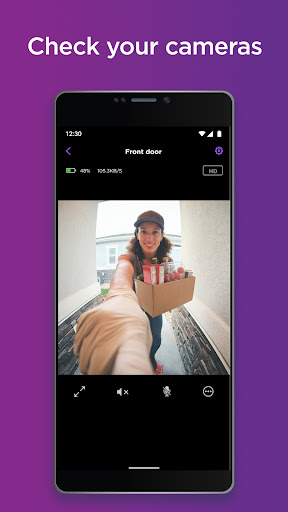
The Roku Smart Home mobile app is your one and only home camera app. With your smart home manager, you can easily set up Roku home security cameras and video doorbells and customize camera settings in a tap. Monitor your home from anywhere in the app—get instant motion or sound notifications when there’s activity, pull up live footage from your home security camera or video doorbell, and even have a chat with two-way audio. You can customize notifications and motion detection zones, so you only get the alerts you want. With a Roku Smart Home subscription, you can unlock cloud storage and view motion-triggered recordings for up to 14 days. Also included in the subscription is smart detection, which identifies people, pets, packages, and cars and allows you to filter alerts—so you only get the ones you decide are important.* Home security has never been this easy.
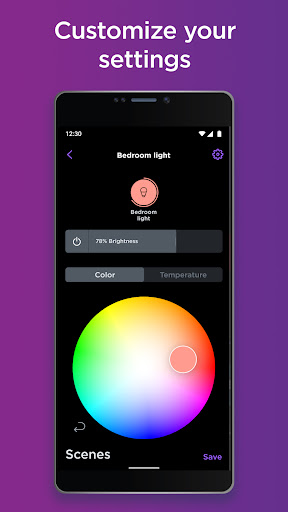
Roku smart lights brighten up any space in your home with customizable LED bulbs and smart light strips. Your smart home manager also allows you to quickly and easily customize light settings for your smart bulbs and smart light strips with a tap. Change colors, save custom presets, adjust brightness, and create rules that put your lights on your schedule—even when you’re not home.
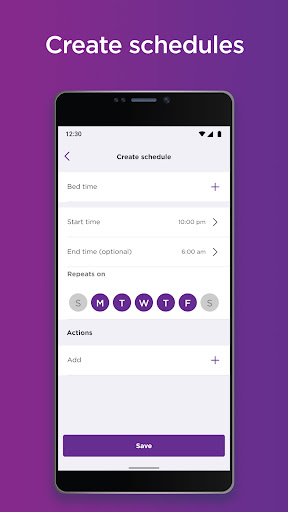
With Roku smart plugs, control indoor lamps, outdoor holiday lights, or any compatible device remotely in the app. Customize your plug’s settings in your smart home manager to give your home power when you need it. Create custom schedules for your plugs to switch on or off. You’re in full control.
When it comes to installing your smart home devices, your smart home manager makes setup a breeze. All Roku Smart Home products have a surprisingly simple guided setup in the Roku Smart Home mobile app.
*Sign up for Roku Smart Home subscription by logging into your Roku account.
Privacy Policy: go.roku.com/privacypolicy
CA Privacy Notice: https://docs.roku.com/published/userprivacypolicy/en/us#userprivacypolicy-en_us-CCPA
Mostre mais

1. Faça o download do instalador do MEmu e conclua a instalação

2. Inicie o MEmu e depois abra o Google Play na página inicial

3. Pesquise Roku Smart Home no Google Play
Install
4. Baixe e Instale Roku Smart Home
5. Na conclusão da instalação, clique no ícone para iniciar

6. º Experimente o Roku Smart Home no PC com o MEmu.
O MEmu Play é o melhor emulador Android gratuito, com 50 milhões de utilizadores a desfrutar da sua experiência superior com aplicações Android. A tecnologia de virtualização do MEmu permite-lhe executar milhares de aplicações Android sem problemas no seu computador, mesmo as mais exigentes.
Tela maior com gráficos melhores; Longa duração e sem limitação de bateria ou dados móveis.
Suporte completo ao Mapaeamento de Teclas para controle preciso do teclado e mouse ou gamepad.
Várias contas de jogos ou tarefas em um único PC de uma só vez com o Gerenciador de várias instâncias.
Use Roku Smart Home on PC by following steps: