Slice Wallet
Atualizada
Versão atual
1.3.0
Oferecido por

Pare de se preocupar com sobrecargas ao usar Slice Wallet no seu celular, liberte-se da pequena tela e aproveite o uso do aplicativo numa tela muito maior. A partir de agora, obtenha uma experiência em tela cheia do seu aplicativo com teclado e mouse. O MEmu oferece-lhe todos os recursos surpreendentes que você esperava: instalação rápida e configuração fácil, controles intuitivos, sem mais limitações de bateria, dados móveis e chamadas perturbadoras. O novíssimo MEmu 9 é a melhor opção para usar Slice Wallet no seu computador. Codificado com a nossa absorção, o gerenciador de multi-instâncias possibilita a abertura de 2 ou mais contas ao mesmo tempo. E o mais importante, nosso mecanismo de emulação exclusivo pode liberar todo o potencial do seu PC, tornando tudo suave e agradável.
Mostre mais
Download do Slice Wallet no PC com MEmu Android Emulador: Divirta-se jogando na tela grande. Slice Wallet for Sumcoin!
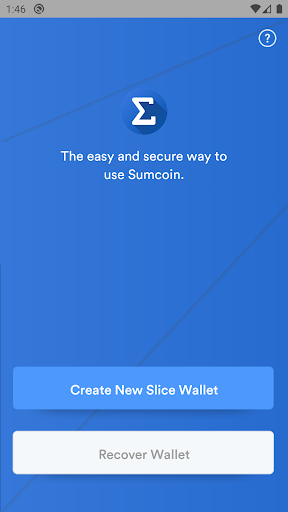
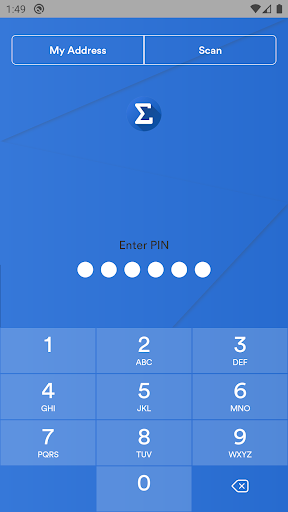
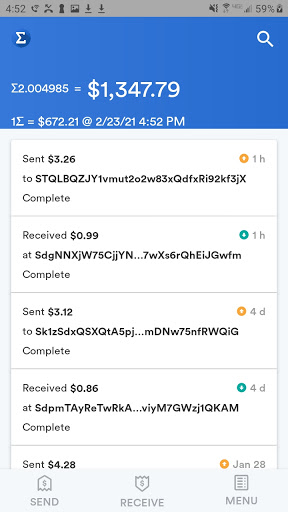
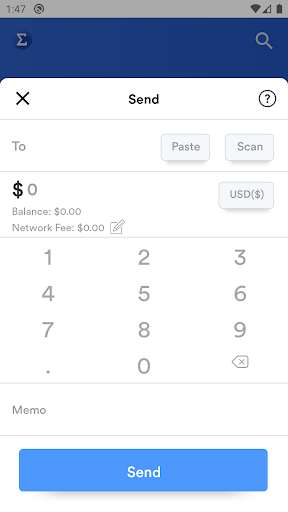
Slice Wallet for Sumcoin! The Worlds Crypto Currency Index by SumcoinIndex.com | Sumcoin is a peer to peer crypto currency. Any two people with a wallet can trade to one another.
** It is YOUR RESPONSIBILITY to write down your private keys **
Sumcoin is a cryptographic blockchain and the worlds first cryptographic Index which uses a proof-of-work algorithm to unlock coins. Its maximum targeted processing time is only 3 mins with a maximum supply of only 100 M coins. Sumcoin is also Segwit enabled.
• The Index
• Sumcoin, or the "SUM" of coins means that it tracks all coins in near real time from over 2200 different data points. Sumcoin is continuously aggregating and finds what the current top 100 coins are by global market cap. The "SUM" price is generated using an algorithm based on the market fluctuations of the top 100 coins.
• Given the speed, security and simplicity being able to hold the "SUM" of the market in only one coin, Sumcoin is for those who want to gain maximum exposure to the crypto space but may only want to hold one coin for simplicity, which can reduce risk factors. As the value is spread across 100 coins, there is a great reduction of volatility to Sumcoin vs any other coin.
• Sumcoin Mining works with Slice Wallet.
• SLICE WALLET
* Your purchase of Slice Wallet does not include any Sumcoins. Slice Wallet is like it sounds, a Wallet. It allows you to store and use your Sumcoins in a safe and easy way.
• Slice Wallet is the first standalone Sumcoin Wallet built for iOS with a focus on accessibility, security and simplicity. Developed by Sumcoinlabs, Slice Wallet makes getting started with Sumcoin easier than ever!
• There aren't any hidden servers to backup or store your coins, you're in control 100%.
• Backup and recover your wallet on any device with the 'recovery phrase' generated by the app. Even if you lose your phone you will not lose your Sumcoin.
• As long as you store the (12) generated words in order #1-#12, keep in a vault and NEVER share, you can have complete confidence in being your own bank.
• NEVER backup your recovery words using a camera/photo
• Send and receive Sumcoin at the touch of a button, anytime, anywhere and to anyone else using Slice Wallet.
• SliceWallet is available in the following languages and even more currencies:
Chinese (Simplified and traditional)
Danish
Dutch
English
French
German
Italian
Japanese
Korean
Portuguese
Russian
Spanish
Swedish
• AES hardware encryption, app sandboxing and keychain and code signatures helps protect your Sumcoin and keeps it safe from malware and basic security flaws.
• Slice Wallet connects directly to the Sumcoin Network with simple payment verification - with no need to store ALL the blocks of the blockchain, Slice Wallet is ready when you are.
• Manage your finances in the palm of your hand and on your wrist with iPhone and Apple Watch support.
Slice Wallet is the official SPV Wallet of Sumcoin, Sumcoin Index, and was designed by, made by and funded by the creator of Sumcoin.
The goal was to solve the problem of volatility and create a safer store of value. Blockchain could be an incredible tool for businesses and governments.
Track the Market, Trade the Market, with Sumcoin.
Mostre mais

1. Faça o download do instalador do MEmu e conclua a instalação

2. Inicie o MEmu e depois abra o Google Play na página inicial

3. Pesquise Slice Wallet no Google Play
Install
4. Baixe e Instale Slice Wallet
5. Na conclusão da instalação, clique no ícone para iniciar

6. º Experimente o Slice Wallet no PC com o MEmu.
O MEmu Play é o melhor emulador Android gratuito, com 50 milhões de utilizadores a desfrutar da sua experiência superior com aplicações Android. A tecnologia de virtualização do MEmu permite-lhe executar milhares de aplicações Android sem problemas no seu computador, mesmo as mais exigentes.
Tela maior com gráficos melhores; Longa duração e sem limitação de bateria ou dados móveis.
Suporte completo ao Mapaeamento de Teclas para controle preciso do teclado e mouse ou gamepad.
Várias contas de jogos ou tarefas em um único PC de uma só vez com o Gerenciador de várias instâncias.
Use Slice Wallet on PC by following steps: