Verizon Protect
Atualizada
Versão atual
8.3.0-16
Oferecido por

Pare de se preocupar com sobrecargas ao usar Verizon Protect no seu celular, liberte-se da pequena tela e aproveite o uso do aplicativo numa tela muito maior. A partir de agora, obtenha uma experiência em tela cheia do seu aplicativo com teclado e mouse. O MEmu oferece-lhe todos os recursos surpreendentes que você esperava: instalação rápida e configuração fácil, controles intuitivos, sem mais limitações de bateria, dados móveis e chamadas perturbadoras. O novíssimo MEmu 9 é a melhor opção para usar Verizon Protect no seu computador. Codificado com a nossa absorção, o gerenciador de multi-instâncias possibilita a abertura de 2 ou mais contas ao mesmo tempo. E o mais importante, nosso mecanismo de emulação exclusivo pode liberar todo o potencial do seu PC, tornando tudo suave e agradável.
Mostre mais
Desfrute de uma experiência incrível utilizando o Verizon Protect no PC com o MEmu Play. É um poderoso emulador Android gratuito que oferece milhares de aplicações Android nas suas versões para desktop. Estabeleça ligação com amigos e aprimore o seu trabalho com mais eficiência! Verizon Protect is a comprehensive security app designed to enhance your mobile security and privacy protection.
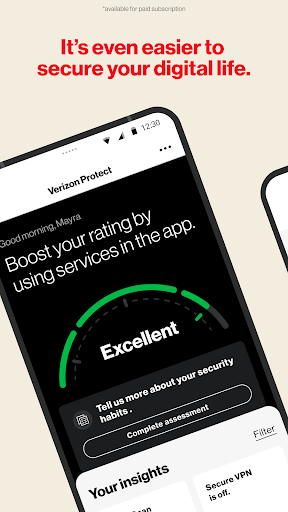
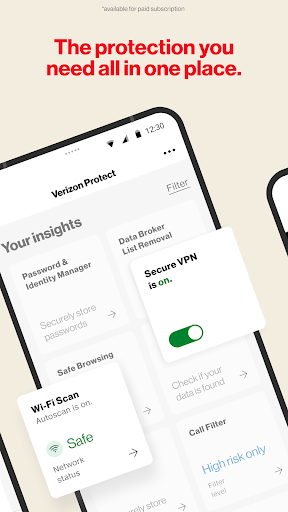
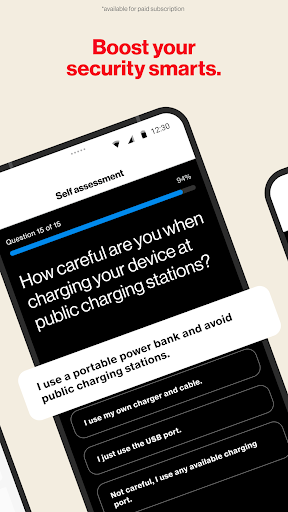
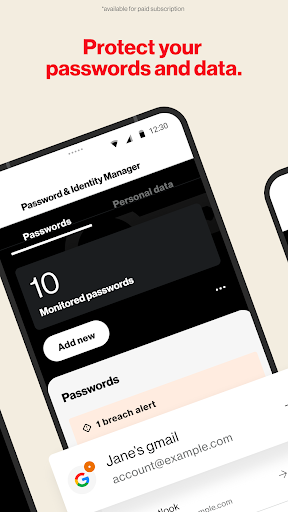
Verizon Protect is a comprehensive security app designed to enhance your mobile security and privacy protection. Whether browsing online, connecting to public Wi-Fi, or simply wanting an extra layer of device and identity security, Verizon Protect has you covered.
Here’s how Verizon Protect, the Verizon security app, keeps you protected:
• Safe Browsing: Avoid risky websites and potential online threats with our antivirus app features. Verizon Protect uses the AccessibilityService API to run in the background to read URLs of websites entered into third-party browsers, to help notify you of potential threats.
• Malware Scan: Identify and remove viruses, malware and other suspicious software in photos, media and other files on your device.
• Wi-Fi Scan: Scan any network with our built-in Wi-Fi scanner to ensure it’s encrypted and safe.
• Identity theft protection: Proactively safeguard your identity with dark web monitoring, data broker removal, and more.
With Digital Secure Premium*, you’ll get end-point security for your mobile devices, including:
• Secure VPN: Ensure your Wi-Fi connection is secure, your location is disguised and your personal information stays private.
• Dark Web Monitoring: Get alerted if your personal information is found on the dark web.
• Security Advisor: Chat with an expert 24/7 to get guidance and security tips.
• Protect More Devices: Stay protected with comprehensive digital security for Mac and Windows desktop computers.
With Identity Secure*, you’ll get tools and services to help reduce the likelihood of identity theft, including:
• Password and Identity Manager: Securely create and autofill your passwords across devices and operating systems.
• Data Broker List Removal: Scan and request removal of your personal info from online databases that sell and trade data.
• Social Media Monitoring: Monitor and get alerted of potential account takeover or reputation risks.
• Locked Folder: Securely store your most important files with a 6-digit pin.
• Identity Restoration Services: 24/7 access to restoration experts in case of identity theft.
It’s your digital world. Keep it yours. Download Verizon Protect today!
*Digital Secure Premium services and Identity Secure services require paid subscriptions, which can be added via this app or My Verizon Online.
Mostre mais

1. Faça o download do instalador do MEmu e conclua a instalação

2. Inicie o MEmu e depois abra o Google Play na página inicial

3. Pesquise Verizon Protect no Google Play
Install
4. Baixe e Instale Verizon Protect
5. Na conclusão da instalação, clique no ícone para iniciar

6. º Experimente o Verizon Protect no PC com o MEmu.
O MEmu Play é o melhor emulador Android gratuito, com 50 milhões de utilizadores a desfrutar da sua experiência superior com aplicações Android. A tecnologia de virtualização do MEmu permite-lhe executar milhares de aplicações Android sem problemas no seu computador, mesmo as mais exigentes.
Tela maior com gráficos melhores; Longa duração e sem limitação de bateria ou dados móveis.
Suporte completo ao Mapaeamento de Teclas para controle preciso do teclado e mouse ou gamepad.
Várias contas de jogos ou tarefas em um único PC de uma só vez com o Gerenciador de várias instâncias.
Use Verizon Protect on PC by following steps: