
Captions: For Talking Videos
Обновлено
Текущая версия
2.21.0
Продавец

Перестаньте беспокоиться о быстром разряде батареи при использовании Captions: For Talking Videos на вашем телефоне. Освободитесь от крошечного экрана и наслаждайтесь приложением на гораздо большем экране. Теперь вы можете работать с приложением в полноэкранном режиме с удобством клавиатуры и мыши. MEmu предлагает вам все ожидаемые удивительные функции: быструю установку и простую настройку, интуитивно понятное управление и больше никаких забот о времени автономной работы, мобильном трафике или неожиданных звонках. Совершенно новый MEmu 9 — идеальный выбор для использования Captions: For Talking Videos на вашем компьютере. С помощью менеджера нескольких экземпляров MEmu вы можете одновременно использовать два или более аккаунтов. И самое главное, наш эксклюзивный движок эмуляции раскрывает весь потенциал вашего ПК, обеспечивая плавную и приятную работу.
Показать больше
Скачайте Captions: For Talking Videos на ПК с помощью Андроид эмулятора MEmu. Наслаждайтесь на большом экране. Say it with a video.
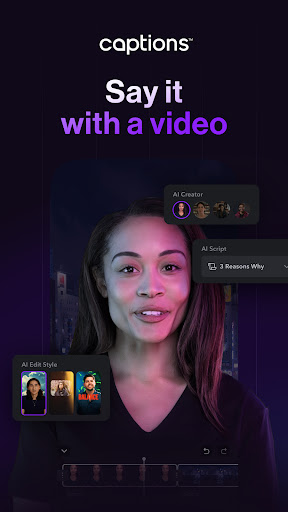
Say it with a video
Captions revolutionizes video creation and editing with advanced AI, allowing you to create videos you’re proud to share quickly and easily. Ideal for content creators, marketers, small businesses, and media agencies, Captions provides all the tools you need to create engaging, high-quality videos right from your phone.
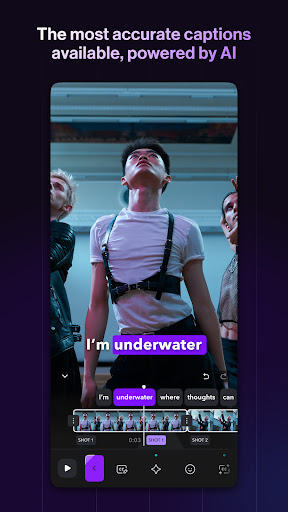
The most accurate automatic captions and subtitles
•Automatic captions: Add customizable auto subtitles powered by cutting-edge speech recognition technology.
•Add static text to video: Enhance your content with easy text editing.
•Subtitle generation: Create eye-catching, dynamic word-by-word video subtitles.
•Generate Captions and Hashtags: Simplify editing for Instagram (IG captions), TikTok, YouTube, Shorts, and more.
Edit and customize your content
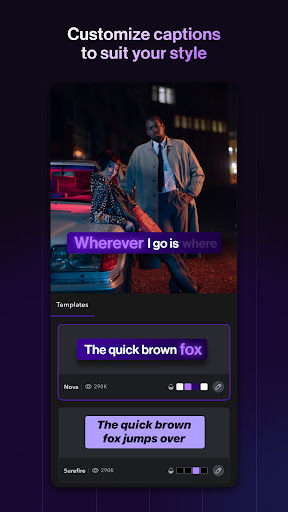
•Wide range of caption templates: Choose from viral and classic caption styles.
•Customizable styles: Keep your content on-brand with customized colors and styles.
•Comprehensive video editor: Use Captions’ full video editing suite of tools for X, Reels, IG Stories, Threads, and more.
Expand your reach with translation and dubbing
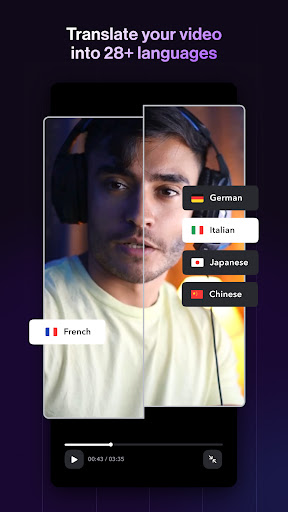
•Multilingual dubbing: Automatically dub your content into 29+ languages in your own voice.
•Subtitle translation: Translate video subtitles into 29+ languages to grow your global audience.
•Accurate transcription: Transcribe spoken content to text for easy editing and translation.
Enhance video quality with AI effects
•AI eye contact: Correct your eye contact even when reading from a script.
•AI zooms: Instantly add relevant zooms personalized to your content.
•AI sounds: Automatically generate relevant sounds for your videos.
•Video transition effects: Keep your videos engaging with smooth transitions.
•Template library: Select from an extensive library of trending templates and styles.
Create accessible content
•Create inclusive videos: With over 6% of the global population experiencing hearing loss, adding captions makes your videos inclusive and enjoyable for everyone.
•No more language barriers: Make your message accessible to a broader audience by dubbing your content into multiple languages, so you can grow your international audience.
•Support for noisy environments: Boost engagement with dynamic closed captions (cc), preferred by the 85% of viewers who watch videos without sound.
Why choose captions?
Trusted by over 10M+ people, Captions offers the easiest way to create and edit talking videos with AI. Try Captions today.
Start your free trial now.
Terms of Use: https://www.captions.ai/legal/terms
Privacy Policy: https://www.captions.ai/legal/privacy
Показать больше

1. Скачать инсталлятор MEmu и завершайте установку

2. Запускайте MEmu, затем откройте Google Play на главной странице

3. Ищите Captions: For Talking Videos в Google Play
Install
4. Скачайте и установите Captions: For Talking Videos
5. При завершении установки, нажмите на значок для старта

6. Наслаждайтесь Captions: For Talking Videos на своем компьютере с помощью MEmu.
MEmu Play — лучший бесплатный эмулятор Android, превосходный опыт работы с которым оценили 50 миллионов пользователей. Технология виртуализации MEmu позволяет без проблем запускать тысячи Android-приложений на вашем компьютере, даже самые требовательные.
Большой экран с лучшей графикой; Большая продолжительность, без ограничения батареи или мобильных данных.
Полная поддержка установки клавиш для точного управления клавиатурой и мышью или геймпадом.
Несколько игровых учетных записей или задач на одном компьютере одновременно с менеджером нескольких экземпляров.
Use Captions: For Talking Videos on PC by following steps: