Death Clock
Обновлено
Текущая версия
v2.7.0
Продавец

Перестаньте беспокоиться о быстром разряде батареи при использовании Death Clock на вашем телефоне. Освободитесь от крошечного экрана и наслаждайтесь приложением на гораздо большем экране. Теперь вы можете работать с приложением в полноэкранном режиме с удобством клавиатуры и мыши. MEmu предлагает вам все ожидаемые удивительные функции: быструю установку и простую настройку, интуитивно понятное управление и больше никаких забот о времени автономной работы, мобильном трафике или неожиданных звонках. Совершенно новый MEmu 9 — идеальный выбор для использования Death Clock на вашем компьютере. С помощью менеджера нескольких экземпляров MEmu вы можете одновременно использовать два или более аккаунтов. И самое главное, наш эксклюзивный движок эмуляции раскрывает весь потенциал вашего ПК, обеспечивая плавную и приятную работу.
Показать больше
Скачайте Death Clock на ПК с помощью Андроид эмулятора MEmu. Наслаждайтесь на большом экране. Death Clock uses advanced AI technology to help you understand how your habits may influence your life expectancy, guiding you toward healthier choices.

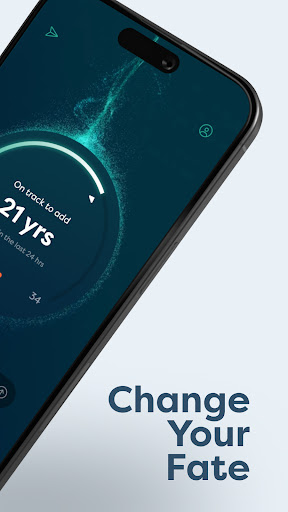

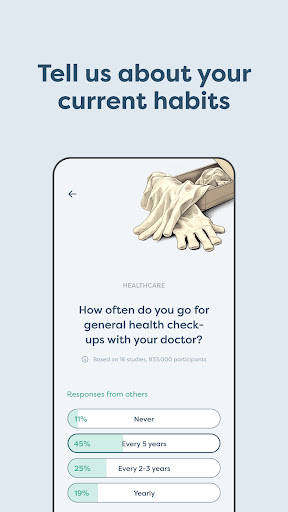
Death Clock uses advanced AI technology to help you understand how your habits may influence your life expectancy, guiding you toward healthier choices.
Insightful and Science-Backed: The app provides estimates based on scientifically backed data, giving you insights into your potential lifespan based on your current habits. These estimates are designed to inform and motivate healthier lifestyle decisions.
Terms of Use - https://deathclock.co/terms-of-use
Privacy Policy - https://deathclock.co/privacy-policy
Key Features:
- Questionnaire: Start by sharing details about your habits, and let our AI analyze your lifestyle.
- Receive Estimates: Get insights into your potential life expectancy, biological age, and overall health score. These estimates help you better understand the impact of your habits.
- Longevity Plan: After receiving your personalized health recommendations—including behavioral changes, supplements, cancer screenings, labs and bloodwork, and topics to discuss with your doctor—you can add them to your habits.
- Longevity Plan. Track and mark each step as complete, taking control of your health and making decisions that may help you live better, longer.
- Document Upload: Store important health documents, such as blood tests, securely in one place, making it easier to have access to them when you need it.
- Chat with Your AI Companion: Engage in conversations with your personalized health companion AI, which offers tailored advice based on the health data you provide through the questionnaire and uploaded documents.
Disclaimer: Death Clock is intended for informational purposes only and is not a substitute for professional medical advice, diagnosis, or treatment. Always consult with your doctor before making any health-related decisions or lifestyle changes.
Показать больше

1. Скачать инсталлятор MEmu и завершайте установку

2. Запускайте MEmu, затем откройте Google Play на главной странице

3. Ищите Death Clock в Google Play
Install
4. Скачайте и установите Death Clock
5. При завершении установки, нажмите на значок для старта

6. Наслаждайтесь Death Clock на своем компьютере с помощью MEmu.
MEmu Play — лучший бесплатный эмулятор Android, превосходный опыт работы с которым оценили 50 миллионов пользователей. Технология виртуализации MEmu позволяет без проблем запускать тысячи Android-приложений на вашем компьютере, даже самые требовательные.
Большой экран с лучшей графикой; Большая продолжительность, без ограничения батареи или мобильных данных.
Полная поддержка установки клавиш для точного управления клавиатурой и мышью или геймпадом.
Несколько игровых учетных записей или задач на одном компьютере одновременно с менеджером нескольких экземпляров.
Use Death Clock on PC by following steps: