Death Clock
更新日
現在のバージョン
v2.8.1
提供元

スマートフォンは不要!パソコンと同じようにキーボードとマウスで操作できます。MEmu Playは、あなたが待ち望んでいたすべての楽しみをお届けします。バッテリー残量や小さな画面を気にすることなく、Death Clockをご利用ください。最新のMEmu 9は、Death ClockをPCで体験するのに最適です!完璧なキーマッピングシステムにより、PCのようなスムーズな操作性を実現します。マルチインスタンス機能により、複数のアプリケーションを同時に実行できます。独自の仮想化エンジンがPCのパフォーマンスを最大限に引き出します。アプリを使用するだけでなく、高品質な体験を得ることができます。
もっと見る
Death ClockをPCでダウンロード!大画面でより楽しむ。電源が落ちてしまうとか通信料が足りないとかの問題を心配する必要がなく、PCの大画面でより快適にゲームを楽しましょう! Death Clock uses advanced AI technology to help you understand how your habits may influence your life expectancy, guiding you toward healthier choices.
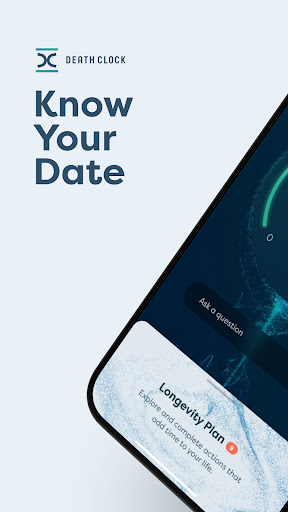
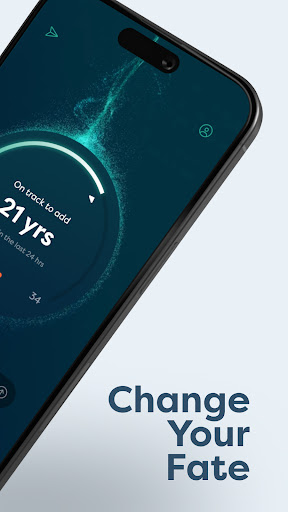

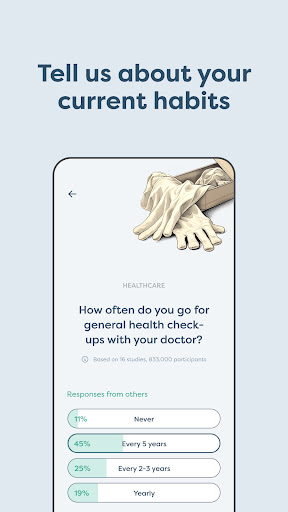
Death Clock uses advanced AI technology to help you understand how your habits may influence your life expectancy, guiding you toward healthier choices.
Insightful and Science-Backed: The app provides estimates based on scientifically backed data, giving you insights into your potential lifespan based on your current habits. These estimates are designed to inform and motivate healthier lifestyle decisions.
Terms of Use - https://deathclock.co/terms-of-use
Privacy Policy - https://deathclock.co/privacy-policy
Key Features:
- Questionnaire: Start by sharing details about your habits, and let our AI analyze your lifestyle.
- Receive Estimates: Get insights into your potential life expectancy, biological age, and overall health score. These estimates help you better understand the impact of your habits.
- Longevity Plan: After receiving your personalized health recommendations—including behavioral changes, supplements, cancer screenings, labs and bloodwork, and topics to discuss with your doctor—you can add them to your habits.
- Longevity Plan. Track and mark each step as complete, taking control of your health and making decisions that may help you live better, longer.
- Document Upload: Store important health documents, such as blood tests, securely in one place, making it easier to have access to them when you need it.
- Chat with Your AI Companion: Engage in conversations with your personalized health companion AI, which offers tailored advice based on the health data you provide through the questionnaire and uploaded documents.
Disclaimer: Death Clock is intended for informational purposes only and is not a substitute for professional medical advice, diagnosis, or treatment. Always consult with your doctor before making any health-related decisions or lifestyle changes.
もっと見る

1. MEmuインストーラーをダウンロードしてセットアップを完了する

2. MEmuを起動し、デスクトップでのPlayストアを開く

3. PlayストアでDeath Clockを検索する
Install
4. Death Clockをダウンロードしてインストールする
5. インストールが完了したら、アイコンをクリックしてスタート

6. MEmuを使ってパソコンでDeath Clockを体験する
MEmu Playは現在、最高の無料Androidエミュレーターであり、5,000万人のユーザーが優れたAndroidアプリ体験を楽しんでいます。MEmuの仮想化テクノロジーにより、数千ものAndroidアプリをコンピューターでスムーズに実行できます。
大画面でより精細;無限の待機、電池とドラフィックの極限を超え
キーボード・マウス・コントローラーを全力でサポート、より快適
マルチインスタンスで複数のゲームを同時に実行
Use Death Clock on PC by following steps: