Dollmore - Global
Обновлено
Текущая версия
1.3.6
Продавец

Перестаньте беспокоиться о быстром разряде батареи при использовании Dollmore - Global на вашем телефоне. Освободитесь от крошечного экрана и наслаждайтесь приложением на гораздо большем экране. Теперь вы можете работать с приложением в полноэкранном режиме с удобством клавиатуры и мыши. MEmu предлагает вам все ожидаемые удивительные функции: быструю установку и простую настройку, интуитивно понятное управление и больше никаких забот о времени автономной работы, мобильном трафике или неожиданных звонках. Совершенно новый MEmu 9 — идеальный выбор для использования Dollmore - Global на вашем компьютере. С помощью менеджера нескольких экземпляров MEmu вы можете одновременно использовать два или более аккаунтов. И самое главное, наш эксклюзивный движок эмуляции раскрывает весь потенциал вашего ПК, обеспечивая плавную и приятную работу.
Показать больше
Скачайте Dollmore - Global на ПК с помощью Андроид эмулятора MEmu. Наслаждайтесь на большом экране. App service for shopping mall members!
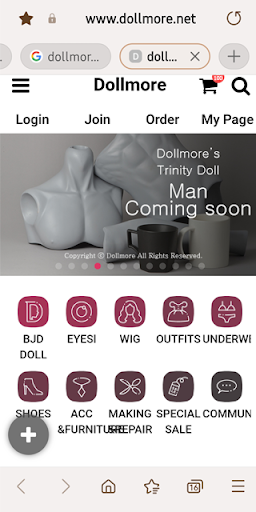
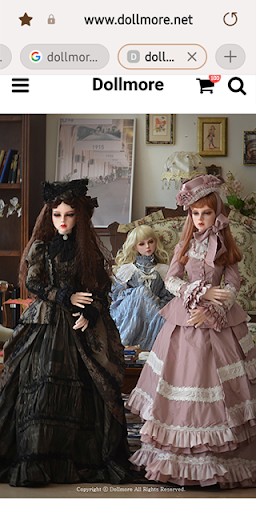
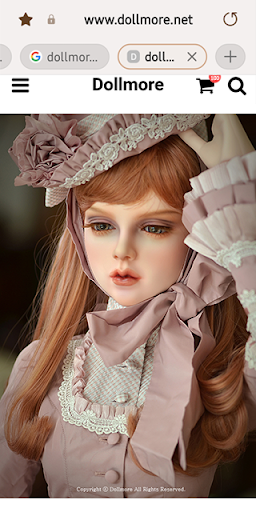
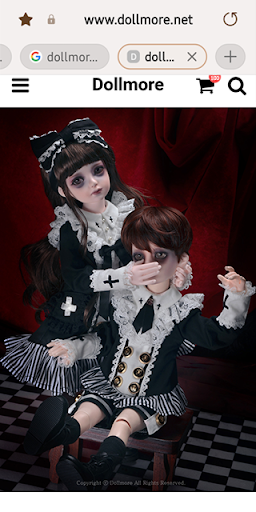
App service for shopping mall members! From real-time notifications to exclusive benefits for app members~ A must-have app for shopping mall members!
main function
01 Push notifications only for app members!
When is the event sale? Were you worried that you might have missed it?
Don't worry, there are now smart push notifications that notify you in real time!
We inform you of various event information and benefits in real time only for members who have installed the app.
02 Easy login, abundant benefits!
The hassle of having to log in every time you shop is eliminated through the member authentication function!
What if you are not a member? Just enter your ID and e-mail address, register as a simple member and get the benefits.
03 Invite Friends, Enjoy double happiness!
Invite your friends and get various benefits such as discount coupons and points.
Invited friends can also receive benefits by entering their reference person name.
04 One-touch, simple delivery inquiry
Check the shipping status that changes in real time, now easily.
You can find out where your ordered products are moving now with just one click.
05 Mobile membership card
Membership barcodes are automatically issued to members who have installed the app, allowing one-stop shopping from checking member information to earning and receiving various benefits with just one scan of the barcode when visiting an offline store.
■ Information on app access rights
In accordance with Article 22-2 of the 「Act on Promotion of Information and Communications Network Utilization and Information Protection, etc.」, we are receiving consent from users for the ‘app access rights’ for the following purposes.
We are accessing only essential items for the service.
Even if the items of selective access are not allowed, the service can be used, and the contents are as follows.
[Details on required access]
1. Android 6.0 or higher
● Phone: When running for the first time, access this function to identify the device.
● Save: Access this function when you want to upload a file, display a bottom button or push image when writing a post.
[Contents on Selective Access]
- If there is a push function near the store, the location permission below is included.
● Location: Access to deliver valid store information by checking the customer's location.
[How to withdraw]
Settings > Apps or Applications > Select the app > Select permission > Select consent or revoke access
※ However, if you run the app again after withdrawing the contents of the required access, the screen requesting access will appear again.
2. Below Android 6.0
● Device ID and call information: When running for the first time, access this function to identify the device.
● Photo/Media/File: Access this function when you want to upload a file, display a bottom button or push image when writing a post.
● Device and app history: Access this function to optimize the use of app services.
- If there is a push function near the store, the location permission below is included.
● Location: Access to deliver valid store information by checking the customer's location.
※ Please note that the expression is different depending on the version, even though the access is the same.
※ In the case of Android versions below 6.0, individual consent for items is not possible, so all items are subject to mandatory access consent.
Therefore, we recommend that you check if the operating system of the terminal you are using can be upgraded to Android 6.0 or higher and upgrade.
However, even if the operating system is upgraded, the access rights agreed to in the existing app do not change, so to reset the access rights, you must delete the already installed app and reinstall it.
Показать больше

1. Скачать инсталлятор MEmu и завершайте установку

2. Запускайте MEmu, затем откройте Google Play на главной странице

3. Ищите Dollmore - Global в Google Play
Install
4. Скачайте и установите Dollmore - Global
5. При завершении установки, нажмите на значок для старта

6. Наслаждайтесь Dollmore - Global на своем компьютере с помощью MEmu.
MEmu Play — лучший бесплатный эмулятор Android, превосходный опыт работы с которым оценили 50 миллионов пользователей. Технология виртуализации MEmu позволяет без проблем запускать тысячи Android-приложений на вашем компьютере, даже самые требовательные.
Большой экран с лучшей графикой; Большая продолжительность, без ограничения батареи или мобильных данных.
Полная поддержка установки клавиш для точного управления клавиатурой и мышью или геймпадом.
Несколько игровых учетных записей или задач на одном компьютере одновременно с менеджером нескольких экземпляров.
Use Dollmore - Global on PC by following steps: