FD VR - Virtual App Launcher
Обновлено
Текущая версия
3.6.1
Продавец

Перестаньте беспокоиться о быстром разряде батареи при использовании FD VR - Virtual App Launcher на вашем телефоне. Освободитесь от крошечного экрана и наслаждайтесь приложением на гораздо большем экране. Теперь вы можете работать с приложением в полноэкранном режиме с удобством клавиатуры и мыши. MEmu предлагает вам все ожидаемые удивительные функции: быструю установку и простую настройку, интуитивно понятное управление и больше никаких забот о времени автономной работы, мобильном трафике или неожиданных звонках. Совершенно новый MEmu 9 — идеальный выбор для использования FD VR - Virtual App Launcher на вашем компьютере. С помощью менеджера нескольких экземпляров MEmu вы можете одновременно использовать два или более аккаунтов. И самое главное, наш эксклюзивный движок эмуляции раскрывает весь потенциал вашего ПК, обеспечивая плавную и приятную работу.
Показать больше
Скачайте FD VR - Virtual App Launcher на ПК с помощью Андроид эмулятора MEmu. Наслаждайтесь на большом экране. Fulldive VR - Virtual Reality App Launcher allows all your apps to be easily launched through a VR interface.
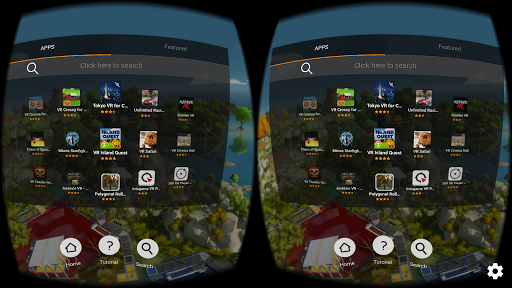
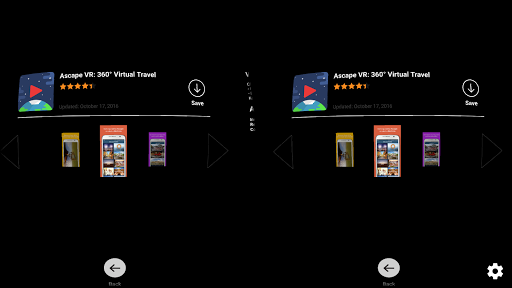
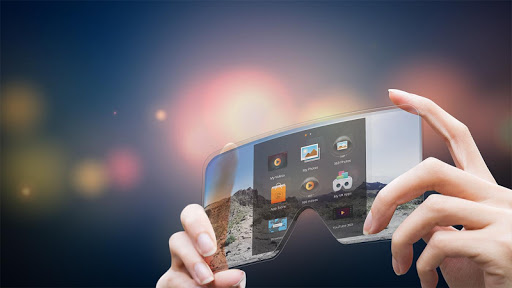
Fulldive VR - Virtual Reality App Launcher allows all your apps to be easily launched through a VR interface. This is only the app extension and not the full version, which is compatible with both Cardboard and Daydream headsets.
You can have the full experience by downloading Fulldive - VR Virtual Reality in Google Play. Link here: https://play.google.com/store/apps/details?id=in.fulldive.shell&hl=en
The full version includes:
➢ VR YouTube: Stream any youtube videos in IMAX VR
➢ 3D VR YouTube: Stream 3D youtube videos in IMAX VR
➢ FullDive Camera : take pictures and video in VR
➢ FullDive Gallery : store and access your pictures, videos, and photosphere in VR
➢ FullDive Browser : browse the web, such as Facebook, Google, and everything else in VR
➢ FullDive Market : access all VR applications in the market
➢ VR Social Network : comment on content and share with your friends
What is FullDive?
FullDive is a platform for virtual reality that connects with your smartphone. This allows the user to have easy and affordable access to a new world of media. You can watch videos like in a movie theater, stream YouTube videos like they have never been seen before, and even check social media from a completely unseen angle.
FullDive is a virtual reality unit for the masses. Gone are the days when you need to be sitting in front of a screen to watch a movie. There’s no need to be paying thousands for a large television set to enjoy the movies you love.
Mission of The Future
Our mission is to create 3D virtual reality glasses that connect to your smartphone, so it’s easy for developers and users to use. We want this to be available and affordable to every person who owns a smartphone.
Founders Ed and Yosen are bringing this vision from the tech capital of the world, Silicon Valley. With humble backgrounds, the team is passionate about giving the VR experience not only here, but also to third world countries that can’t afford expensive kits. FullDive will be there in the near future.
Play With the Future
FullDive’s software works with smartphone technology to display a much larger screen in virtual reality glasses. The screen is split into two images and displayed for each eye to create a cinematic 3D view, all from your smartphone.
We currently have developed FullDive Video and FullDive YouTube app. More features will come out soon, such as FullDive Browser where you can browse websites in a VR experience, and FullDive Market where you can access all VR apps from other developers.
In the near future, you will also have access to Netflix, Hulu, and Roku through FullDive Stream, so you can watch a massive selection of movies in virtual reality. And FullDive Bolt will allow you to stream straight from your computer screen.
Access The Future of One World
FullDive allows the average user in any country to access the future and enjoy media like it’s never been seen before. Our mission is to spread VR to everyone in this world.n is to spread VR to everyone in this world.
Показать больше

1. Скачать инсталлятор MEmu и завершайте установку

2. Запускайте MEmu, затем откройте Google Play на главной странице

3. Ищите FD VR - Virtual App Launcher в Google Play
Install
4. Скачайте и установите FD VR - Virtual App Launcher
5. При завершении установки, нажмите на значок для старта

6. Наслаждайтесь FD VR - Virtual App Launcher на своем компьютере с помощью MEmu.
MEmu Play — лучший бесплатный эмулятор Android, превосходный опыт работы с которым оценили 50 миллионов пользователей. Технология виртуализации MEmu позволяет без проблем запускать тысячи Android-приложений на вашем компьютере, даже самые требовательные.
Большой экран с лучшей графикой; Большая продолжительность, без ограничения батареи или мобильных данных.
Полная поддержка установки клавиш для точного управления клавиатурой и мышью или геймпадом.
Несколько игровых учетных записей или задач на одном компьютере одновременно с менеджером нескольких экземпляров.
Use FD VR - Virtual App Launcher on PC by following steps: