FD VR - Virtual App Launcher
Actualizada
Versión actual
3.6.1
Ofrecida por

Deje de preocuparse por los recargos cuando use FD VR - Virtual App Launcher en su teléfono celular, libérese de la pequeña pantalla y disfrute usando la aplicación en una pantalla mucho más grande. A partir de ahora, obtenga una experiencia de pantalla completa de su aplicación con teclado y mouse. MEmu le ofrece todas las características sorprendentes que esperaba: instalación rápida y configuración fácil, controles intuitivos, no más limitaciones de batería, datos móviles y llamadas molestas. El nuevo MEmu 9 es la mejor opción para usar FD VR - Virtual App Launcher en su computadora. Codificado con nuestra absorción, el administrador de instancias múltiples hace posible abrir 2 o más cuentas al mismo tiempo. Y lo más importante, nuestro exclusivo motor de emulación puede liberar todo el potencial de su PC, hacer que todo sea fluido y agradable.
Más detalles
Descargar FD VR - Virtual App Launcher en PC con MEmu Android Emulador. Disfruta jugando en la pentalla grande. Fulldive VR - Virtual Reality App Launcher allows all your apps to be easily launched through a VR interface.
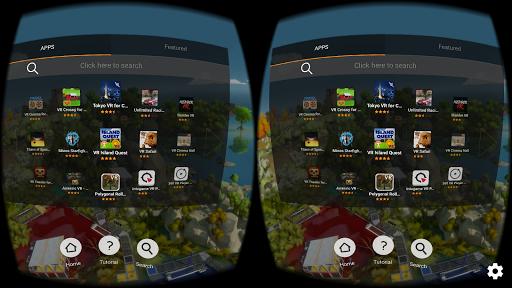
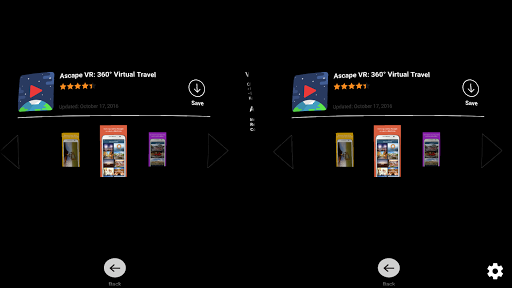
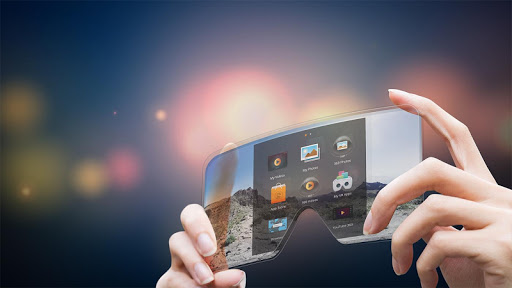
Fulldive VR - Virtual Reality App Launcher allows all your apps to be easily launched through a VR interface. This is only the app extension and not the full version, which is compatible with both Cardboard and Daydream headsets.
You can have the full experience by downloading Fulldive - VR Virtual Reality in Google Play. Link here: https://play.google.com/store/apps/details?id=in.fulldive.shell&hl=en
The full version includes:
➢ VR YouTube: Stream any youtube videos in IMAX VR
➢ 3D VR YouTube: Stream 3D youtube videos in IMAX VR
➢ FullDive Camera : take pictures and video in VR
➢ FullDive Gallery : store and access your pictures, videos, and photosphere in VR
➢ FullDive Browser : browse the web, such as Facebook, Google, and everything else in VR
➢ FullDive Market : access all VR applications in the market
➢ VR Social Network : comment on content and share with your friends
What is FullDive?
FullDive is a platform for virtual reality that connects with your smartphone. This allows the user to have easy and affordable access to a new world of media. You can watch videos like in a movie theater, stream YouTube videos like they have never been seen before, and even check social media from a completely unseen angle.
FullDive is a virtual reality unit for the masses. Gone are the days when you need to be sitting in front of a screen to watch a movie. There’s no need to be paying thousands for a large television set to enjoy the movies you love.
Mission of The Future
Our mission is to create 3D virtual reality glasses that connect to your smartphone, so it’s easy for developers and users to use. We want this to be available and affordable to every person who owns a smartphone.
Founders Ed and Yosen are bringing this vision from the tech capital of the world, Silicon Valley. With humble backgrounds, the team is passionate about giving the VR experience not only here, but also to third world countries that can’t afford expensive kits. FullDive will be there in the near future.
Play With the Future
FullDive’s software works with smartphone technology to display a much larger screen in virtual reality glasses. The screen is split into two images and displayed for each eye to create a cinematic 3D view, all from your smartphone.
We currently have developed FullDive Video and FullDive YouTube app. More features will come out soon, such as FullDive Browser where you can browse websites in a VR experience, and FullDive Market where you can access all VR apps from other developers.
In the near future, you will also have access to Netflix, Hulu, and Roku through FullDive Stream, so you can watch a massive selection of movies in virtual reality. And FullDive Bolt will allow you to stream straight from your computer screen.
Access The Future of One World
FullDive allows the average user in any country to access the future and enjoy media like it’s never been seen before. Our mission is to spread VR to everyone in this world.n is to spread VR to everyone in this world.
Más detalles

1. Descargar el instalador de MEmu y finalice la instalación

2. Iniciar MEmu y abrir Google Play en la página de inicio

3. Buscar FD VR - Virtual App Launcher en Google Play
Install
4. Descargar y instalar FD VR - Virtual App Launcher
5. Hacer click al icono para iniciar

6. Experiencia FD VR - Virtual App Launcher en PC con MEmu
MEmu App Player es el mejor emulador de Android gratuito y 50 millones de personas ya están disfrutando su magnífica experiencia de aplicación en Android. La tecnología de virtualización de MEmu te permite jugar a miles de aplicaciones Android suavemente en tu PC, incluso los más intensivos gráficamente.
Pantalla más grande con mejores gráficos; Larga duración, sin limitación de batería o datos móviles.
Soporte completo de keymapping para un control preciso del teclado y el mouse o gamepad.
Múltiples cuentas de juegos o tareas en una sola PC a la vez con el administrador de instancias múltiples.
Use FD VR - Virtual App Launcher on PC by following steps: