
Max Booster - Quick Cleanup
Обновлено
Текущая версия
1.1.2
Продавец

Перестаньте беспокоиться о быстром разряде батареи при использовании Max Booster - Quick Cleanup на вашем телефоне. Освободитесь от крошечного экрана и наслаждайтесь приложением на гораздо большем экране. Теперь вы можете работать с приложением в полноэкранном режиме с удобством клавиатуры и мыши. MEmu предлагает вам все ожидаемые удивительные функции: быструю установку и простую настройку, интуитивно понятное управление и больше никаких забот о времени автономной работы, мобильном трафике или неожиданных звонках. Совершенно новый MEmu 9 — идеальный выбор для использования Max Booster - Quick Cleanup на вашем компьютере. С помощью менеджера нескольких экземпляров MEmu вы можете одновременно использовать два или более аккаунтов. И самое главное, наш эксклюзивный движок эмуляции раскрывает весь потенциал вашего ПК, обеспечивая плавную и приятную работу.
Показать больше
Скачайте Max Booster - Quick Cleanup на ПК с помощью Андроид эмулятора MEmu. Наслаждайтесь на большом экране. MAX Booster can not only solve the trouble of insufficient storage space, but also clean up the garbage generated by the operation of the Android phone.


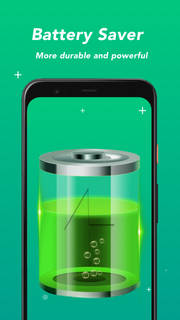

MAX Booster can not only solve the trouble of insufficient storage space, but also clean up the garbage generated by the operation of the Android phone. It can also help Android devices save power and make the battery more durable. MAX Booster can also help free up RAM usage and reduce CPU temperature to bring your Android device back to optimum speed. Make your phone easier and more comfortable to use.MAX Booster function introduction:boosterMAX Booster can speed up your Android device with one click and works great. During the operation of the device, many applications will run in the background, which will slow down the operation speed of the phone. MAX Booster can easily solve this problem and restore your Android device to the best running state with one click for a smoother and faster experience.CleanMAX Booster scans the storage for useless phone junk like cache files, ad files and other unnecessary files etc. You don't have to worry about deleting the wrong files, because we have powerful algorithms, we will accurately analyze all kinds of junk files and identify the unwanted parts, which can not only ensure enough space, but also keep the data safe.CPU coolerWhen the CPU temperature is too high, it will seriously affect the running speed of the device. At this time, it is necessary to reduce the CPU temperature to protect the phone. MAX Booster can detect the heat of the phone in real time and reduce the CPU temperature very well.Power savingMAX Booster analyzes the power status of your battery in real time, even when you close power-hungry apps and processes, optimizing your battery and extending its lifespan, keeping your device on standby for longer.Safe vpn networkCan protect users safely online, free traffic, no restrictionsIn accordance with the Privacy Policy, we will keep your data safe and will not share your data with anyone, nor disclose or delete any of your personal data.
Показать больше

1. Скачать инсталлятор MEmu и завершайте установку

2. Запускайте MEmu, затем откройте Google Play на главной странице

3. Ищите Max Booster - Quick Cleanup в Google Play
Install
4. Скачайте и установите Max Booster - Quick Cleanup
5. При завершении установки, нажмите на значок для старта

6. Наслаждайтесь Max Booster - Quick Cleanup на своем компьютере с помощью MEmu.
MEmu Play — лучший бесплатный эмулятор Android, превосходный опыт работы с которым оценили 50 миллионов пользователей. Технология виртуализации MEmu позволяет без проблем запускать тысячи Android-приложений на вашем компьютере, даже самые требовательные.
Большой экран с лучшей графикой; Большая продолжительность, без ограничения батареи или мобильных данных.
Полная поддержка установки клавиш для точного управления клавиатурой и мышью или геймпадом.
Несколько игровых учетных записей или задач на одном компьютере одновременно с менеджером нескольких экземпляров.
Use Max Booster - Quick Cleanup on PC by following steps: