
Max Booster - Quick Cleanup
更新日
現在のバージョン
1.1.2
提供元

スマートフォンは不要!パソコンと同じようにキーボードとマウスで操作できます。MEmu Playは、あなたが待ち望んでいたすべての楽しみをお届けします。バッテリー残量や小さな画面を気にすることなく、Max Booster - Quick Cleanupをご利用ください。最新のMEmu 9は、Max Booster - Quick CleanupをPCで体験するのに最適です!完璧なキーマッピングシステムにより、PCのようなスムーズな操作性を実現します。マルチインスタンス機能により、複数のアプリケーションを同時に実行できます。独自の仮想化エンジンがPCのパフォーマンスを最大限に引き出します。アプリを使用するだけでなく、高品質な体験を得ることができます。
もっと見る
Max Booster - Quick CleanupをPCでダウンロード!大画面でより楽しむ。電源が落ちてしまうとか通信料が足りないとかの問題を心配する必要がなく、PCの大画面でより快適にゲームを楽しましょう! MAX Booster can not only solve the trouble of insufficient storage space, but also clean up the garbage generated by the operation of the Android phone.


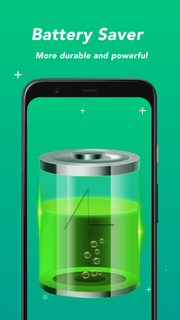

MAX Booster can not only solve the trouble of insufficient storage space, but also clean up the garbage generated by the operation of the Android phone. It can also help Android devices save power and make the battery more durable. MAX Booster can also help free up RAM usage and reduce CPU temperature to bring your Android device back to optimum speed. Make your phone easier and more comfortable to use.MAX Booster function introduction:boosterMAX Booster can speed up your Android device with one click and works great. During the operation of the device, many applications will run in the background, which will slow down the operation speed of the phone. MAX Booster can easily solve this problem and restore your Android device to the best running state with one click for a smoother and faster experience.CleanMAX Booster scans the storage for useless phone junk like cache files, ad files and other unnecessary files etc. You don't have to worry about deleting the wrong files, because we have powerful algorithms, we will accurately analyze all kinds of junk files and identify the unwanted parts, which can not only ensure enough space, but also keep the data safe.CPU coolerWhen the CPU temperature is too high, it will seriously affect the running speed of the device. At this time, it is necessary to reduce the CPU temperature to protect the phone. MAX Booster can detect the heat of the phone in real time and reduce the CPU temperature very well.Power savingMAX Booster analyzes the power status of your battery in real time, even when you close power-hungry apps and processes, optimizing your battery and extending its lifespan, keeping your device on standby for longer.Safe vpn networkCan protect users safely online, free traffic, no restrictionsIn accordance with the Privacy Policy, we will keep your data safe and will not share your data with anyone, nor disclose or delete any of your personal data.
もっと見る

1. MEmuインストーラーをダウンロードしてセットアップを完了する

2. MEmuを起動し、デスクトップでのPlayストアを開く

3. PlayストアでMax Booster - Quick Cleanupを検索する
Install
4. Max Booster - Quick Cleanupをダウンロードしてインストールする
5. インストールが完了したら、アイコンをクリックしてスタート

6. MEmuを使ってパソコンでMax Booster - Quick Cleanupを体験する
MEmu Playは現在、最高の無料Androidエミュレーターであり、5,000万人のユーザーが優れたAndroidアプリ体験を楽しんでいます。MEmuの仮想化テクノロジーにより、数千ものAndroidアプリをコンピューターでスムーズに実行できます。
大画面でより精細;無限の待機、電池とドラフィックの極限を超え
キーボード・マウス・コントローラーを全力でサポート、より快適
マルチインスタンスで複数のゲームを同時に実行
Use Max Booster - Quick Cleanup on PC by following steps: