Payeer | Who Will Pay The Bill
Обновлено
Текущая версия
1.2
Продавец

Перестаньте беспокоиться о быстром разряде батареи при использовании Payeer | Who Will Pay The Bill на вашем телефоне. Освободитесь от крошечного экрана и наслаждайтесь приложением на гораздо большем экране. Теперь вы можете работать с приложением в полноэкранном режиме с удобством клавиатуры и мыши. MEmu предлагает вам все ожидаемые удивительные функции: быструю установку и простую настройку, интуитивно понятное управление и больше никаких забот о времени автономной работы, мобильном трафике или неожиданных звонках. Совершенно новый MEmu 9 — идеальный выбор для использования Payeer | Who Will Pay The Bill на вашем компьютере. С помощью менеджера нескольких экземпляров MEmu вы можете одновременно использовать два или более аккаунтов. И самое главное, наш эксклюзивный движок эмуляции раскрывает весь потенциал вашего ПК, обеспечивая плавную и приятную работу.
Показать больше
Скачайте Payeer | Who Will Pay The Bill на ПК с помощью Андроид эмулятора MEmu. Наслаждайтесь на большом экране. It's now very easy to create your list with friends for free and determine who will pay the bill!
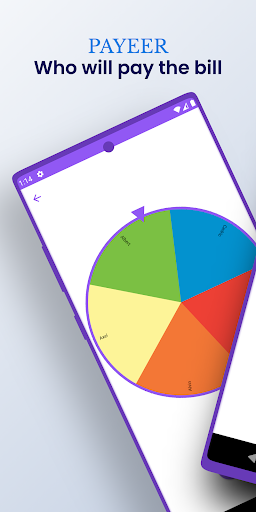
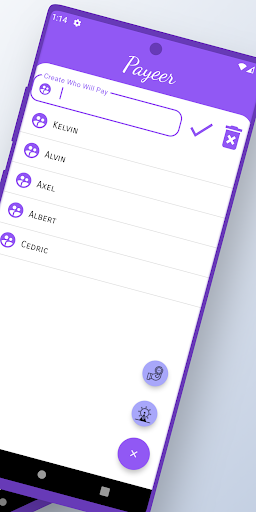
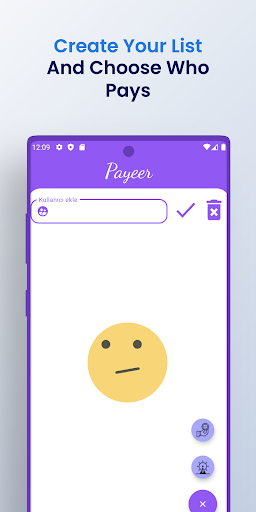
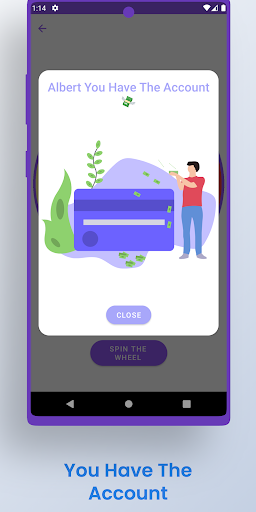
It's now very easy to create your list with friends for free and determine who will pay the bill!
With the Payeer / Who Will Pay The Bill application, you can choose between your friends in a very fun way and determine who will pay the bill in the environments where you will pay the bill. Along with its simple and convenient interface and fun options, you can choose the person who will pay the bill by flipping the coin or by turning the wheel, it is a useful application that we keep constantly updated for you.
Payeer is an application that you can access for free, and it is an application that you can use with pleasure, such as coin flipping, wheel flipping, and many more options to be developed.
By choosing randomly among the people you will add to your list, you can easily determine the person who will pay the bill. If you wish, you can quickly choose between two people by tossing a coin.
Our Payeer/ Who Will Pay The Bill application has an easy-to-use and simple interface.
Payeer | How to Create and Use Who Will Pay The Bill?
▪ On the main screen you can see the list you have already created and, depending on it, the options. You can add a contact to your list from the section at the top and you can delete it completely from the delete button next to it. From the tab at the bottom, you can see the options and choose the person who will pay the bill the way you want.
▪ You can choose the list you want to choose from by selecting it from the icons located at the bottom on the screen of your choice you can easily determine the person who will pay the bill.
▪ To delete the list you added earlier, click on the trash can icon located at the top right and easily remove it from your list with the delete button.
Payeer | Who Will Pay The Bill Features
So what should we do after creating the list of people who will pay the bill? If you are wondering what we can do to increase the memorability, you can look at the features we have prepared for you.
▪ You can continue your list of contacts with the wheel dial screen. You can come to this screen by clicking on the option at the bottom. When you come to this screen, your list will automatically come to the wheel. This way you won't have to enter the list again. All you have to do is spin the wheel.
▪ Later, the wheel will start to turn and it will automatically select a person, and now it will determine who should pay your bill, and now you can pay your bill to that friend. You can easily see the result with the dialog that appears on the screen.
▪ Another feature is your coin flip page, where you will come from the main screen. You can easily access this counter from the coin options at the top of the main screen.
▪ You can convert money in a fun way by flipping a coin on this screen, you can use it easily by clicking on the money icon on the screen for this, you can also be redirected to the message dialogs on the screen. The result on the screen after the return of the money. You can see it.
Come on, you can start using our application with the options that we are considering many more options that you can immediately download and determine the person who I will pay the bill by spinning a wheel or summer tour.
Our Payeer application is an application that is constantly being developed and updated with new studies and exercises. We are waiting for your comments for comments and suggestions.
Показать больше

1. Скачать инсталлятор MEmu и завершайте установку

2. Запускайте MEmu, затем откройте Google Play на главной странице

3. Ищите Payeer | Who Will Pay The Bill в Google Play
Install
4. Скачайте и установите Payeer | Who Will Pay The Bill
5. При завершении установки, нажмите на значок для старта

6. Наслаждайтесь Payeer | Who Will Pay The Bill на своем компьютере с помощью MEmu.
MEmu Play — лучший бесплатный эмулятор Android, превосходный опыт работы с которым оценили 50 миллионов пользователей. Технология виртуализации MEmu позволяет без проблем запускать тысячи Android-приложений на вашем компьютере, даже самые требовательные.
Большой экран с лучшей графикой; Большая продолжительность, без ограничения батареи или мобильных данных.
Полная поддержка установки клавиш для точного управления клавиатурой и мышью или геймпадом.
Несколько игровых учетных записей или задач на одном компьютере одновременно с менеджером нескольких экземпляров.
Use Payeer | Who Will Pay The Bill on PC by following steps: