Pixel Launcher
Обновлено
Текущая версия
2.11
Продавец

Перестаньте беспокоиться о быстром разряде батареи при использовании Pixel Launcher на вашем телефоне. Освободитесь от крошечного экрана и наслаждайтесь приложением на гораздо большем экране. Теперь вы можете работать с приложением в полноэкранном режиме с удобством клавиатуры и мыши. MEmu предлагает вам все ожидаемые удивительные функции: быструю установку и простую настройку, интуитивно понятное управление и больше никаких забот о времени автономной работы, мобильном трафике или неожиданных звонках. Совершенно новый MEmu 9 — идеальный выбор для использования Pixel Launcher на вашем компьютере. С помощью менеджера нескольких экземпляров MEmu вы можете одновременно использовать два или более аккаунтов. И самое главное, наш эксклюзивный движок эмуляции раскрывает весь потенциал вашего ПК, обеспечивая плавную и приятную работу.
Показать больше
Скачайте Pixel Launcher на ПК с помощью Андроид эмулятора MEmu. Наслаждайтесь на большом экране. Pixel Launcher provides a new home screen experience like Android Pixel Launcher that allow you to be more customize your Android device.
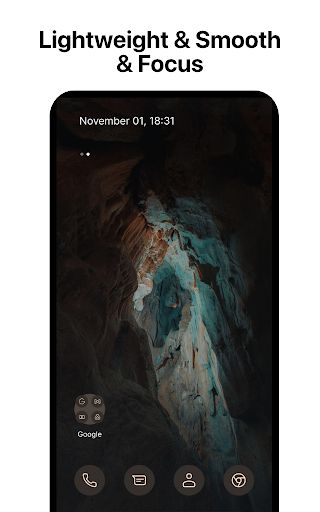
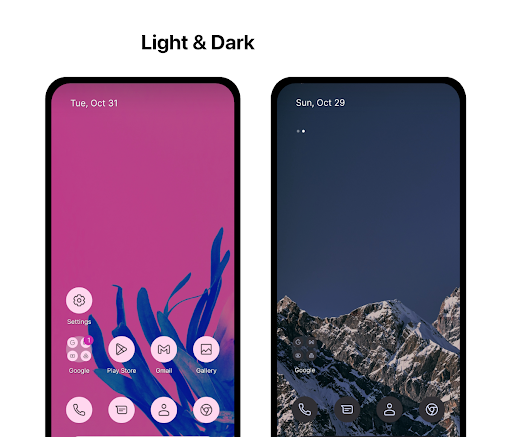
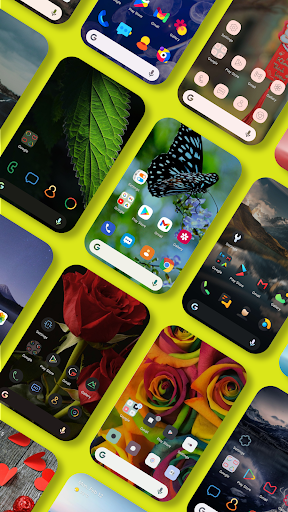
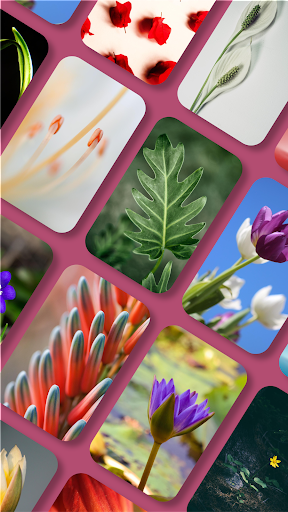
Pixel Launcher provides a new home screen experience like Android Pixel Launcher that allow you to be more customize your Android device.
This version of Pixel Launcher has been rebuilt on a new codebase to make new features possible, including dark mode, and numerous performance improvements (improved load time, less memory use, better battery performance, and fluent animation).
PIXEL LAUNCHER FEATURES
- Customizable pixel icons and adaptive icons (change icons color base on background color).
- Give your phone a consistent look and feel with custom pixel icon packs and pixel adaptive icons. You can feel comfortable to choose any icon pack you like.
- Customize Notification dots with number
- Customize dock bar on home screen with pixel corner and radius
- Customize folder icon on home screen
- Variant gestures, you can easily to customize and use them
- At A Glance Widgets
- Customization launcher font with your love
- Customization recent feature
- Customize columns and rows, icon sizes on App Drawer
- Support use adaptive icons (For example: https://play.google.com/store/apps/details?id=com.donnnno.arcticons&hl=en_US)
- Support use another dock server (Google, Bing, Wikipedia, DuckDuckGo)
- Custom dock icons
- Beautiful Wallpapers from Unsplash
Google Feed:
Install it with these steps:
1. Download and install Pixel Bridge (https://github.com/amirzaidi/AIDLBridge/releases/download/v3/pixelbridge.apk)
2. Restart launcher from Launcher Settings
Thanks Amir Zaidi
Fix glancer did not show Google Weather by Smartspacer:
How to use Smartspacer (Thanks KieronQuinn)
Go to launcher settings -> At a Glance -> Enable "At a Glance Provider selection" -> Download and install Smartspacer at link https://github.com/KieronQuinn/Smartspacer/releases/tag/1.2.2 and click "At a Glance Provider" -> Choose Smartspacer.
Dark theme:
· Comfortably use your phone at night or in low light environments with dark theme. This feature is compatible with Android’s dark mode settings.
Backup and Restore:
· Easily move between your phones or try Home Screen setups through Pixel Launcher’s Backup and Restore feature. Backups can be stored locally or saved to the cloud for easy transfers.
Improved performance:
· Pixel Launcher now loads faster, uses less memory, is more battery efficient, and offers fluent animations.
ACCESSIBILITY
The application commits not to collect or share any user information about this accessibility right.
App need accessibility permission to use functions: go home, recent apps, go back, set up the lock and display the Control Center, Listen to the open application to use the "Animation App" function.
Permission
- BIND_ACCESSIBILITY_SERVICE: To allow apps to draw gestures in HOME SCREEN. App does not use the permission for any other purpose. The application is only allowed to use this permission with the consent of the user.
- We never publicly disclose any personal or sensitive user data related to financial or payment activities or any government identification numbers, photos and contacts, etc.
This app uses Accessibility services.
This video demo how to we use accessibility permissions: https://www.youtube.com/shorts/k6Yud387ths
Thanks for assets from Pixabay, Unsplash
Contact us:
Email: phuctc.freelancer@gmail.com
Facebook: https://www.facebook.com/profile.php?id=100094232618606
Показать больше

1. Скачать инсталлятор MEmu и завершайте установку

2. Запускайте MEmu, затем откройте Google Play на главной странице

3. Ищите Pixel Launcher в Google Play
Install
4. Скачайте и установите Pixel Launcher
5. При завершении установки, нажмите на значок для старта

6. Наслаждайтесь Pixel Launcher на своем компьютере с помощью MEmu.
MEmu Play — лучший бесплатный эмулятор Android, превосходный опыт работы с которым оценили 50 миллионов пользователей. Технология виртуализации MEmu позволяет без проблем запускать тысячи Android-приложений на вашем компьютере, даже самые требовательные.
Большой экран с лучшей графикой; Большая продолжительность, без ограничения батареи или мобильных данных.
Полная поддержка установки клавиш для точного управления клавиатурой и мышью или геймпадом.
Несколько игровых учетных записей или задач на одном компьютере одновременно с менеджером нескольких экземпляров.
Use Pixel Launcher on PC by following steps: