Shinkansen smartEX App
Обновлено
Текущая версия
8.1.16
Продавец

Перестаньте беспокоиться о быстром разряде батареи при использовании Shinkansen smartEX App на вашем телефоне. Освободитесь от крошечного экрана и наслаждайтесь приложением на гораздо большем экране. Теперь вы можете работать с приложением в полноэкранном режиме с удобством клавиатуры и мыши. MEmu предлагает вам все ожидаемые удивительные функции: быструю установку и простую настройку, интуитивно понятное управление и больше никаких забот о времени автономной работы, мобильном трафике или неожиданных звонках. Совершенно новый MEmu 9 — идеальный выбор для использования Shinkansen smartEX App на вашем компьютере. С помощью менеджера нескольких экземпляров MEmu вы можете одновременно использовать два или более аккаунтов. И самое главное, наш эксклюзивный движок эмуляции раскрывает весь потенциал вашего ПК, обеспечивая плавную и приятную работу.
Показать больше
Скачайте Shinkansen smartEX App на ПК с помощью Андроид эмулятора MEmu. Наслаждайтесь на большом экране. ▼With the EX app, you can:.
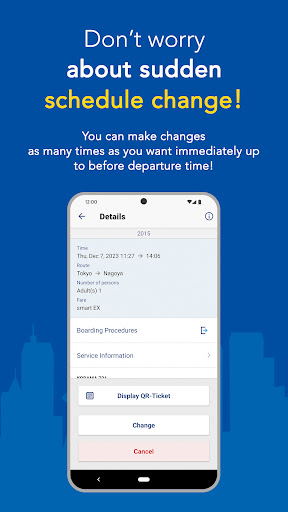
▼With the EX app, you can:
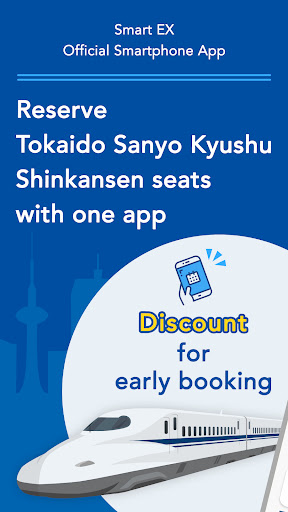
- Reserve Shinkansen seats through the app easily
- Discount for early booking
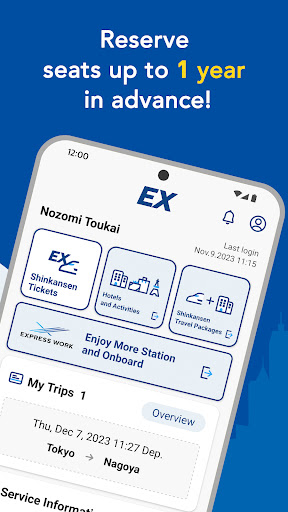
- Reserve Shinkansen seats up to 1 year in advance
- You can make as many changes as you need, free of charge, before getting on the train
- Reserve a set of Shinkansen seats and hotel rooms!
- Reserve activities, hotels and car rentals!
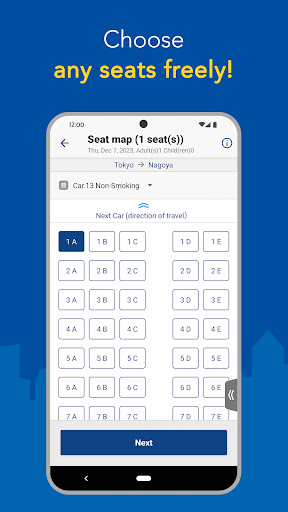
- Select any seat from the seat map (*reserved seats only)
- Information on services available in stations and trains
- You can log in quickly by using fingerprint authentication.
(only for compatible models)
▼ Main features
- Membership registration
- Purchase ticket/Reserve seats (time designation, train name designation, easy free seat reservation))
- Confirm reservation
- Change and refund reservation (reducing the number of persons)
- Display purchase history and receipt
- Check, change member information
- Display QR-Ticket for boarding
- Designate or register IC card for boarding
- Service status information (Link)
▼ Notes
- Membership registration is required to use this app. For registration, personal information is required, such as member name, date of birth, and a valid credit card, etc.
- Ticket purchase (reservation) payment will be taken from the credit card registered on the account.
-- You need to register or designate IC card for public transportation (*) to travel ticketless with IC card.
(*) Kitaca, PASMO, Suica, manaca, TOICA, PiTaPa, ICOCA, Hayakaken, nimoca, SUGOCA
- You need the pickup code to pick up tickets from ticket vending machines, etc., at main stations of Tokaido Sanyo Kyushu Shinkansen, such as Tokyo, Kyoto, Shin-Osaka, Hiroshima, Hakata, Kumamoto etc.
- Please do not use this app to make a seat reservation for Japan Rail Pass.
- This service is available only in English.
- For more details on this service, please see the website.
*The email address below is for inquiries about application specifications. Please note that we cannnot answer inquiries about the service.
Показать больше

1. Скачать инсталлятор MEmu и завершайте установку

2. Запускайте MEmu, затем откройте Google Play на главной странице

3. Ищите Shinkansen smartEX App в Google Play
Install
4. Скачайте и установите Shinkansen smartEX App
5. При завершении установки, нажмите на значок для старта

6. Наслаждайтесь Shinkansen smartEX App на своем компьютере с помощью MEmu.
MEmu Play — лучший бесплатный эмулятор Android, превосходный опыт работы с которым оценили 50 миллионов пользователей. Технология виртуализации MEmu позволяет без проблем запускать тысячи Android-приложений на вашем компьютере, даже самые требовательные.
Большой экран с лучшей графикой; Большая продолжительность, без ограничения батареи или мобильных данных.
Полная поддержка установки клавиш для точного управления клавиатурой и мышью или геймпадом.
Несколько игровых учетных записей или задач на одном компьютере одновременно с менеджером нескольких экземпляров.
Use Shinkansen smartEX App on PC by following steps: