Shinkansen smartEX App
更新日
現在のバージョン
9.1.3
提供元

スマートフォンは不要!パソコンと同じようにキーボードとマウスで操作できます。MEmu Playは、あなたが待ち望んでいたすべての楽しみをお届けします。バッテリー残量や小さな画面を気にすることなく、Shinkansen smartEX Appをご利用ください。最新のMEmu 9は、Shinkansen smartEX AppをPCで体験するのに最適です!完璧なキーマッピングシステムにより、PCのようなスムーズな操作性を実現します。マルチインスタンス機能により、複数のアプリケーションを同時に実行できます。独自の仮想化エンジンがPCのパフォーマンスを最大限に引き出します。アプリを使用するだけでなく、高品質な体験を得ることができます。
もっと見る
Shinkansen smartEX AppをPCでダウンロード!大画面でより楽しむ。電源が落ちてしまうとか通信料が足りないとかの問題を心配する必要がなく、PCの大画面でより快適にゲームを楽しましょう! ▼EXアプリではこんなことができます.
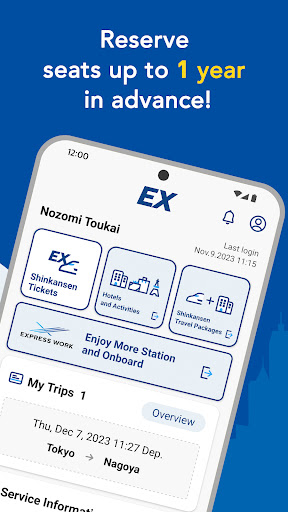
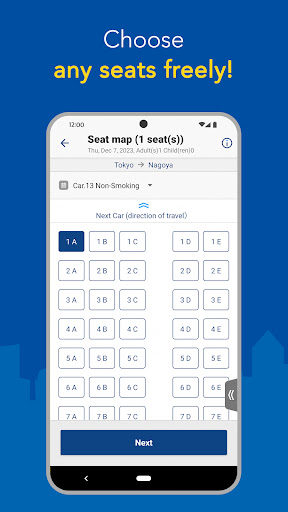
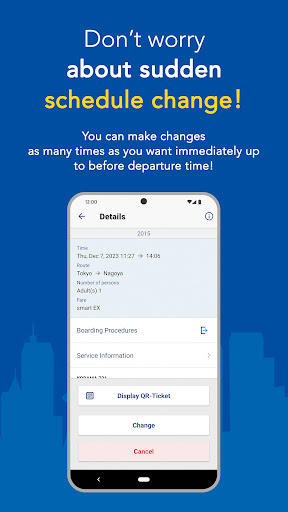
▼EXアプリではこんなことができます
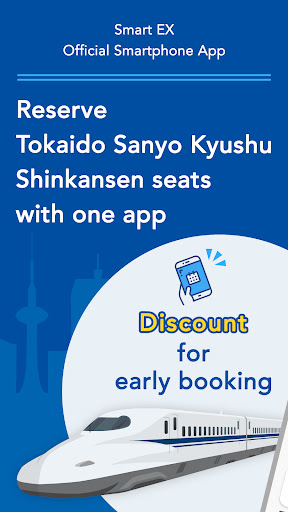
- アプリで簡単に新幹線の座席を予約
- 早期予約による割引
- 新幹線の座席を1年前から予約可能
- 電車に乗る前に、必要なだけ無料で変更できます
・新幹線の座席とホテルをセットで予約!
- アクティビティ、ホテル、レンタカーを予約しましょう!
・シートマップから任意の座席を選択(※指定席のみ)
- 駅や電車内でご利用いただけるサービスのご案内
●指紋認証で素早くログインできます。
(対応機種のみ)
▼主な特長
- 会員登録
- きっぷ購入・座席予約(時間指定・列車名指定・簡単自由席予約)
- 予約を確認する
・予約変更・払い戻し(人数減)
- 購入履歴とレシートを表示します
・会員情報の確認・変更
- 乗車用QRチケットの表示
・乗車用ICカードの指定または登録
- サービス状況情報(リンク)
▼注意事項
・本アプリのご利用には会員登録が必要です。ご登録には会員氏名、生年月日、有効なクレジットカード等の個人情報が必要となります。
・チケット購入(予約)の支払いは、アカウントに登録されているクレジットカードから引き落とされます。
-- ICカードによるチケットレス旅行を行うには、交通系ICカード(※)の登録または指定が必要です。
(※)Kitaca、PASMO、Suica、manaca、TOICA、PiTaPa、ICOCA、はやかけん、nimoca、SUGOCA
・東京・京都・新大阪・広島・博多・熊本などの東海道・山陽・九州新幹線の主要駅の券売機等で切符を受け取るには受け取りコードが必要です。
- このアプリをジャパンレールパスの座席予約には使用しないでください。
- 本サービスは英語のみでご利用いただけます。
・本サービスの詳細についてはホームページをご覧ください。
※アプリケーション仕様に関するお問い合わせは下記メールアドレスまでお願いいたします。サービスに関するお問い合わせにはお答えできませんので、あらかじめご了承ください。
もっと見る

1. MEmuインストーラーをダウンロードしてセットアップを完了する

2. MEmuを起動し、デスクトップでのPlayストアを開く

3. PlayストアでShinkansen smartEX Appを検索する
Install
4. Shinkansen smartEX Appをダウンロードしてインストールする
5. インストールが完了したら、アイコンをクリックしてスタート

6. MEmuを使ってパソコンでShinkansen smartEX Appを体験する
MEmu Playは現在、最高の無料Androidエミュレーターであり、5,000万人のユーザーが優れたAndroidアプリ体験を楽しんでいます。MEmuの仮想化テクノロジーにより、数千ものAndroidアプリをコンピューターでスムーズに実行できます。
大画面でより精細;無限の待機、電池とドラフィックの極限を超え
キーボード・マウス・コントローラーを全力でサポート、より快適
マルチインスタンスで複数のゲームを同時に実行
Use Shinkansen smartEX App on PC by following steps: