
stats.fm for Spotify
Обновлено
Текущая версия
1.8.27
Продавец

Перестаньте беспокоиться о быстром разряде батареи при использовании stats.fm for Spotify на вашем телефоне. Освободитесь от крошечного экрана и наслаждайтесь приложением на гораздо большем экране. Теперь вы можете работать с приложением в полноэкранном режиме с удобством клавиатуры и мыши. MEmu предлагает вам все ожидаемые удивительные функции: быструю установку и простую настройку, интуитивно понятное управление и больше никаких забот о времени автономной работы, мобильном трафике или неожиданных звонках. Совершенно новый MEmu 9 — идеальный выбор для использования stats.fm for Spotify на вашем компьютере. С помощью менеджера нескольких экземпляров MEmu вы можете одновременно использовать два или более аккаунтов. И самое главное, наш эксклюзивный движок эмуляции раскрывает весь потенциал вашего ПК, обеспечивая плавную и приятную работу.
Показать больше
Скачайте stats.fm for Spotify на ПК с помощью Андроид эмулятора MEmu. Наслаждайтесь на большом экране. Your music, your stats, your story!
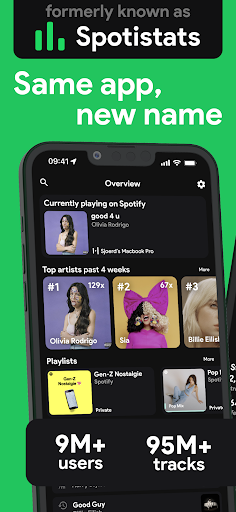
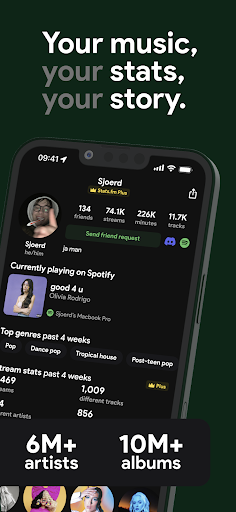
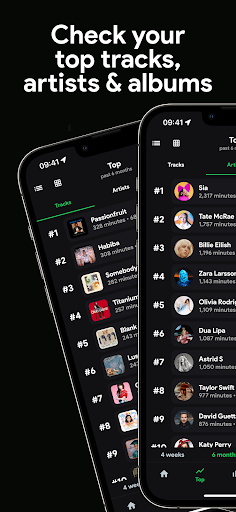
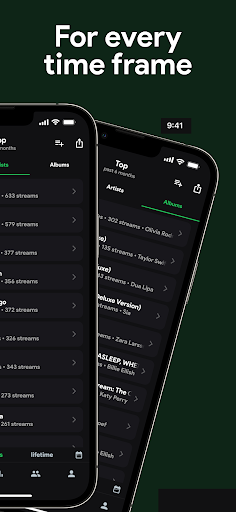
Your music, your stats, your story!
With over 10M+ users worldwide, 100M+ stats about tracks, 14M+ albums, and 6M+ artists, gain insights with stats.fm into your most listened songs and artists from every period you can imagine!
↪ stats.fm previously went by the name Spotistats
Don't feel like waiting until the end of the year to see your Spotify Wrapped? Or don't like the design and unuseful info given? No problem, stats.fm is here to show you everything you ever wanted and more!
With Plus it's even possible to view how many times you've listened to your favourite songs!
Discover your listening behavior insights!
All your listening history in one place:
• Your top tracks, top artists, top albums and even top genres
• When you listen (listening clock and more)
• How much you listen (playcounts, minutes/hours streamed)
• What type of music (lively, energetic, etc)
And many more stats and cool graphs
Flex on your friends
You can not only view stats for your own account, but you're even able to search and add your friends and compare your stats with them!
Your personal journey
Detailed & Accurate stats about your beloved songs, artists, or playlists:
• Playcount (how many times and minutes listened)
• How popular the song / artist / playlist is on Spotify
• For artists/albums you can see your top tracks
• What type of music it is (lively, energetic, danceable, instrumental etc)
• The top listeners (who listen to the song / artist / album the most)
• Your lifetime streaming history of that song / artist / album
And many more statistics
In short, Stats.fm for Spotify is the must-have Spotify companion.
Follow us for updates and fun stuff:
Twitter - twitter.com/spotistats
Discord - discord.gg/spotistats
Instagram - instagram.com/statsfm
TikTok - tiktok.com/@statsfm
Reddit - reddit.com/r/statsfm
Note: Some mentioned features require a one-time import of your lifetime streaming history, Spotify is a trademark of Spotify AB. StatsFM B.V. is in no way affiliated with Spotify AB.
Download stats.fm today and start your unforgettable journey!
stats.fm Terms & Conditions: https://stats.fm/terms
stats.fm Privacy Policy: https://stats.fm/privacy
Показать больше

1. Скачать инсталлятор MEmu и завершайте установку

2. Запускайте MEmu, затем откройте Google Play на главной странице

3. Ищите stats.fm for Spotify в Google Play
Install
4. Скачайте и установите stats.fm for Spotify
5. При завершении установки, нажмите на значок для старта

6. Наслаждайтесь stats.fm for Spotify на своем компьютере с помощью MEmu.
MEmu Play — лучший бесплатный эмулятор Android, превосходный опыт работы с которым оценили 50 миллионов пользователей. Технология виртуализации MEmu позволяет без проблем запускать тысячи Android-приложений на вашем компьютере, даже самые требовательные.
Большой экран с лучшей графикой; Большая продолжительность, без ограничения батареи или мобильных данных.
Полная поддержка установки клавиш для точного управления клавиатурой и мышью или геймпадом.
Несколько игровых учетных записей или задач на одном компьютере одновременно с менеджером нескольких экземпляров.
Use stats.fm for Spotify on PC by following steps: