Syai
Обновлено
Текущая версия
Продавец

Перестаньте беспокоиться о быстром разряде батареи при использовании Syai на вашем телефоне. Освободитесь от крошечного экрана и наслаждайтесь приложением на гораздо большем экране. Теперь вы можете работать с приложением в полноэкранном режиме с удобством клавиатуры и мыши. MEmu предлагает вам все ожидаемые удивительные функции: быструю установку и простую настройку, интуитивно понятное управление и больше никаких забот о времени автономной работы, мобильном трафике или неожиданных звонках. Совершенно новый MEmu 9 — идеальный выбор для использования Syai на вашем компьютере. С помощью менеджера нескольких экземпляров MEmu вы можете одновременно использовать два или более аккаунтов. И самое главное, наш эксклюзивный движок эмуляции раскрывает весь потенциал вашего ПК, обеспечивая плавную и приятную работу.
Показать больше
Наслаждайтесь превосходным опытом использования Syai на ПК с MEmu Play. Это мощный бесплатный эмулятор Android, который предлагает тысячи приложений для настольных компьютеров. Наслаждайтесь общением с друзьями и совершенствуйте свою работу ещё эффективнее! ONLY use this application if you have the Syai CGMS device.
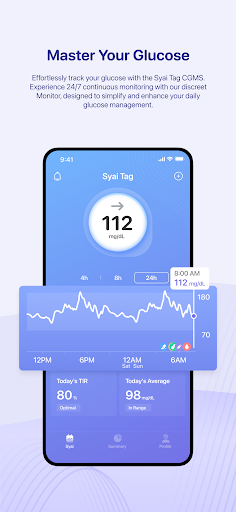
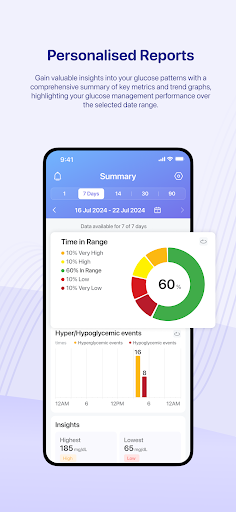
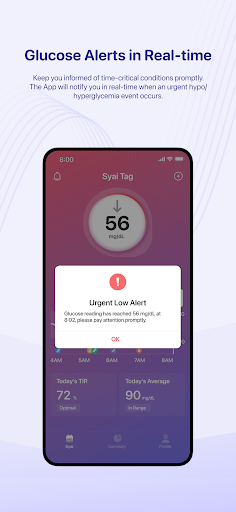
ONLY use this application if you have the Syai CGMS device. The application will require a connection to external CGM devices to cooperate for glucose data measurement and relevant functions for optimal experiences.
Note: The standalone application is not a medical device and it cannot measure any glucose data or generate data analytics on its own without mentioned connection with Syai CGMS devices.
Effortlessly track your glucose levels and trend patterns with the Syai CGMS (Continuous Glucose Monitoring System). The application is exclusively designed for Syai CGMS users. The Syai CGMS will provide real-time glucose readings to the application 24/7 with 0 downtime, factory calibrated for pin-point accuracy.
Key features:
1. Check your glucose data effortlessly at any time; receive customized glucose alerts for high, low, and urgent low events, fuss-free.
2. View real-time glucose readings, trend graphs, historical data, and glucose reports—all in one place.
3. A complete ecosystem allows you to share glucose data or transfer your injection history, etc., with third-party health apps and devices.
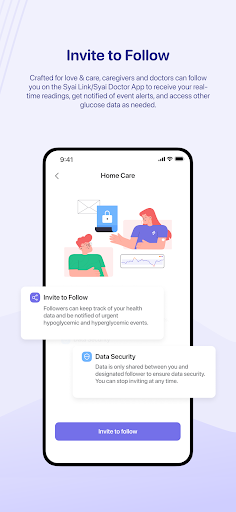
4. Connect to loved ones or HCPs with intuitive sharing features.
5. Add various logs to your Logbook to track your daily meals, exercises, medications, BG results, and such.
Wear OS App Available.
Disclaimer: This application is exclusively designed for continuous glucose monitoring with Syai CGM Monitors from Syai Health. The results, feedback, and information provided in the app cannot be regarded as substitutes for professional medical advice or treatment plan references. Always consult qualified healthcare professionals/providers (HCPs) for any medical decisions, or check your blood glucose with fingerstick tests if you feel unwell or suspect your Monitor readings might be inaccurate compared to symptoms.
Jurisdictional Notice: This application is intended solely for use within the European Union. Users from other regions or countries must ensure that their access and usage comply with their respective local laws before proceeding.
Показать больше

1. Скачать инсталлятор MEmu и завершайте установку

2. Запускайте MEmu, затем откройте Google Play на главной странице

3. Ищите Syai в Google Play
Install
4. Скачайте и установите Syai
5. При завершении установки, нажмите на значок для старта

6. Наслаждайтесь Syai на своем компьютере с помощью MEmu.
MEmu Play — лучший бесплатный эмулятор Android, превосходный опыт работы с которым оценили 50 миллионов пользователей. Технология виртуализации MEmu позволяет без проблем запускать тысячи Android-приложений на вашем компьютере, даже самые требовательные.
Большой экран с лучшей графикой; Большая продолжительность, без ограничения батареи или мобильных данных.
Полная поддержка установки клавиш для точного управления клавиатурой и мышью или геймпадом.
Несколько игровых учетных записей или задач на одном компьютере одновременно с менеджером нескольких экземпляров.
Use Syai on PC by following steps: