VMware Horizon Client
Обновлено
Текущая версия
8.13.1
Продавец

Перестаньте беспокоиться о быстром разряде батареи при использовании VMware Horizon Client на вашем телефоне. Освободитесь от крошечного экрана и наслаждайтесь приложением на гораздо большем экране. Теперь вы можете работать с приложением в полноэкранном режиме с удобством клавиатуры и мыши. MEmu предлагает вам все ожидаемые удивительные функции: быструю установку и простую настройку, интуитивно понятное управление и больше никаких забот о времени автономной работы, мобильном трафике или неожиданных звонках. Совершенно новый MEmu 9 — идеальный выбор для использования VMware Horizon Client на вашем компьютере. С помощью менеджера нескольких экземпляров MEmu вы можете одновременно использовать два или более аккаунтов. И самое главное, наш эксклюзивный движок эмуляции раскрывает весь потенциал вашего ПК, обеспечивая плавную и приятную работу.
Показать больше
Скачайте VMware Horizon Client на ПК с помощью Андроид эмулятора MEmu. Наслаждайтесь на большом экране. VMware Horizon Client for Android makes it easy to work on your VMware Horizon virtual desktop and hosted applications from your Android phone or tablet, giving you on-the-go access from any location.
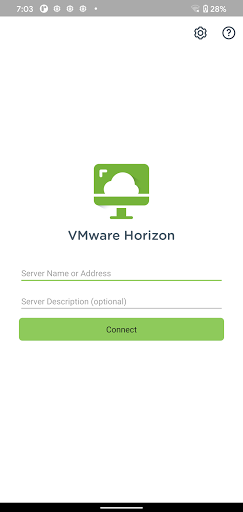
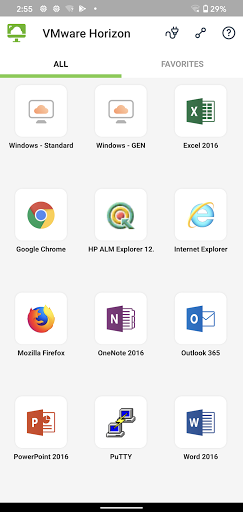
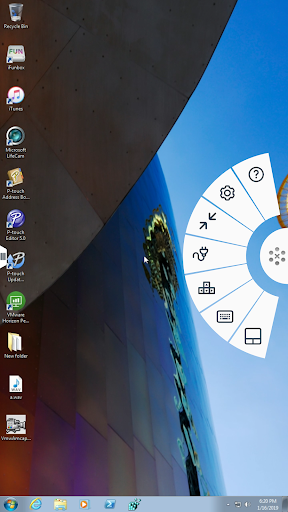
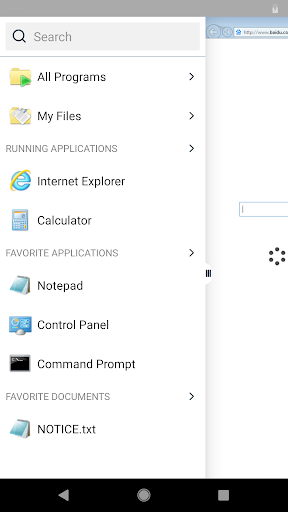
VMware Horizon Client for Android makes it easy to work on your VMware Horizon virtual desktop and hosted applications from your Android phone or tablet, giving you on-the-go access from any location.
IMPORTANT NOTE: A VMware Horizon virtual desktop or hosted application is required to use the VMware Horizon Client for Android. Contact your IT department for further assistance.
This app uses the Device Administrator permission.
FEATURES:
ENHANCED USER EXPERIENCE
The VMware Blast Extreme protocol used with Horizon 7 is designed and optimized for mobile users. Blast Extreme leverages H.264 hardware decoding to deliver the best remote experience while reducing power consumption.
LEAVE THE DESKTOP BEHIND WITH HOSTED APPLICATIONS
VMware Horizon 6 and later supports hosted applications in addition to virtual desktops. With hosted applications, leave the desktop behind and run applications like local Android apps.
BEST OF BOTH WORLDS
Unity Touch bridges the gap between your touch screen and your Windows applications. With Unity Touch, you can easily browse, search, and open Windows applications & files, choose favorite applications and files, and switch between running applications all without the Start Menu or Task Bar.
UNMATCHED PERFORMANCE
The adaptive capabilities of the Blast Extreme and PCoIP display protocol make your virtual desktop fast and responsive regardless of whether you are connecting over your corporate WiFi network or over cellular connection at a local café.
SECURE FROM ANY LOCATION
Whether you’re at your desk or away from the office, you’re always secure with VMware Horizon. Leverage smart card authentication with the Biometric Associates baiMobile smart card readers. Use the newly integrated RSA soft token for simpler access.
NOTE REGARDING APPLICATION PERMISSIONS: When you install the VMware Horizon Client, you will be prompted to allow the app to read phone status and identity. These permissions are due to the integrated RSA SDK and the RSA soft token feature. For security purposes, the RSA SDK requires access to the phone state, device's network state and Wi-Fi state in order to verify the device's identity.
For more information, refer to RSA FAQ: http://www.rsa.com/android/help120.htm
EULA
http://www.vmware.com/download/eula/
Показать больше

1. Скачать инсталлятор MEmu и завершайте установку

2. Запускайте MEmu, затем откройте Google Play на главной странице

3. Ищите VMware Horizon Client в Google Play
Install
4. Скачайте и установите VMware Horizon Client
5. При завершении установки, нажмите на значок для старта

6. Наслаждайтесь VMware Horizon Client на своем компьютере с помощью MEmu.
MEmu Play — лучший бесплатный эмулятор Android, превосходный опыт работы с которым оценили 50 миллионов пользователей. Технология виртуализации MEmu позволяет без проблем запускать тысячи Android-приложений на вашем компьютере, даже самые требовательные.
Большой экран с лучшей графикой; Большая продолжительность, без ограничения батареи или мобильных данных.
Полная поддержка установки клавиш для точного управления клавиатурой и мышью или геймпадом.
Несколько игровых учетных записей или задач на одном компьютере одновременно с менеджером нескольких экземпляров.
Use VMware Horizon Client on PC by following steps: