Adobe Scan: PDF Scanner, OCR
Обновлено
Текущая версия
Продавец

Перестаньте беспокоиться о быстром разряде батареи при использовании Adobe Scan: PDF Scanner, OCR на вашем телефоне. Освободитесь от крошечного экрана и наслаждайтесь приложением на гораздо большем экране. Теперь вы можете работать с приложением в полноэкранном режиме с удобством клавиатуры и мыши. MEmu предлагает вам все ожидаемые удивительные функции: быструю установку и простую настройку, интуитивно понятное управление и больше никаких забот о времени автономной работы, мобильном трафике или неожиданных звонках. Совершенно новый MEmu 9 — идеальный выбор для использования Adobe Scan: PDF Scanner, OCR на вашем компьютере. С помощью менеджера нескольких экземпляров MEmu вы можете одновременно использовать два или более аккаунтов. И самое главное, наш эксклюзивный движок эмуляции раскрывает весь потенциал вашего ПК, обеспечивая плавную и приятную работу.
Показать больше
Скачайте Adobe Scan: PDF Scanner, OCR на ПК с помощью Андроид эмулятора MEmu. Наслаждайтесь на большом экране. The Adobe Scan scanner app turns your device into a powerful portable scanner that recognizes text automatically (OCR) and allows you to save to multiple file formats including PDF and JPEG.
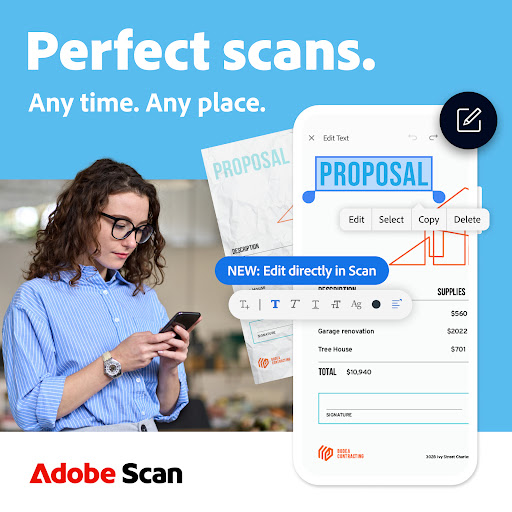
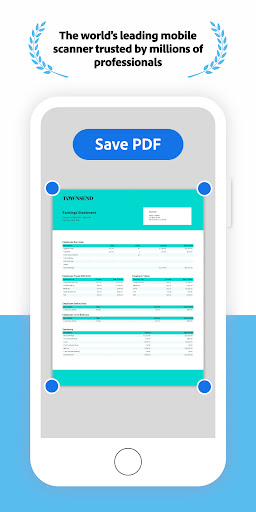
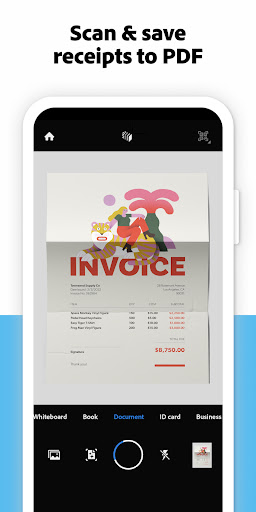
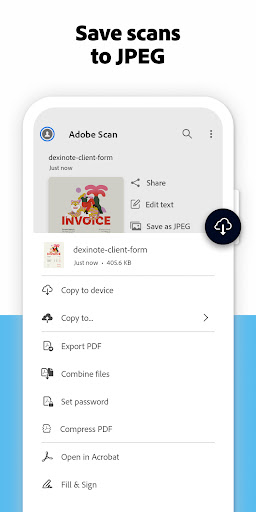
The Adobe Scan scanner app turns your device into a powerful portable scanner that recognizes text automatically (OCR) and allows you to save to multiple file formats including PDF and JPEG.
The most intelligent scanner app. Scan anything — receipts, notes, documents, photos, business cards, whiteboards — with text you can reuse from each PDF and photo scan.
HOW IT WORKS
• With the Adobe Scan scanner app, you can make anything scannable.
• Use the PDF scanner to quickly create a photo scan or PDF scan.
• Scan any document and convert to PDF.
CAPTURE
• Scan anything with precision with this mobile PDF scanner.
• Advanced image technology automatically detects borders, sharpens scanned content, and recognizes text (OCR).
ENHANCE
• Touch up scans or photos from your camera roll.
• Whether it’s a PDF or photo scan, you can preview, reorder, crop, rotate, and adjust color.
CLEANUP UP YOUR SCANS
• Remove and edit imperfections, erase stains, marks, creases, even handwriting.
REUSE
• Turn your photo scan into a high-quality Adobe PDF that unlocks text through automated text recognition (OCR).
• Reuse text from each PDF scan thanks to OCR.
SCAN ANYTHING, ANYWHERE, ANYTIME
• Capture forms, receipts, notes, and business cards with this mobile PDF scanner.
• The amazing new High-Speed Scan tool uses AI to bulk scan larger documents in seconds.
RECYCLE CONTENT
• The Adobe Scan PDF scanner makes any content scannable and reusable.
• Free, built-in optical character recognition (OCR) lets you reuse scanned text and content by creating a high-quality PDF you can work with in the free Adobe Acrobat Reader app.
• You can even turn Adobe Scan into a tax receipt scanner to highlight expenses with ease.
QUICKLY FIND DOCUMENTS IN PHOTO LIBRARY
• This powerful scanner app automatically finds documents and receipts in your photos and turns them into PDF scans, so you don't have to.
• Automatic OCR turns text into content you can edit, resize, and reuse in other documents.
SAVE BUSINESS CARDS TO CONTACTS
• Scan a business card and Adobe Scan turns into a fast business card scanner and reader.
• Contact information will be automatically extracted so you can quickly add to your device contacts — no typing needed.
GET MORE DONE ON THE GO
• Save each scan to Adobe Document Cloud for instant access and sharing.
• Even lengthy legal documents become manageable and scannable with the Adobe Scan scanner app, which lets you search, select, and copy text.
• You can also open a PDF scan in Acrobat Reader to highlight key sections, add comments, fill and sign.
IN-APP PURCHASE
Subscribe for even more scanning power. Subscriptions work across Scan and Reader mobile apps and Acrobat on the web.
• Combine scans into one file so you can take multiple scans and consolidate into one document.
• Export PDFs to Microsoft Word or PowerPoint file formats to integrate with your workflows.
• Increase OCR capacity from 25 to 100 pages so that you can find text in multiple scans.
Download the best free mobile scanner to convert photos and documents into PDF and JPEG files wherever you are. With OCR technology, you can easily digitalize books, business cards, and business receipts and access them via the Adobe Document Cloud. Adobe Scan is the PDF converter trusted by millions worldwide. Scan photos to high-quality PDFs or JPEGs and share easier than ever before.
Terms & Conditions:
Your use of this application is governed by the Adobe General Terms of Use http://www.adobe.com/go/terms_en and the Adobe Privacy Policy http://www.adobe.com/go/privacy_policy_en
Do Not Sell My Personal Information: www.adobe.com/go/ca-rights
Показать больше

1. Скачать инсталлятор MEmu и завершайте установку

2. Запускайте MEmu, затем откройте Google Play на главной странице

3. Ищите Adobe Scan: PDF Scanner, OCR в Google Play
Install
4. Скачайте и установите Adobe Scan: PDF Scanner, OCR
5. При завершении установки, нажмите на значок для старта

6. Наслаждайтесь Adobe Scan: PDF Scanner, OCR на своем компьютере с помощью MEmu.
MEmu Play — лучший бесплатный эмулятор Android, превосходный опыт работы с которым оценили 50 миллионов пользователей. Технология виртуализации MEmu позволяет без проблем запускать тысячи Android-приложений на вашем компьютере, даже самые требовательные.
Большой экран с лучшей графикой; Большая продолжительность, без ограничения батареи или мобильных данных.
Полная поддержка установки клавиш для точного управления клавиатурой и мышью или геймпадом.
Несколько игровых учетных записей или задач на одном компьютере одновременно с менеджером нескольких экземпляров.
Use Adobe Scan: PDF Scanner, OCR on PC by following steps: